2
only. In this type, you should have IP address, Subnet mask, Default Gateway,
Username and Password from your ISP.
9 BigPond is a service used in Australia only. If you are using a Bigpond connection,
check with your ISP for the necessary setup information.
Chapter 3: Configuring the router
3.1 Enter into router’s Web-based configuration page
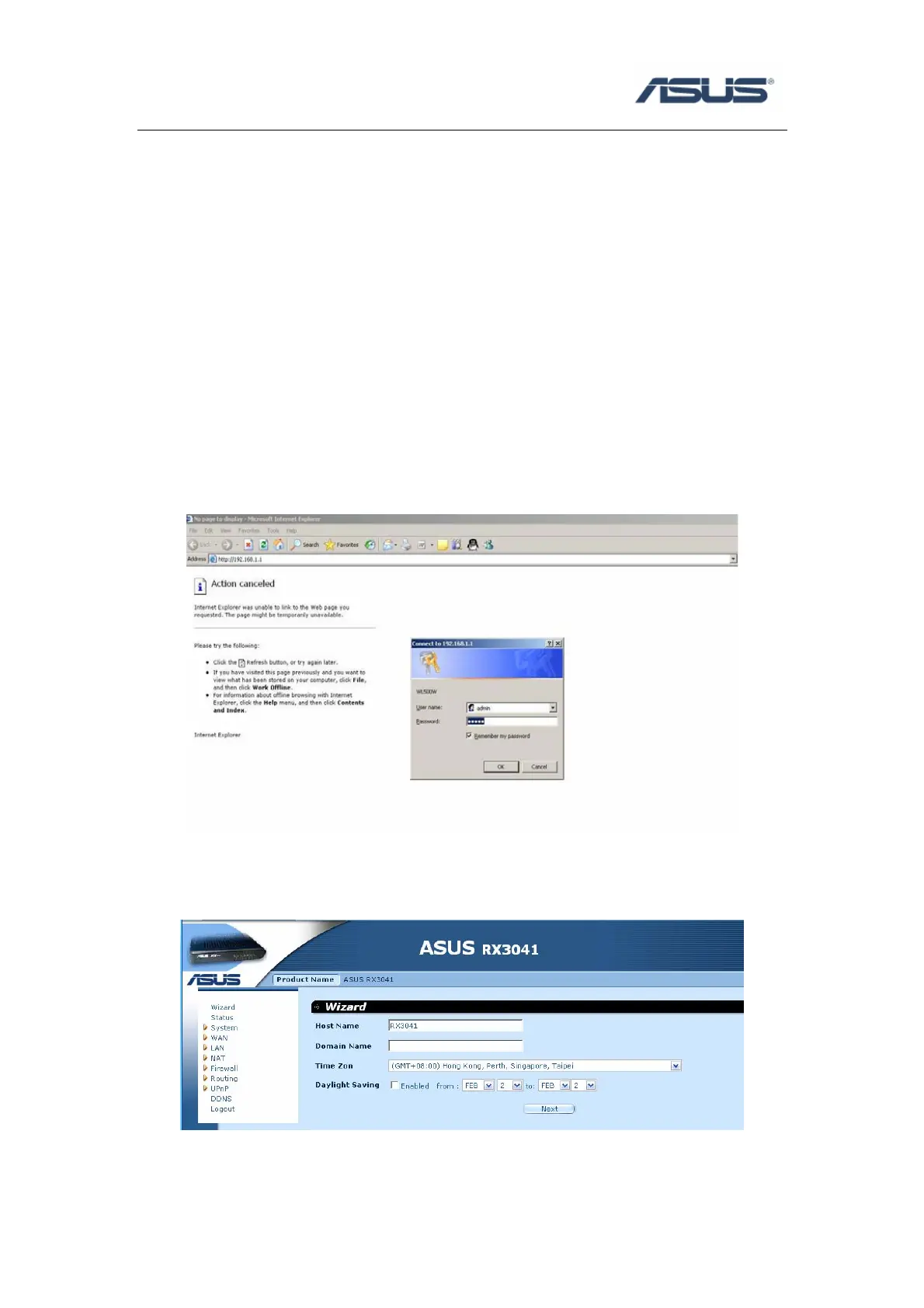
a) Open browser and type router’s IP address: http://192.168.1.1 (the default address)
b) Input username and password, both of them: admin (the default value)
c) Click Cancel when show “do you like to start Quick Setup directly” (if you want to use
Quick Setup, please refer to manual or Quick Start Guide’s description).


 To Next Page