ASUS BM6635 (MD560), BM6835, and BP6335 ( SD560) 39
ENGLISH
ENGLISH
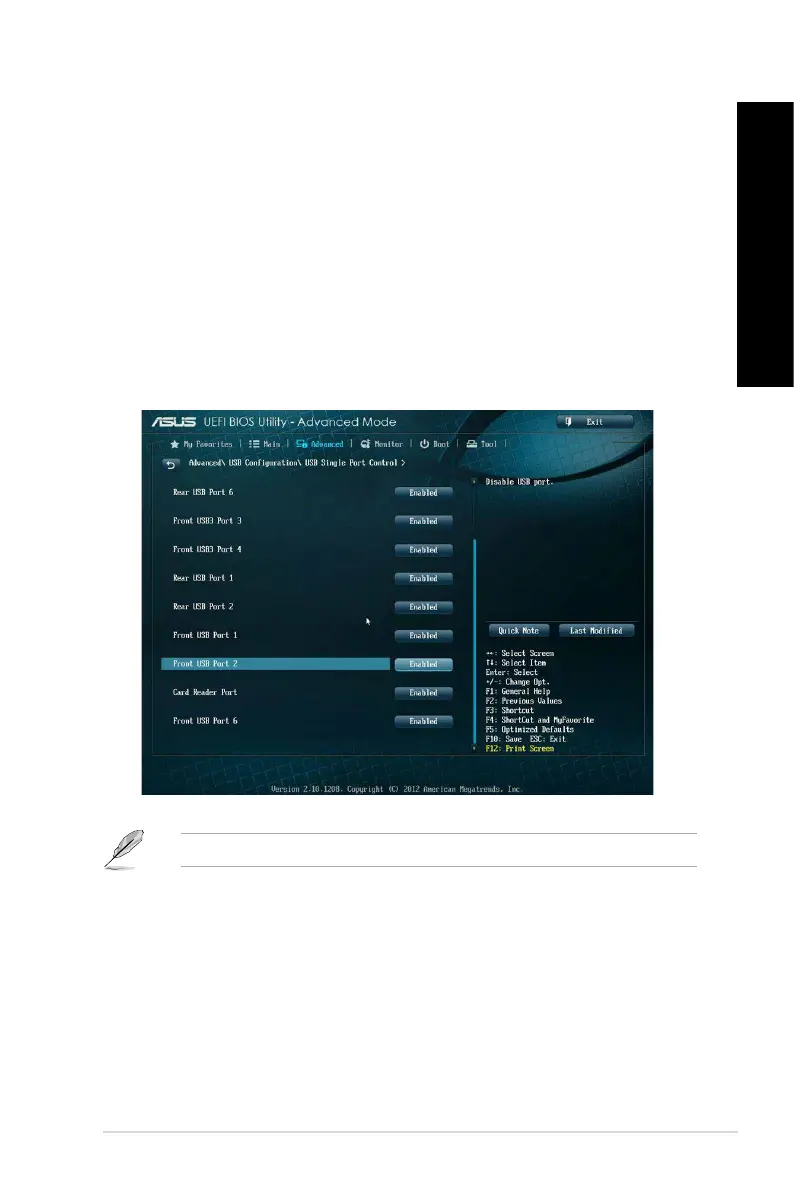
Conguring the USB ports using the BIOS
You can enable or disable the front and rear USB 2.0 and USB 3.0 ports from the BIOS Setup.
To disable or enable the front and rear USB 2.0 and 3.0 ports:
1. Press <Delete> to enter the BIOS Setup at startup.
2. From the BIOS Setup screen, click Advanced > USB Conguration > USB Single Port
Control.
3. Select the USB port that you want to enable or disable.
4. Press <Enter> to enable or disable the selected USB port.
5. Click Exit and select Save Changes & Reset to save the changes made.
Refer to Chapter 1 for the locations of the USB ports.



 To Next Page