ASUS TX97 User’s Manual 13
III. INSTALLATION
Jumpers
1) SIO p. 15 Multi-I/O Selection (Enable/Disable)
2) BBLKW p. 15 Flash ROM Boot Block Program (Disable/Enable)
3) RTCLR p. 16 Real Time Clock RAM (Operation/Clear Data)
4) VID0, VID1, VID2 p. 17 CPU Voltage Selection
5) FS0, FS1, FS2 p. 18 CPU External Clock (BUS) Frequency Selection
6) BF0, BF1 p. 18 CPU:BUS Frequency Ratio
Expansion Slots
1) DIMM Sockets p. 19 168-Pin SDRAM Memory Expansion Sockets
2) ZIF Socket 7 p. 21 Central Processing Unit (CPU) Socket
3) ISA Slots p. 22 16-bit ISA Bus Expansion Slots
4) PCI Slots p. 22 32-bit PCI Bus Expansion Slots
Connectors
1) KBCON p. 24 Keyboard Connector (5-pin Female)
2) FLOPPY p. 24 Floppy Drive Connector (34-pin Block)
3) PRINTER p. 25 Parallel (Printer) Port Connector (26-pin Block)
4) COM1, COM2 p. 25 Serial Port COM1 & COM2 (10-pin Blocks)
5) FAN p. 26 Power Supply, Chassis, CPU Fan Power Leads
6) CHASSIS p. 26 Chassis Open Alarm Lead (3-pin Block)
7) Primary / Second IDE p. 27 Primary / Secondary IDE Connector (40-pin Blocks)
8) IDELED p. 27 IDE LED Activity Light
9) POWER p. 28 Motherboard Power Connector (12-pin Block)
10) TB LED (PANEL) p. 29 Message LED Lead (2-pins)
11) SMI (PANEL) p. 29 SMI Switch Lead (2-pins)
12) ATX PWR p. 29 ATX Power Switch Lead (4-pin Block)
13) RESET (PANEL) p. 29 Reset Switch Lead (2-pins)
14) KEYLOCK (PANEL) p. 29 Keyboard Lock Switch Lead (5-pins)
15) SPEAKER (PANEL) p. 29 Speaker Output Connector (4-pins)
16) PS2MOUSE/USB/IR p. 30 PS/2 Mouse/USB/IR Combo-Connector (18-pin Block)
17) IR p. 30 Second Infrared Port Module Connector (5-pin Block)
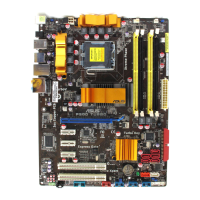
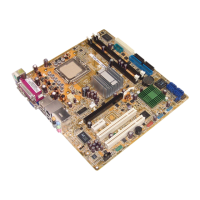
(Map of Board)
III. INSTALLATION



 To Next Page