ASUS TX97 User’s Manual 7
I. INTRODUCTION
I. INTRODUCTION
(Manual / Checklist)
How this manual is organized
This manual is divided into the following sections:
I. Introduction: Manual information and checklist
II. Features: Information and specifications concerning this product
III. Installation: Instructions on setting up the motherboard
IV. BIOS Software: Instructions on setting up the BIOS software
V. Support Software: Information on the included support software
VI. ASUS SCSI Cards: Installation of ASUS SCSI cards (optional)
Item Checklist
Please check that your package is complete. If you discover damaged or missing
items, please contact your retailer.
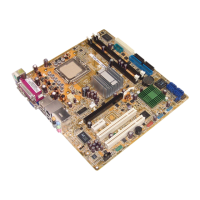
þ The ASUS TX97 motherboard
þ 2 serial port ribbon cables attached to a mounting bracket
þ 1 parallel ribbon cable with mounting bracket
þ 1 IDE ribbon cable
þ 1 floppy ribbon cable
þ Support Drivers and Utilities:
• Flash Memory Writer utility to update the FLASH BIOS
• Desktop Management Interface (DMI) utility
• LANDesk Client Manager (LDCM) Software (with optional onboard LM78)
• Readme files for descriptions and use of the files
• Technical Support Form
þ This user's manual
¨ PS/2 mouse, USB, and IR cable with mounting bracket set (optional)
¨ ATX to AT Power Connector Adapter (optional)
¨ ASUS PCI-SC200 Fast-SCSI or PCI-SC860 Ultra-Fast SCSI card (optional)



 To Next Page