TF600T
27
backspace
t
ab
enter
caps lock
f2
esc
delet
e
sc
r
lk
insert
num
lk
prt sc
sysrq
pause
break
f12
f10
f8
f7
f1
f6
f5
f4
f3
f9
shift
shift
ctrl
ctrl
alt
alt
fn
pgdn
pgup
home
end
fn
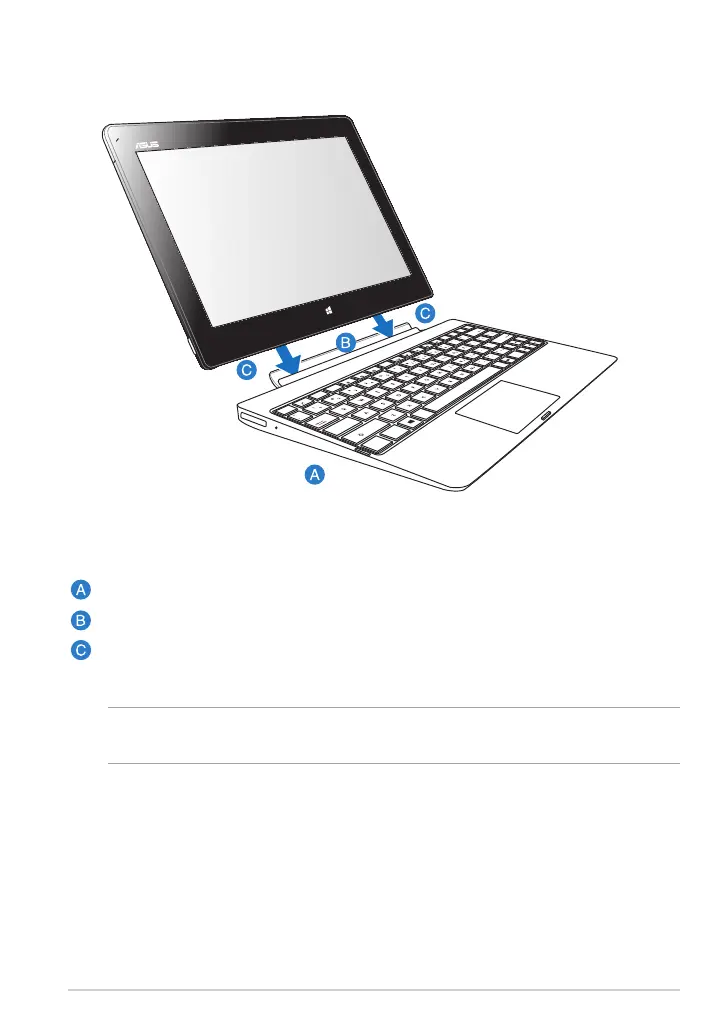
Docking your Tablet PC
IMPORTANT! Always pick up the entire assembly from the bottom when your Tablet
PC is attached to the mobile dock.
To dock your Tablet PC:
Put the mobile dock on a at and stable surface.
Align your Tablet PC with the mobile dock.
Firmly insert the Tablet PC into the hinge. Your Tablet PC will vibrate,
indicating that the Tablet PC is securely seated on the dock.














 To Next Page