TF600T
69
SuperNote
SuperNote is an easy-to-use app that lets you take notes, doodle, capture and
insert photos, and record sounds and videos for a more interactive experience.
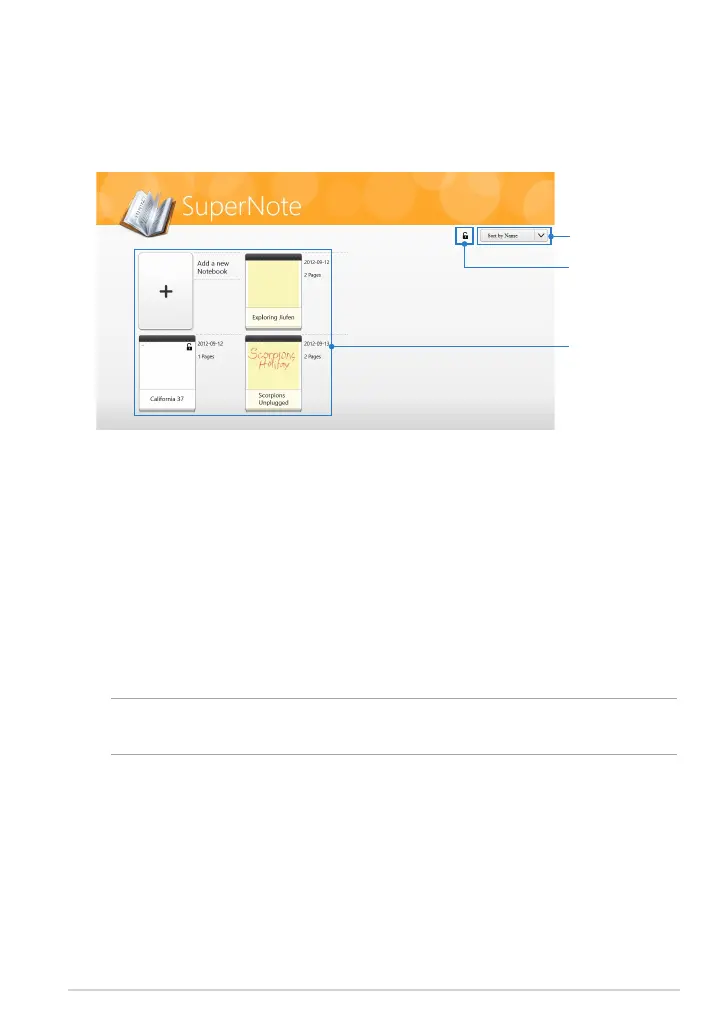
All your notebooks
Tap to sort
notebooks
Tap to set your
password and
enable hiding the
notebooks
1. Tap Add a new Notebook.
2. Key in a notebook name and select a layout option in Page Color and Style.
NOTE: You can view the layout of the selected options on the right corner of the
screen.
3. Tap OK.
Using SuperNote
SuperNote incorporates the three modes in one canvas: Paint mode, Scribble
mode and Keyboard mode. In this design, you can scribble, paint, doodle and
type texts in your notebooks.
Creating a new notebook
To create a new notebook:
SuperNote main screen














 To Next Page