ASUS Tablet PC User Manual
12
Getting to know your Tablet PC
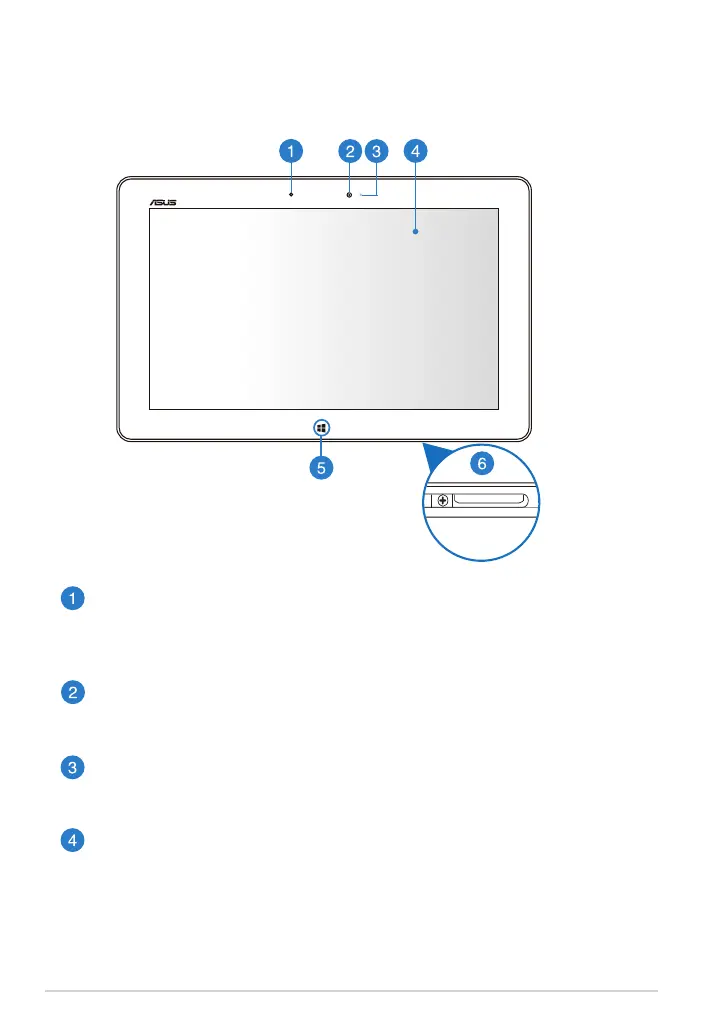
Ambient light sensor
The ambient light sensor detects the amount of ambient light in your
environment. It allows the system to automatically adjust the brightness
of the display depending on the ambient light condition.
Front camera
This built-in 2-megapixel camera allows you to take pictures or record
videos using your Tablet PC.
Camera indicator
The camera indicator lights up when either of the built-in cameras is in
use.
Touch screen panel
The touch screen panel allows you to operate your Tablet PC using touch
gestures or the bundled stylus pen.
Front view














 To Next Page