ASUS Tablet PC User Manual
70
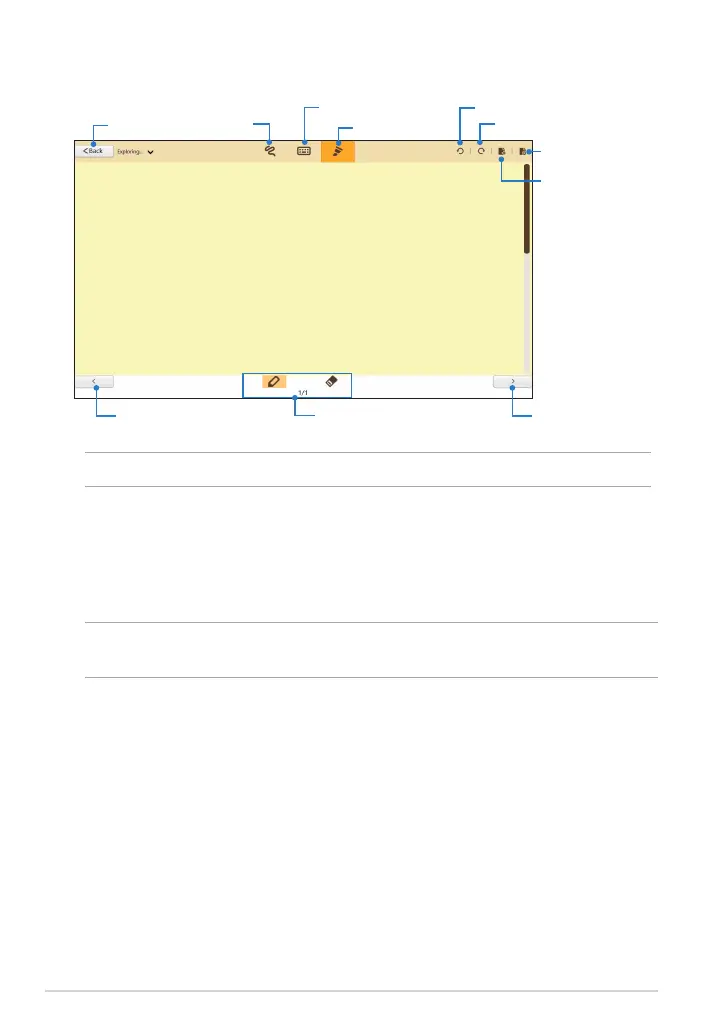
SuperNote new notebook interface
Scribble
mode
Keyboard mode
Paint mode
Undo
Redo
New page
Delete page
Mode settings and
page numbers
Previous page Next page
Tap to go back
to main screen
NOTE: The mode settings change when you tap Scribble, Keyboard or Paint modes.
Customizing your notebook
SuperNote allows you to be creative with your notebooks. When you swipe from
the top or bottom edge of the screen, a tool bar launches which consists of several
tools that allow you to customize your notebooks.
NOTE: The settings of the tool bar may vary depending on the mode that you
selected.
To customize your notebook:
1. In the SuperNote main screen, tap the notebook that you want to
customize.
2. Swipe from the top or bottom edge of the screen to launch the tool bar.
3. To insert text image and media les, tap Insert then tap to select an option.














 To Next Page