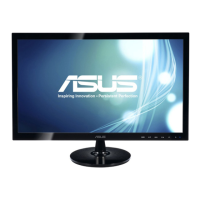
Need help?
Do you have a question about the Asus VS248H and is the answer not in the manual?
Ensures device compliance with FCC Part 15 and addresses potential interference issues.
Confirms apparatus compliance with Canadian ICES-003 and Interference Causing Equipment Regulations.
Access updated information on ASUS hardware and software products online.
Details on supplementary documents provided by the dealer, outside the standard package.
Expresses gratitude for purchase and highlights key monitor features.
Lists all included items for user verification upon unpacking.
Details the function of each button and indicator on the monitor's front panel.
Identifies and explains the purpose of each connector port located on the monitor's rear.
Provides step-by-step instructions for attaching the monitor stand base securely.
Offers guidance on tilting the monitor for optimal viewing comfort and ergonomics.
Instructions for safely removing the monitor's base to enable VESA wall mounting.
Guides on connecting power, video, and audio cables for monitor setup.
Details on activating the monitor and interpreting the power indicator light status.
Provides steps for reconfiguring settings and navigating sub-menus within the OSD.
Introduces Splendid modes and their specific uses for different visual scenarios.
Details on adjusting monitor color parameters like Brightness, Contrast, Saturation, and Skin Tone.
Explains adjustments for image quality parameters like Sharpness, Trace Free, Aspect Control, and Focus.
Covers selecting input sources and configuring system options like OSD timeout and language.
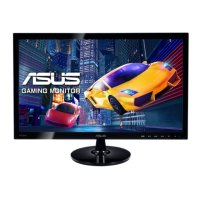
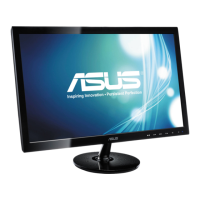
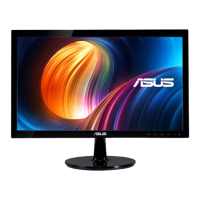
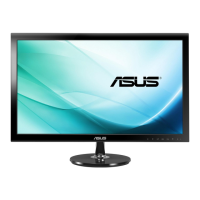
The ASUS VS248 Series LED Monitor is a widescreen display designed to provide a crisp, broad, and bright visual experience, enhanced by a variety of features for user convenience and enjoyment. This monitor is primarily intended for use with personal computers and other HDMI-compatible devices, offering both digital and analog input options.
The core function of the ASUS VS248 Series LED Monitor is to display visual content from connected devices. It utilizes LED backlighting to deliver a vibrant and clear image. The monitor supports various resolutions, with an optimal resolution of 1920x1080, making it suitable for tasks such as document editing, gaming, movie watching, and photo viewing.
The monitor incorporates an On-Screen Display (OSD) menu, which serves as the primary interface for configuring its settings. This menu allows users to adjust image parameters, select input sources, and manage system preferences. The OSD is navigated using physical buttons located on the front of the monitor, providing intuitive control over its functions.
For connectivity, the VS248 Series LED Monitor includes multiple input ports. It features an HDMI port for connection to HDMI-compatible devices, supporting full HD video content from sources like game consoles, DVD players, and other consumer video devices. A DVI-D port is provided for digital signal connection with PCs, and a VGA port is available for analog PC VGA connections. An earphone jack is also included, which becomes active when an HDMI cable is connected, allowing for audio output directly from the monitor.
The monitor is designed with energy efficiency in mind, meeting Energy Star guidelines. It offers an ECO Mode within its system settings to reduce power consumption, contributing to lower energy usage during operation.
The ASUS VS248 Series LED Monitor offers several features to enhance the user experience:
Preset Modes (Splendid™ Video Enhancement Technology): The monitor includes ASUS's proprietary Splendid™ Video Enhancement Technology, which provides six video preset modes accessible via a hotkey or through the OSD menu. These modes are optimized for different viewing scenarios:
Image Adjustment: Users can fine-tune various image settings through the OSD menu. These include:
Input Selection: The monitor allows users to manually select the desired input source (VGA, DVI, or HDMI) through the OSD menu, which is crucial when multiple devices are connected.
System Setup: This section of the OSD menu provides general system adjustments:
Physical Adjustments: The monitor's stand allows for tilt adjustment from +20° to -5°, enabling users to find a comfortable viewing angle. The monitor arm/base is also detachable, making it compatible with VESA wall mounts for alternative mounting options.
Proper care and maintenance are essential for the longevity and optimal performance of the ASUS VS248 Series LED Monitor:
Cleaning:
Handling and Positioning:
Environmental Considerations:
Troubleshooting: The user guide provides a comprehensive troubleshooting section with common issues and their possible solutions, such as:
Safety and Repair:
Disposal: The monitor includes a symbol of a crossed-out wheeled bin, indicating that it should not be disposed of with municipal waste. Users are advised to check local regulations for the proper disposal of electronic products.
 General
| 3D | No |
|---|---|
| Pixel pitch | 0.2768 x 0.2768 mm |
| Aspect ratio | 16:9 |
| Response time | 2 ms |
| Display diagonal | 24 \ |
| Vertical scan range | 50 - 76 Hz |
| Horizontal scan range | 30 - 83 kHz |
| Viewing angle, vertical | 160 ° |
| Contrast ratio (dynamic) | 50000000:1 |
| Display number of colors | 16.78 million colors |
| Display brightness (typical) | 250 cd/m² |
| Supported graphics resolutions | 1920 x 1080 (HD 1080) |
| Screen format adjustments | 4:3, 16:9 |
| HDCP | Yes |
| DVI-I ports quantity | 0 |
| Certification | Energy Star 5.0, CEL, UL/cUL, CB, CE, ErP, FCC, CCC, BSMI, Gost-R, C-Tick, VCCI, PSB, J-MOSS, WEEE, Windows 7 WHQL |
| Product color | Black |
| Market positioning | Gaming |
| Compliance industry standards | RoHS |
| Built-in speaker(s) | - |
| Tilt angle range | -5 - 20 ° |
| Cable lock slot type | Kensington |
| Panel mounting interface | 100 x 100 mm |
| Power consumption (standby) | 0.5 W |
| Power consumption (typical) | 32 W |
| Package depth | 140 mm |
| Package width | 645 mm |
| Package height | 475 mm |
| Package weight | 6400 g |
| Cables included | DVI, VGA |
| Sustainability certificates | ENERGY STAR |
 Weight and Dimensions
| Depth (without stand) | 205.5 mm |
|---|---|
| Width (without stand) | 573.2 mm |
| Height (without stand) | 412.3 mm |
| Weight (without stand) | 4100 g |

 To Next Page