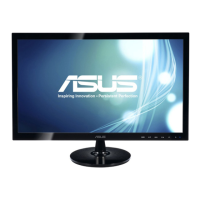
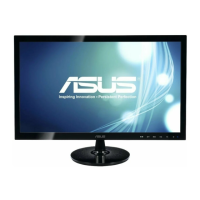
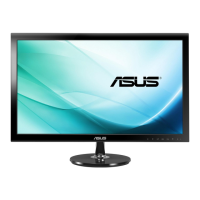
Need help?
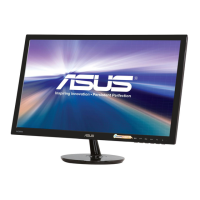
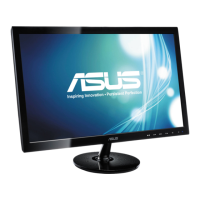
Do you have a question about the Asus VS248HR and is the answer not in the manual?
FCC statement regarding device compliance with Part 15 rules and potential interference.
Statement on digital apparatus compliance with Canadian Radio Interference Regulations.
Explanation of warning, caution, and important note symbols used in the manual.
Information source for updated product and software information.
Details about additional documents that may be included by the dealer.
A brief welcome message to the user of the ASUS LCD monitor.
List of items included in the monitor package.
Details the front panel buttons and their functions.
Identifies rear ports like HDMI, DVI, VGA, and earphone jack.
Instructions for attaching the monitor stand to the base.
Guidance on tilting the monitor for optimal viewing angle.
Steps to remove the monitor stand for wall mounting.
Instructions for connecting power, VGA, DVI, HDMI, and earphone cables.
Steps to power on the monitor and check the indicator light.
Steps to navigate and change OSD settings.
Explains the Splendid function and its various modes.
Details Brightness, Contrast, Saturation, Color Temp., and Skin Tone adjustments.
Covers Sharpness, Trace Free, Aspect Control, ASCR, Position, and Focus.
Describes how to choose the desired input source (VGA, DVI, HDMI).
Explains Splendid Demo Mode, ECO Mode, OSD Setup, Information, Language, and All Reset.
 General
| 3D | No |
|---|---|
| Pixel pitch | 0.2768 x 0.2768 mm |
| Aspect ratio | 16:9 |
| Display diagonal | 24 \ |
| Vertical scan range | 50 - 76 Hz |
| Horizontal scan range | 30 - 83 kHz |
| Supported video modes | 1080p |
| Viewing angle, vertical | 160 ° |
| Contrast ratio (dynamic) | 50000000:1 |
| Contrast ratio (typical) | - |
| Display number of colors | 16.78 million colors |
| Viewing angle, horizontal | 170 ° |
| Display brightness (typical) | 250 cd/m² |
| Supported graphics resolutions | 1920 x 1080 (HD 1080) |
| On/off switch | Yes |
| Headphone connectivity | 3.5 mm |
| USB Type-A downstream ports quantity | 0 |
| Certification | BSMI, CB, CCC, CE, CEL level 2, C-Tick, ErP, FCC, Gost-R, J-MOSS, PSB, RoHS, UL/cUL, VCCI, WEEE, WHQL (Windows 7) |
| Product color | Black |
| Market positioning | Gaming |
| Tilt angle range | -5 - 20 ° |
| Cable lock slot type | Kensington |
| Panel mounting interface | 100 x 100 mm |
| Power consumption (off) | 0.5 W |
| Power consumption (standby) | - W |
| Power consumption (typical) | 23.2 W |
| Sustainability certificates | ENERGY STAR |
| Package depth | 140 mm |
| Package width | 645 mm |
| Package height | 475 mm |
| Package weight | 6400 g |
| Cables included | Audio (3.5mm), DVI, VGA |
 Weight and Dimensions
| Depth (with stand) | 205.5 mm |
|---|---|
| Height (with stand) | 412.3 mm |
| Depth (without stand) | 45.7 mm |
| Width (without stand) | 573.2 mm |
| Height (without stand) | 346.3 mm |
| Weight (without stand) | 4100 g |

 To Next Page