Disassembly Procedure
25
Motherboard Module
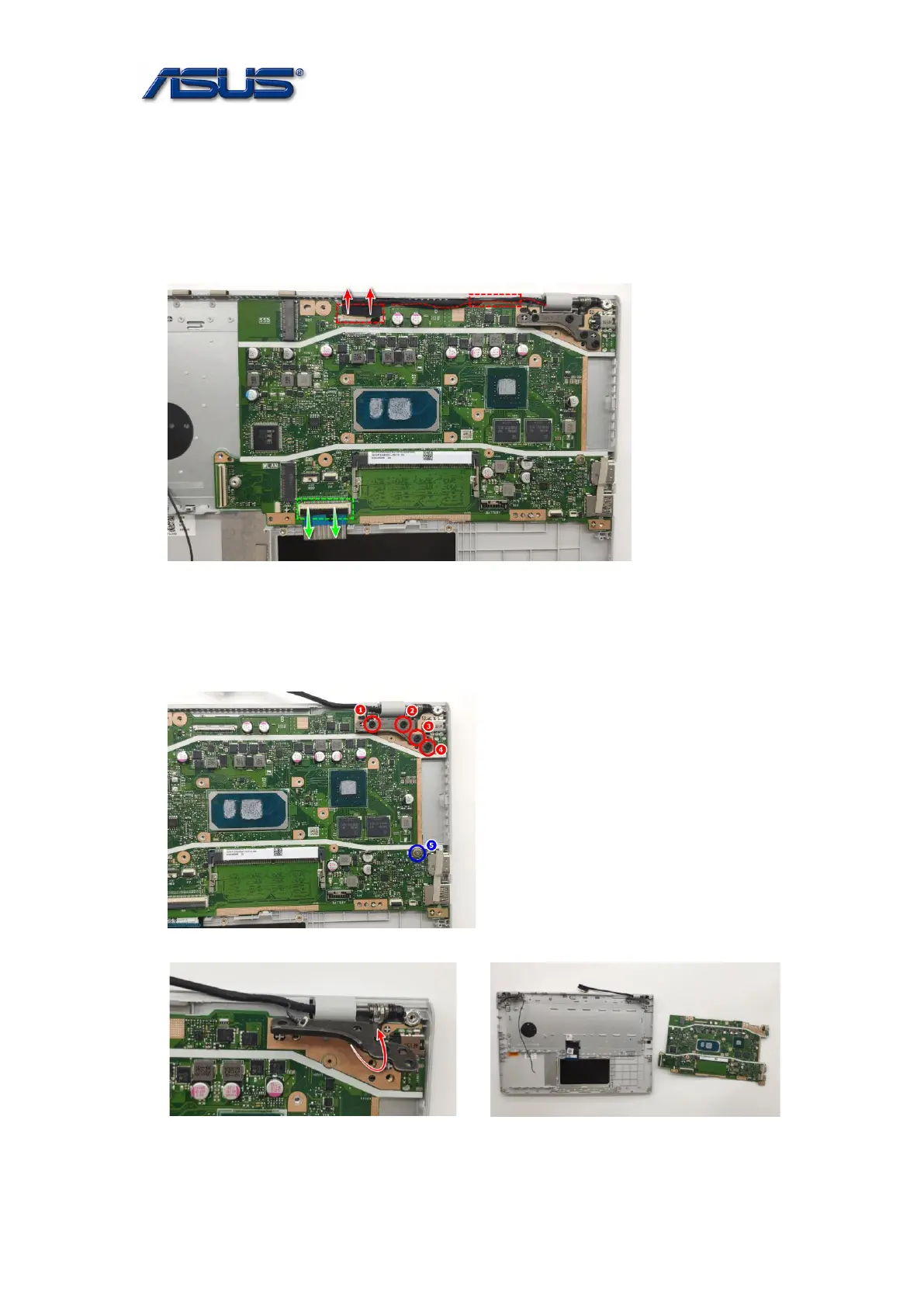
The illustrations below show how to remove the Motherboard Module.
1. Disconnect EDP Cable and Keyboard Cable.
Assembly Notice: Please well arrange the EDP Cable.
2. Remove 5 screws on the Mainboard.
Assembly Notice: follow the reverse numbers to lock screws.
Screw tightening torque: 2.5KG±0.2kgf
Screw tightening torque: 2.0KG±0.2kgf


 To Next Page
 Loading...