Disassembly Procedure
15
Thermal & Fan Module
The illustrations below show how to remove the Thermal & Fan Module.
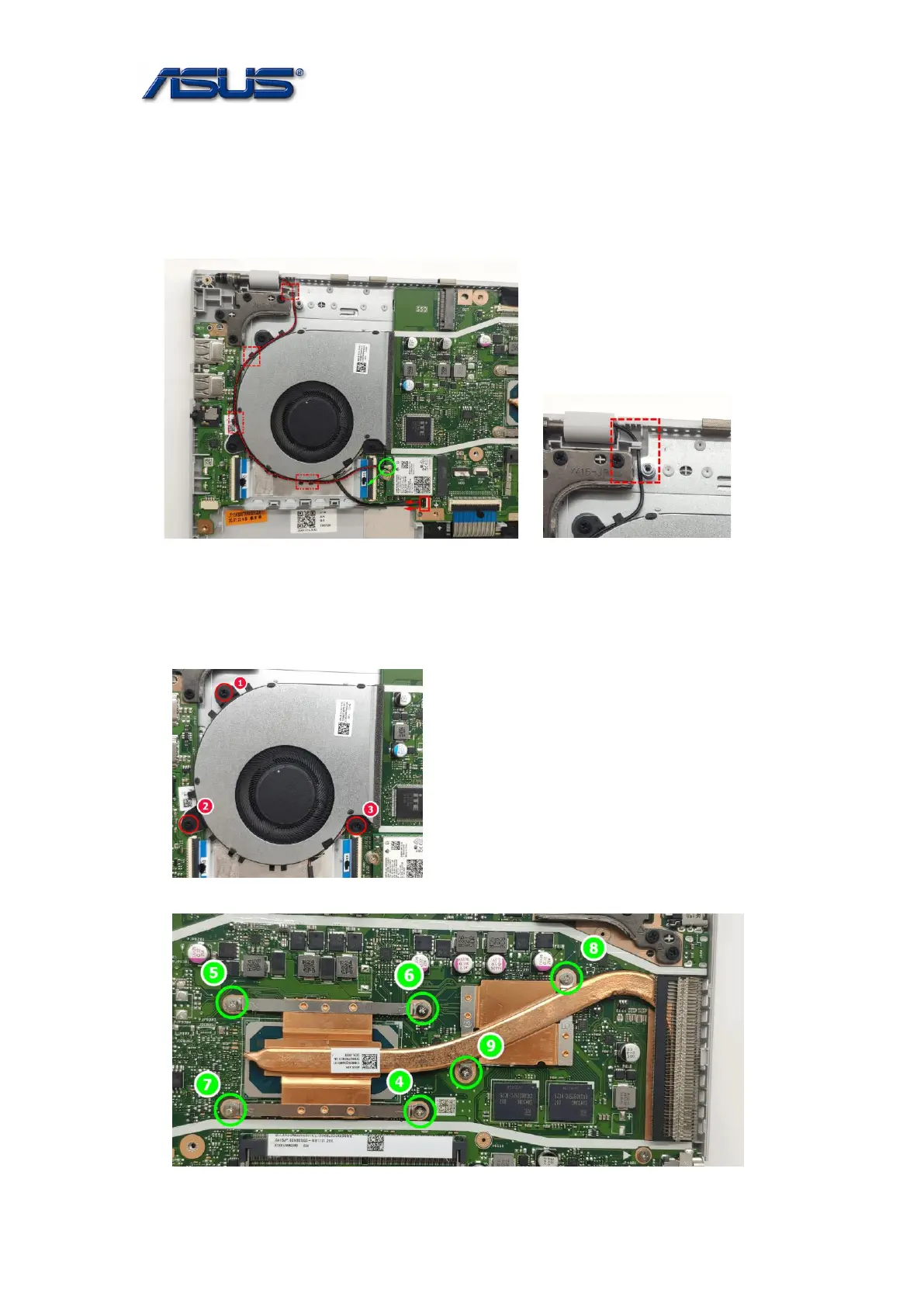
1. Disconnect the antenna and fan cable from mainboard.
Notice: Please well arrange the antenna when you assemble it.
2. Remove 9 or 7 screws on the Thermal & FAN Module.
Assembly Notice: follow the reverse numbers to lock screws.
Screw tightening torque: 2.0KG±0.2kgf
Screw tightening torque: 2.0KG±0.2kgf
For X415JP &JF Thermal



 To Next Page