Disassembly Procedure
9
HDD Module
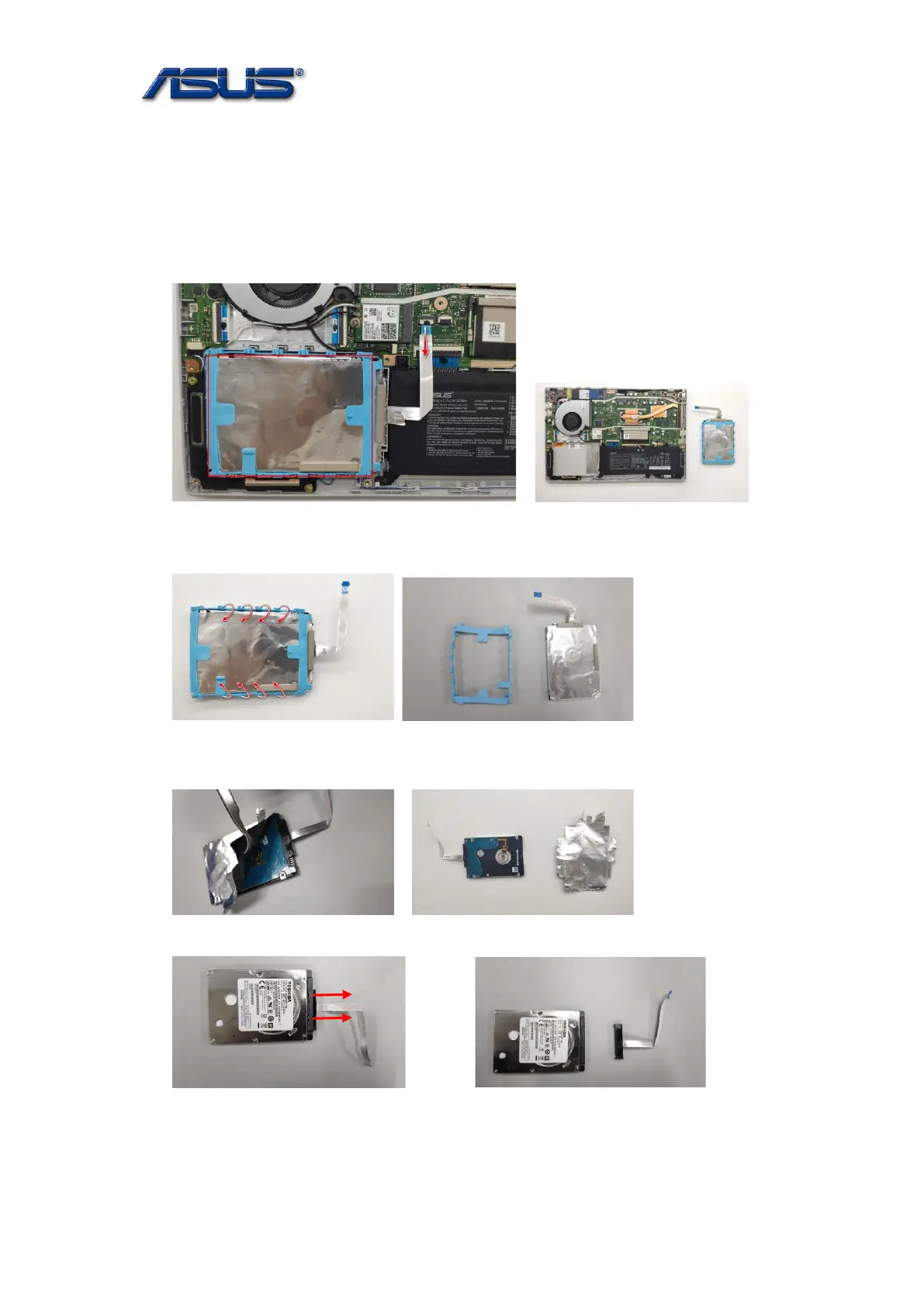
The illustrations below show how to remove the HDD Module.
1. Disconnect the HDD FFC from the Motherboard and remove the HDD .
Assembly notice: Insert FFC to the bottom until just accord with the line when lock the latch.
2. Remove the HDD Rubber.
3. Tear off the HDD AL Mylar.
4. Disconnect the HDD FFC.



 To Next Page