Disassembly Procedure
35
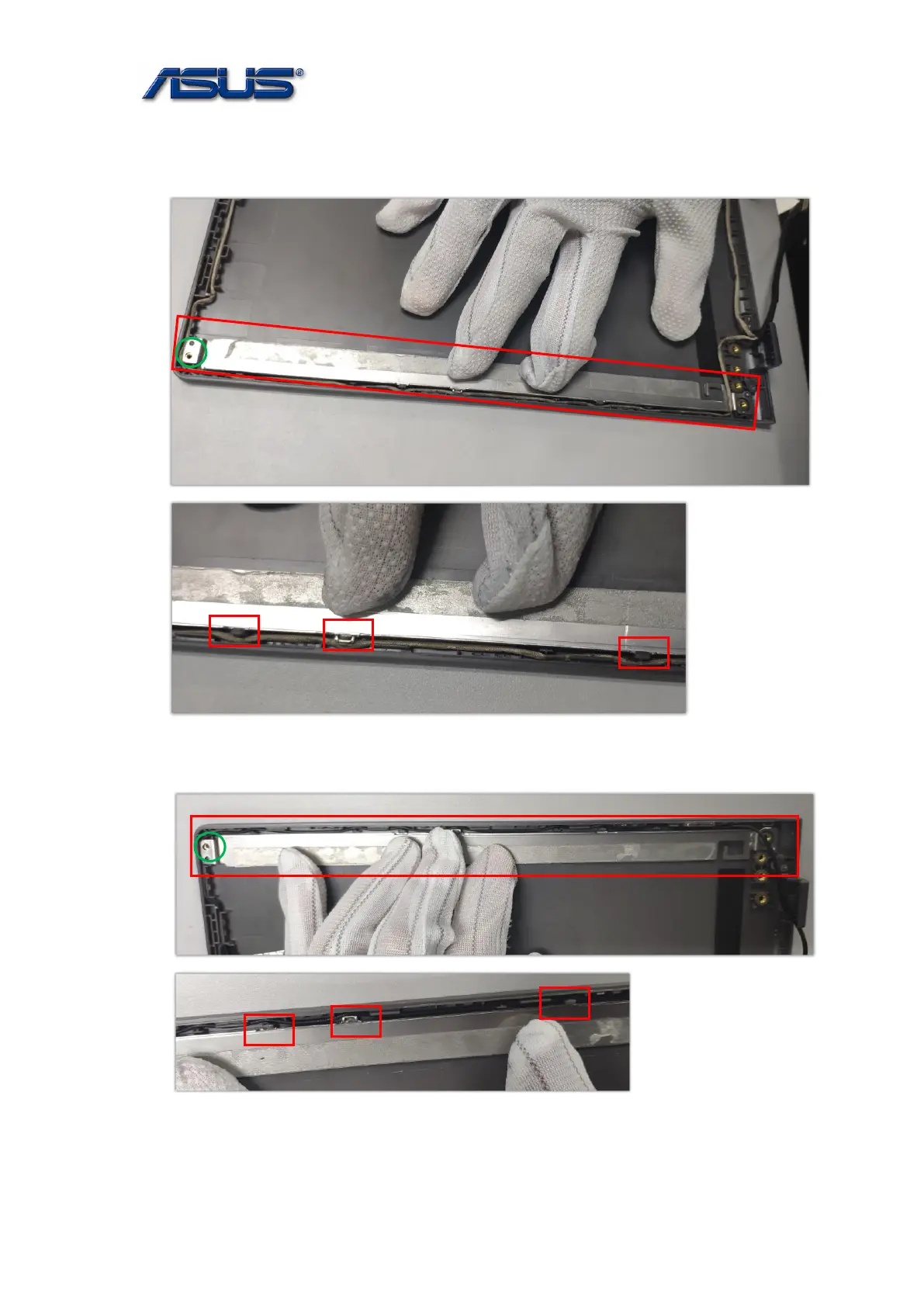
⚫ Assembly Notice:
1. Insert the left LCD Bracket into the left LCD Cover slot by pressuring,
then lock the screw(M2*2.5).
2. Insert the right LCD Bracket into the right LCD Cover slot by pressuring,
then lock the screw(M2*2.5).
⚫ The bracket has the adhesive.



 To Next Page