Disassembly Procedure
7
Bottom Case Module
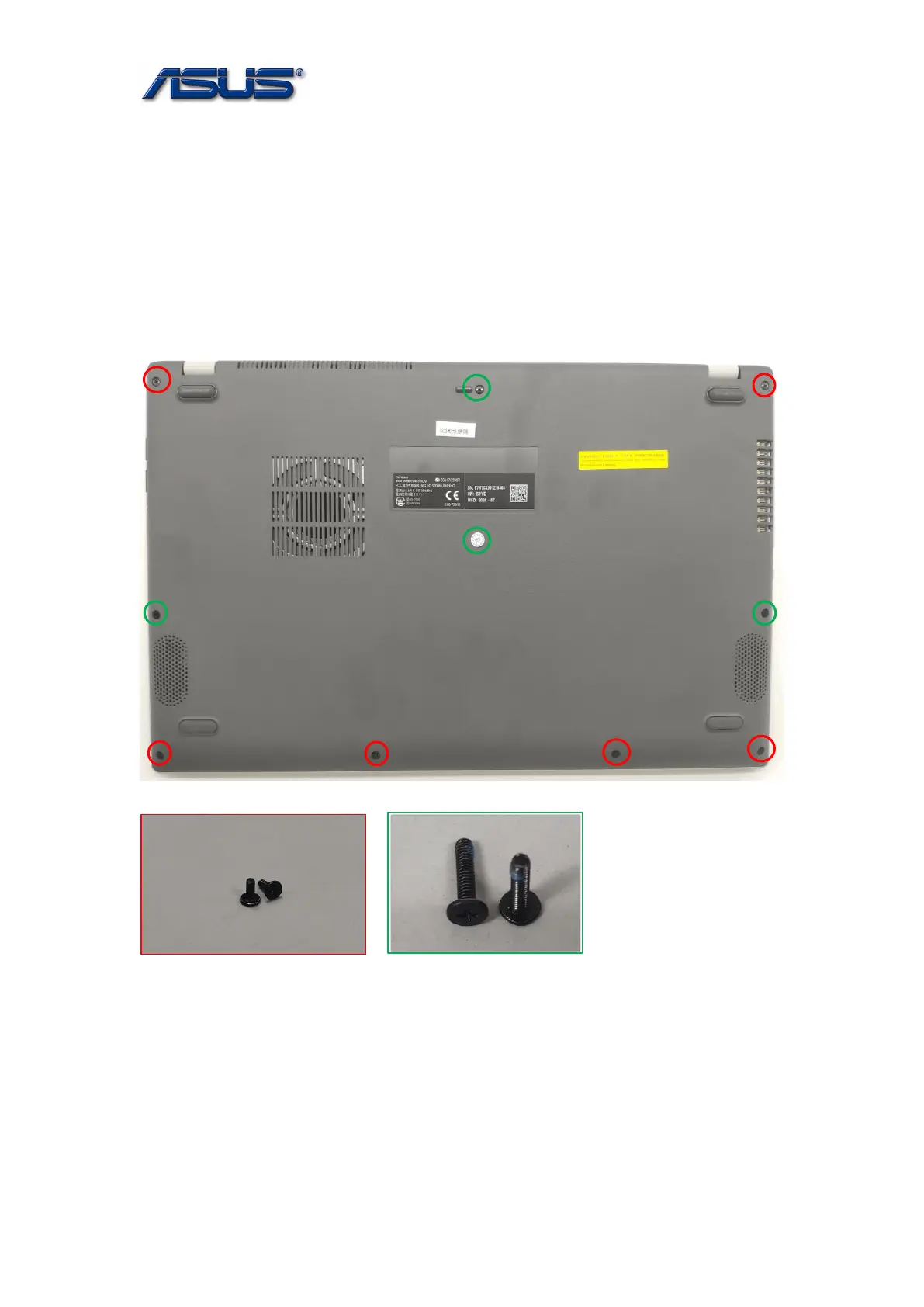
The illustrations below show how to remove the Bottom Case Module.
Notice: After disassembling bottom case, if you want to replace any part, please be sure to disconnect
the battery connector more than ten seconds to avoid damaging any part.
1. Remove 10 screws on the bottom case.
Assembly Notice: Follow the reverse numbers to lock screws.
Screw tightening torque (Kg F-cm): 2.0KG±0.2kgf.
Screw tightening torque (Kg F-cm): 2.0KG±0.2kgf.
SCREW M2*5L (K) B-ZN,NY SCREW M2*8L (K) B-ZN,NY
2. Use plastic blade to pry Bottom Case and remove it.



 To Next Page