9
ASUS Xonar DSX
5. Connecting speakers and peripherals
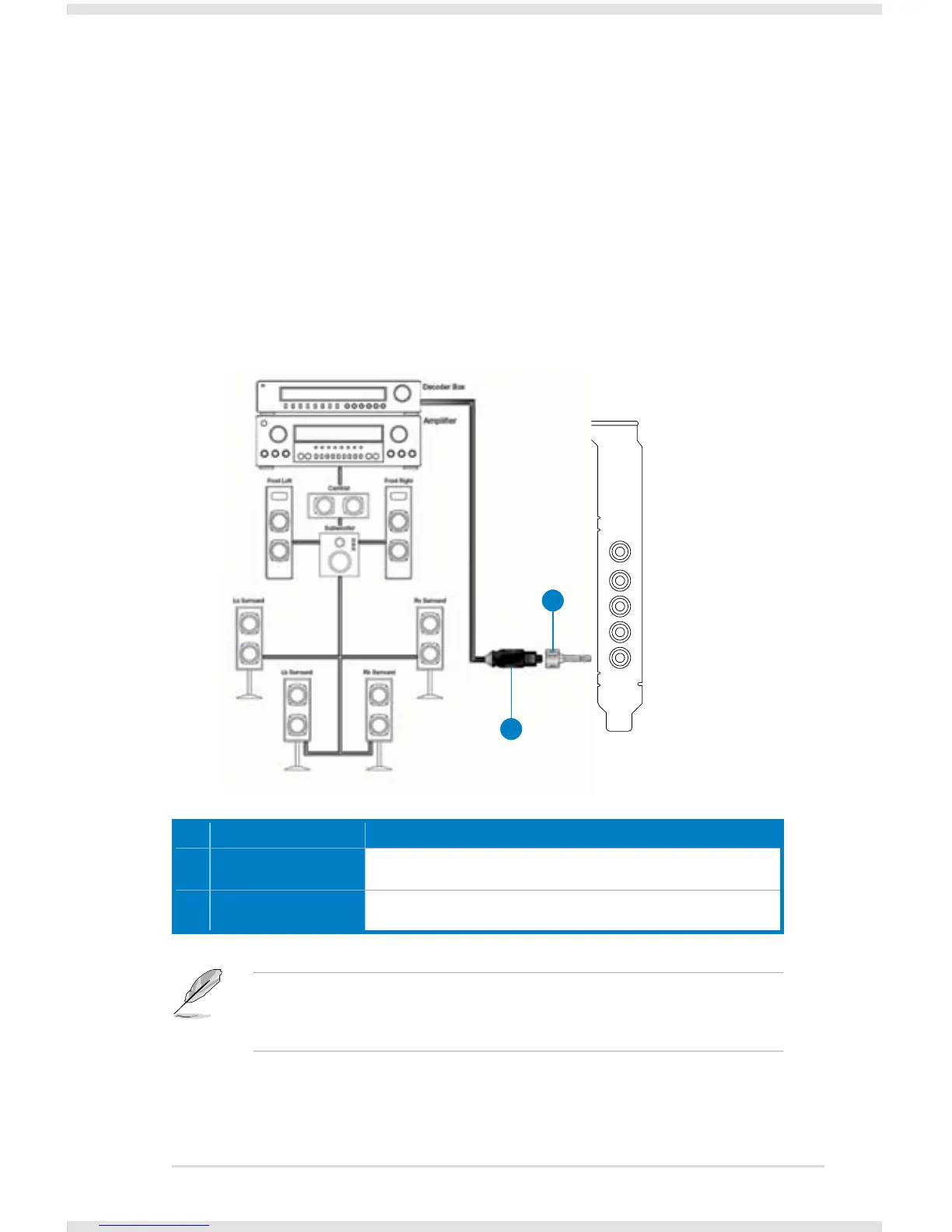
5.1 Connecting digital speaker systems (Home Theater)
The Xonar DSX supports DTS Interactive technologies, which transcode any
audio, including games and music, into industry-standard DTS surround bit-
streams. This makes playback through your home theater system possible,
creating an immersive and impressive cinema surround sound experience. A single
digital cable connection can carry high-quality DTS digital audio from any of your
PC audio sources to any digital speakers or AV Receivers with DTS 5.1 decoding
capabilities.
You can also use a coaxial cable for a S/PDIF connection. Just plug
the coaxial RCA male connector to the S/PDIF-Out combo jack and
connect the other end into the coaxial S/PDIF input on your decoder.
No Item Description
1 Optical adapter Plug the optical TOSLINK adapter into the S/PDIF-Out combo
connector.
2 Optical cable Connect your decoder’s S/PDIF-In port to the optical adapter with the
TOSLINK optical cable.
1
2
SPDIF Out



 To Next Page