34
ASUS Xonar DSX
6.6 FlexBass
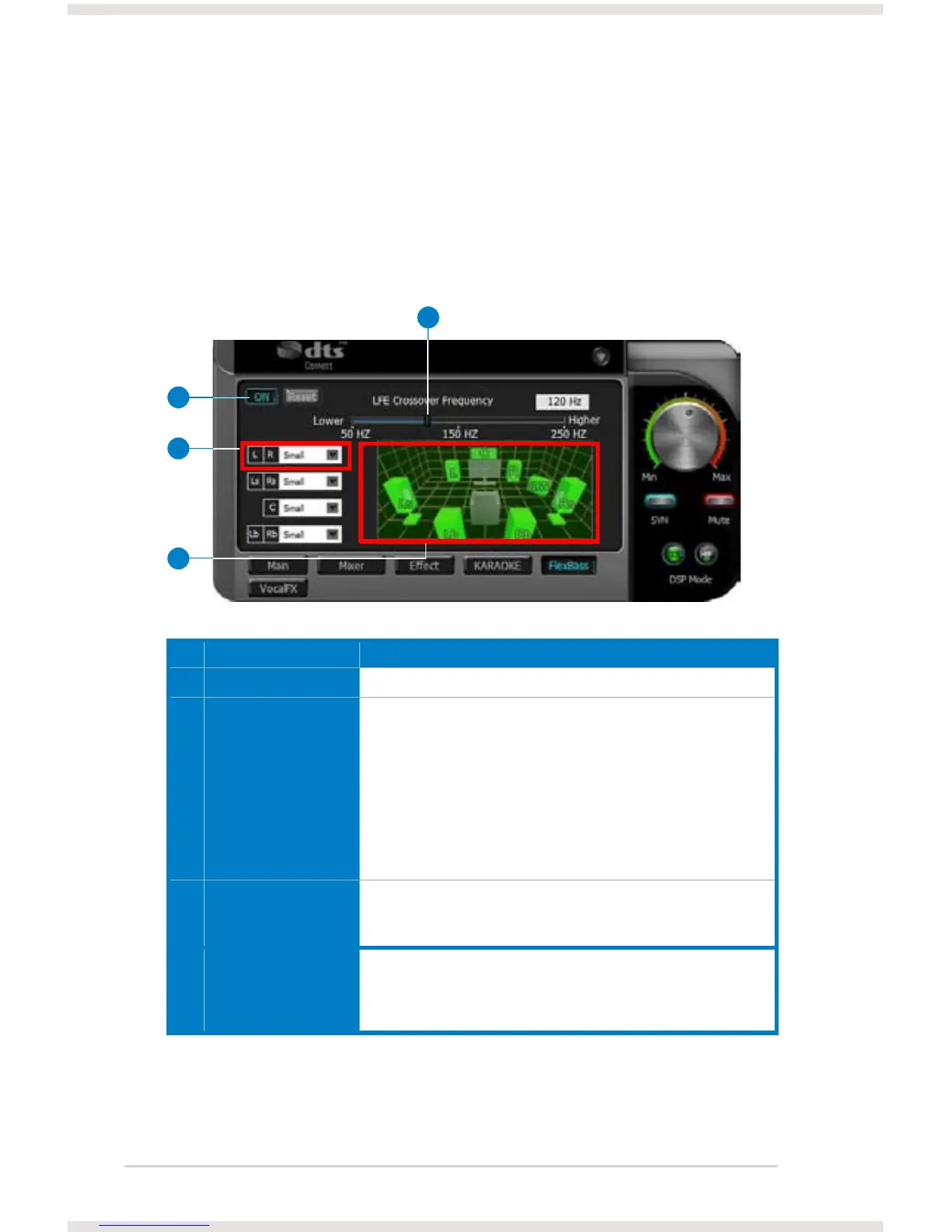
FlexBass, an advanced bass management and enhancement mechanism, allows
you to select each satellite speaker’s type for optimal sound performance from the
speakers. (Small: common speaker that cannot produce low frequencies; Large:
wide-band speakers that can produce low frequencies well). It comes with an
adjustable crossover frequency for the boundary of the bass signals. FlexBass will
lter out the bass signals from small speaker channels and redirect them all to the
subwoofer or Large speakers.
No Item Description
1 On/Off Click this switch to turn on or off all functions on this FlexBass page.
2 Small / Large speaker
option
Select the speaker type that you connected. If your speaker type
cannot perform low-frequency signals (bass), select “Small” speaker
type and Xonar DSX will lter out the bass signals and send them
to the subwoofer channel. If those speakers are full-range, you can
select the “Large” speaker type.
Note: Usually, low-cost PC’s 2-channel speakers are
small-type speakers. Refer to the speaker’s specication. If you have
any questions, consult your speaker vendor. However, common 2.1
speakers with a subwoofer should be categorized as Large speakers
because the subwoofer can redirect the bass signals inside the two
channels to the subwoofer speaker automatically.
3 Picture for Small/
Large speaker
Colors for small/large speakers are different.
Orange: large speakers
Green: small speakers
4 LFE Crossover
Frequency
Adjusts the cut-off frequency (50~250Hz) for LFE (low-frequency
effects) signals. Xonar DSX will lter out the bass signals below the
crossover frequency from small speaker channels and forward them
to the subwoofer. The higher the crossover frequency, the more bass
signals will be subtracted.
2
4
1
3



 To Next Page