4. Connecting Speakers and Peripherals
4.1 Input connection
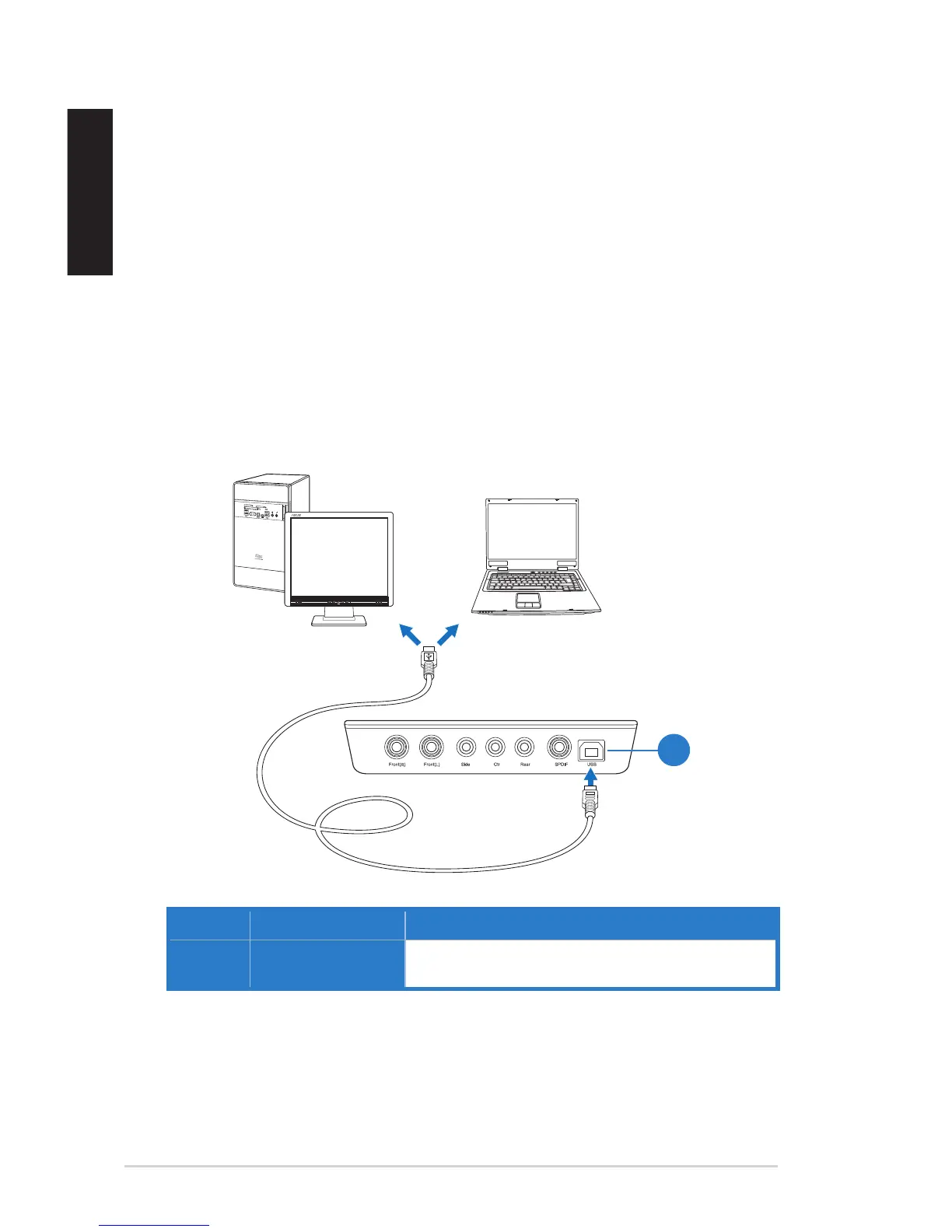
4.1.1 Connecting to a USB 2.0 port on your computer
No. Items Description
1. USB Port Connects to your computer using a USB Type B-A
lead.
3.2.2 Reinstalling the Xonar U7 Card Driver
To reinstall the Xonar U7 card driver:
1. Uninstall the existing software or driver.
2. Follow the installation process to reinstall the driver.


 To Next Page