21
ASUS Xonar U7 User Manual
English
5.2 Input Device Function Introduction
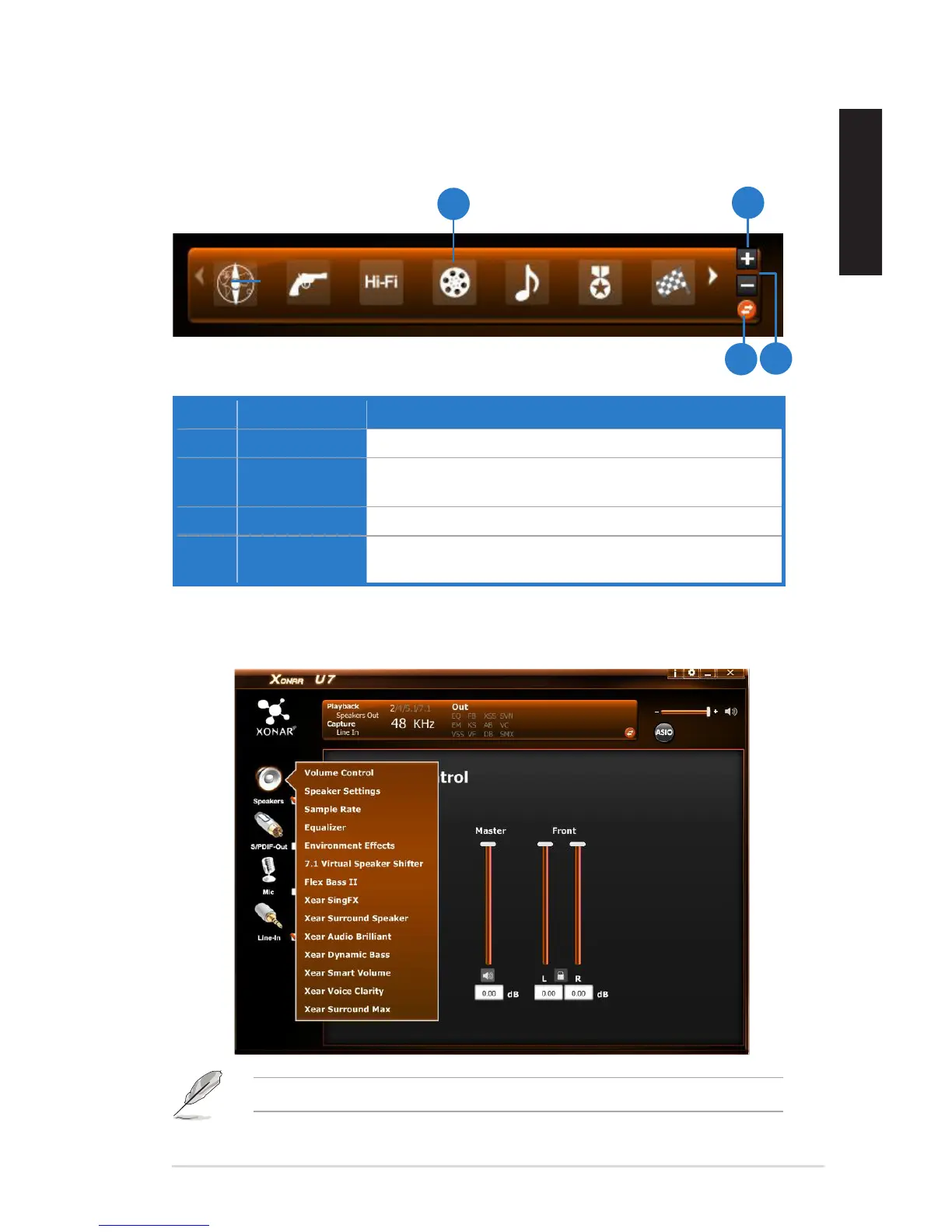
No. Items Description
1. Prole Mode Click to select the presets in prole mode.
2. Add Prole Adjust specic sound effects (EQ, EM etc…) settings and
click “+” to create a user-dened mode.
3. Delete Prole Click to delete a user-dened mode.
4. Switch Button Click to switch between the Prole panel and Audio Status
Panel.
5.1.3 Prole Panel
This prole panel for sound effect contains a preset mode and a user-dened
mode.
Click the device icon on the left side to open the pop-up menu.


 To Next Page