42
ASUS Xonar U7 User Manual
English
6. Troubleshooting
1. I cannot install the audio card driver in my PC.
(1). Ensure that you have switched the USB sound card to USB Audio 2.0 and
plugged it to the USB port.
(2). Make sure that the LEDs light up.
(3). Ensure that you have the latest driver version.
(4). Check that the Windwos hardware Device Manager has detected the device.
(5). Restart your computer.
(6). Try to plug the device into another USB port.
2. I cannot nd the Xonar U7 Audio Center.
(1). Make sure you have installed the driver.
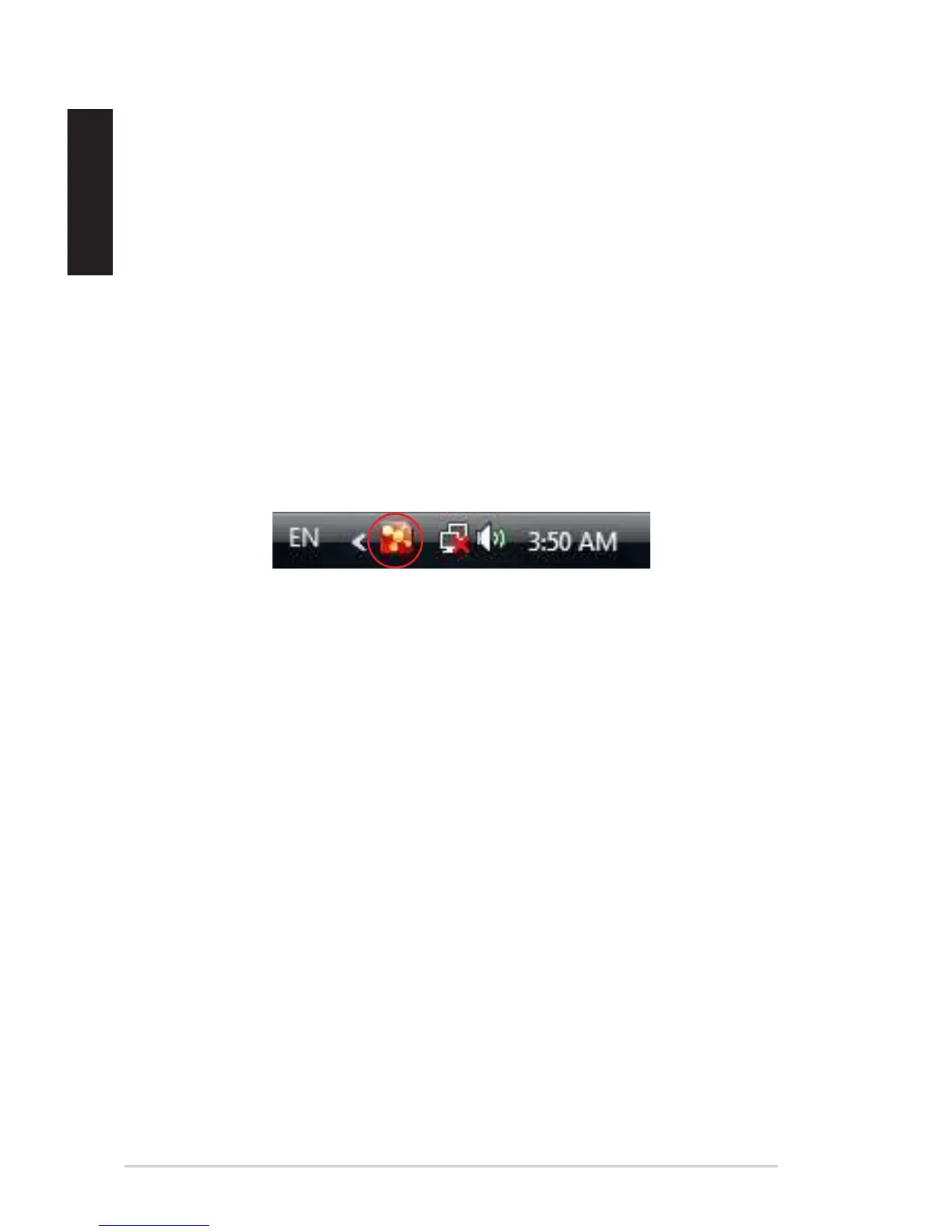
(2). Find the Xonar U7 Audio Center icon in the system tray on the right bottom of
the screen. Double click the icon to launch the Xonar U7 Audio Center utility.
(3). If you cannot nd the icon in the system tray, go to the Windows Control
Panel and double click the Xonar U7 Audio Center icon to make it visible in
the system tray again.
(4). After the driver installation is complete, it’s recommended that you reboot
your computer to complete the setup. If the icon still doesn’t appear, please
try installing the driver package again.
3. I can’t hear any sound from my analog speakers
(1). Ensure that you have connected speakers properly and have powered on
your speakers.
(2). Ensure that the device master volume or the software player has NOT been
muted in the Xonar U7 Audio Center.
(3). Ensure that the output LED indicator matches the output source congured in
the device.


 To Next Page