26
ASUS Xonar U7 User Manual
English
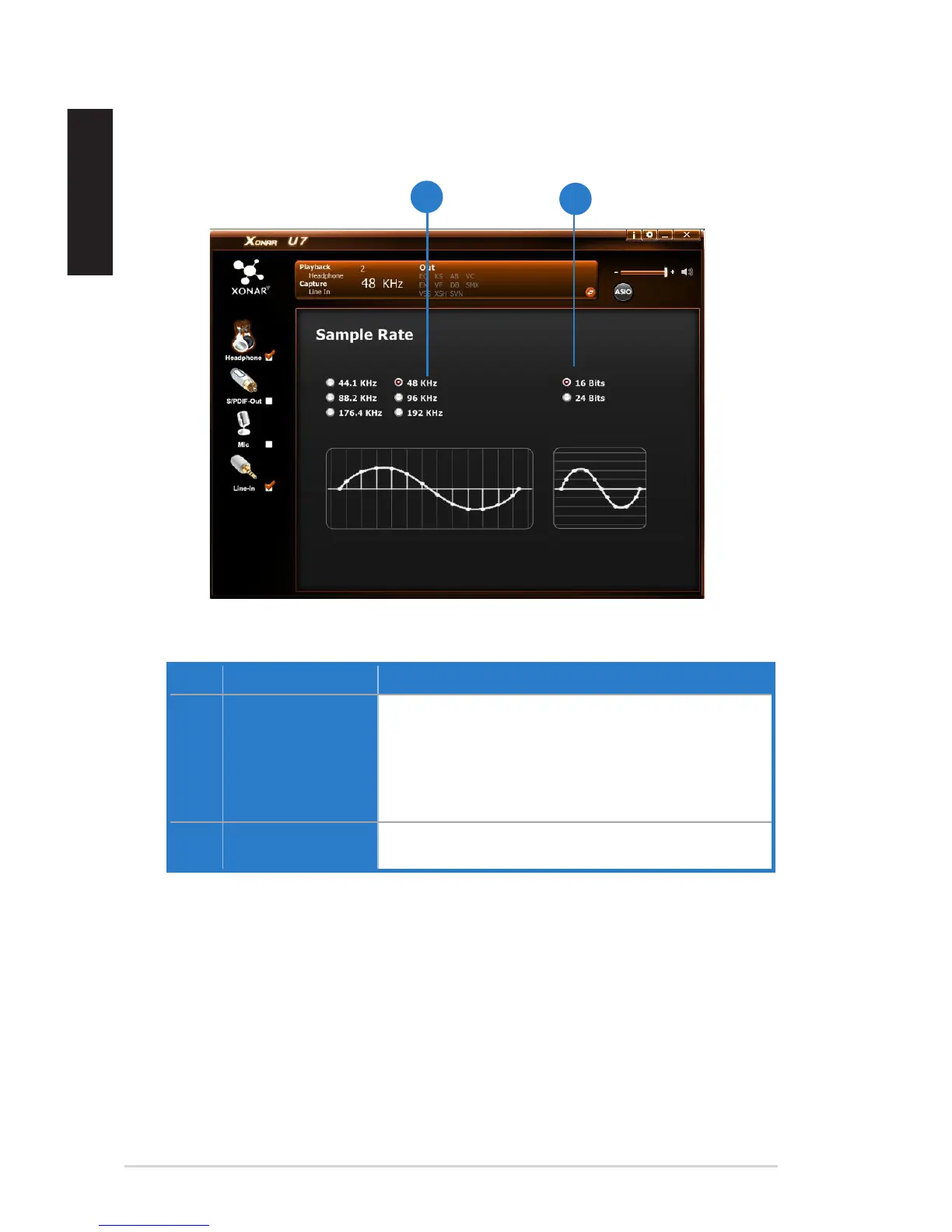
5.2.5 Sample Rate
Function Introduction
No. Items Description
1. Sample Rate button 44.1 KHz - set the playback sample rate to 44.1K
48 KHz - set the playback sample rate to 48K
88.2 KHz - set the playback sample rate to 88.2K
96 KHz - set the playback sample rate to 96K
176.4 KHz - set the playback sample rate to 176K
192 KHz - set the playback sample rate to 192K
2. Bit Depth button 16bit - set the playback bit depth to 16bit
24bit - set the playback bit depth to 24bit
This function allows you to set the sample rate for the Speaker.


 To Next Page