11
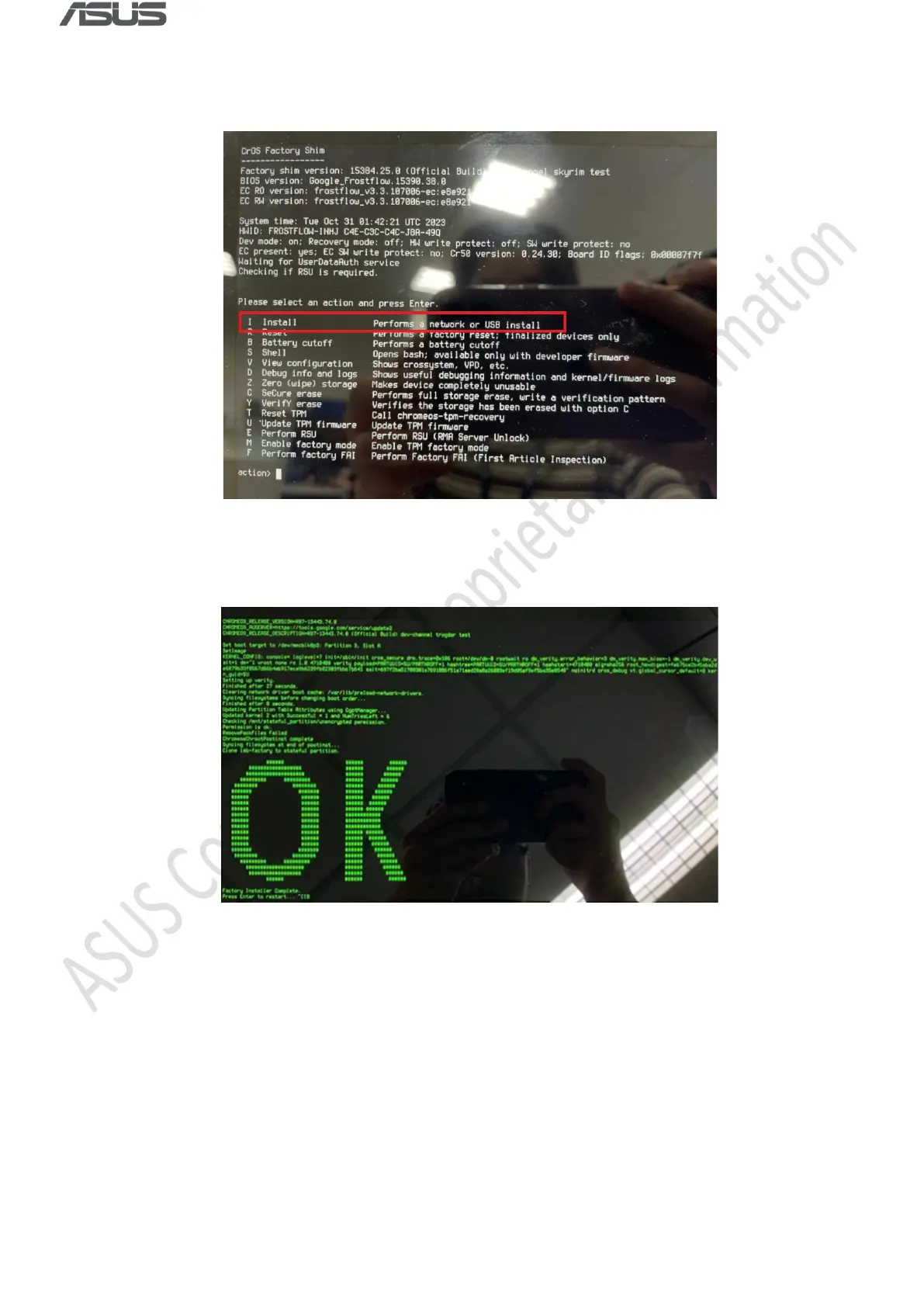
4) Press any key, then select “ I ” and press Enter when the following screen appears. The RMA
shim will be installed automatically.
5) Press Enter when “OK” shows up, the device will reboot to Factory Test Mode automatically.
6) Remove the USB drive and shutdown the system by long pressing power button or remove
AC power adapter.
7) Remove the tweezers (or the jumper, or the paper clip) on Hardware Write Protection pin,
then close the bottom cover.



 To Next Page