8
Enter Developer Mode (DEV Mode)
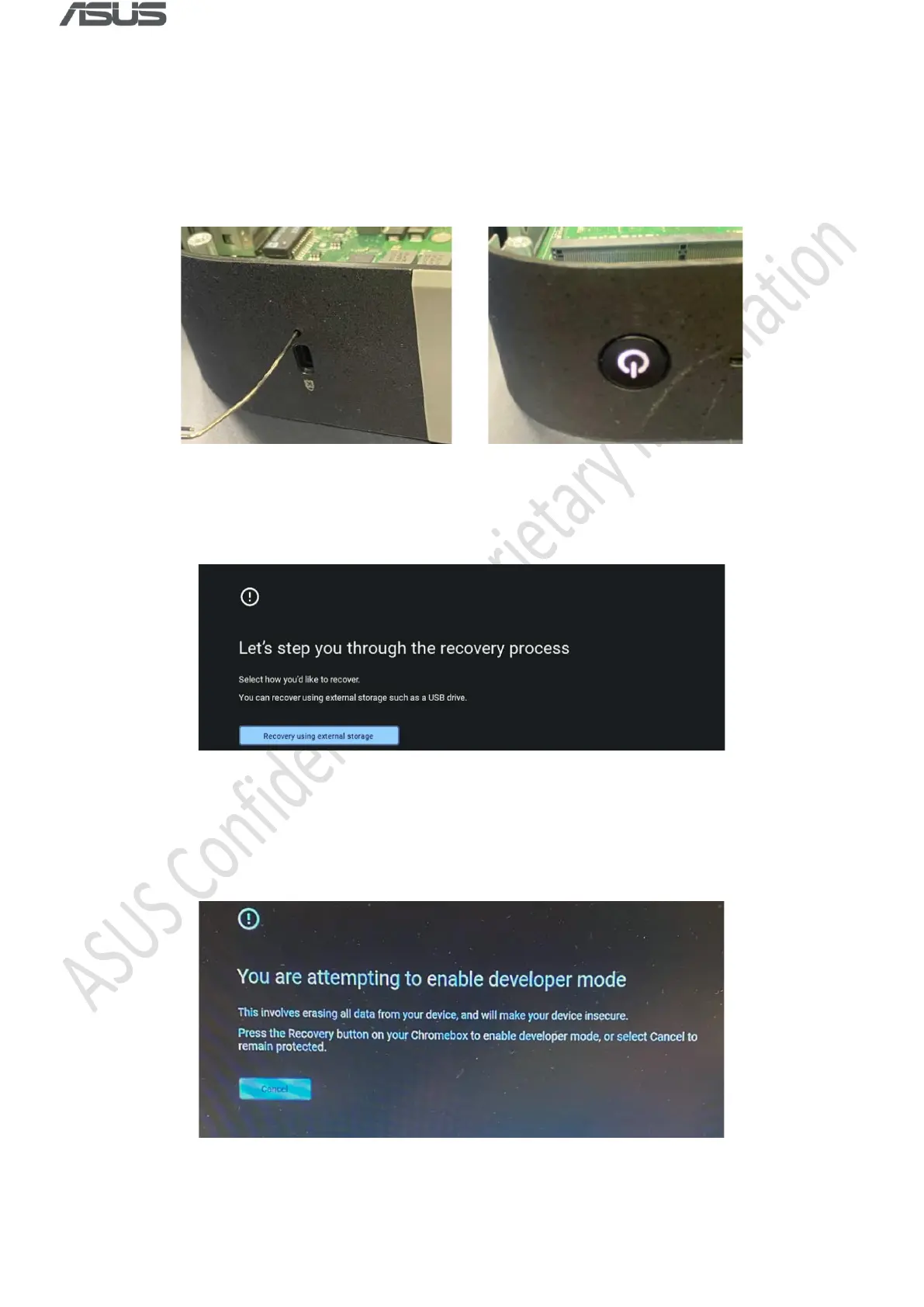
1) Connect to AC power, press and hold Recovery Button with a paper clip, and then press
Power Button to power on the device.
2) Press Ctrl + D when the following message appears.
3) Press Recovery Button with a paper clip when the following message appears. The system
will reboot automatically.



 To Next Page