7
Disable Hardware Write Protection
Hardware Write Protection needs to be disabled before installing the RMA shim on a
Chromebox. Please ensure that the device is powered off and that the AC power cord is
unplugged before proceeding with the following steps.
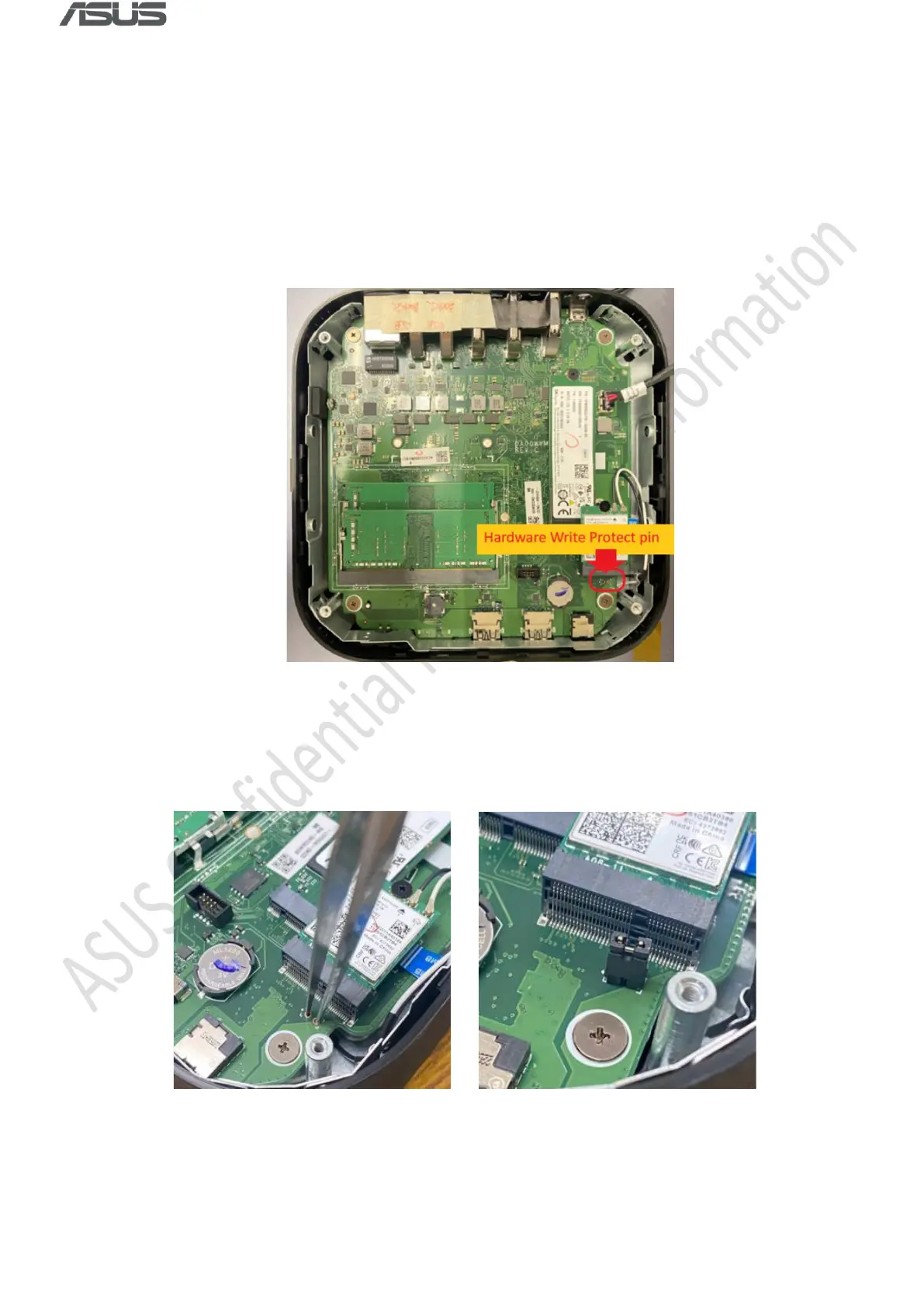
1) Remove the bottom cover and locate the Write Protection Pin.
2) Short the pin to disable hardware write protection. You can use tweezers, a jumper or a
paper clip.



 To Next Page