2
RMA Shim Flow for Self-Repair
Introduction
After replacing the motherboard, memory or Wi-Fi module, the RMA shim flow must be
performed to reinstall the firmware, software, and device information of the Chromebox.
Please make sure the device is deprovisioned before you start. Please visit here for more
information about deprovision a device.
Preparation
1) A computer with Internet connection
2) An USB flash drive with at least 8GB capacity
Create RMA Shim Bootable USB Drive
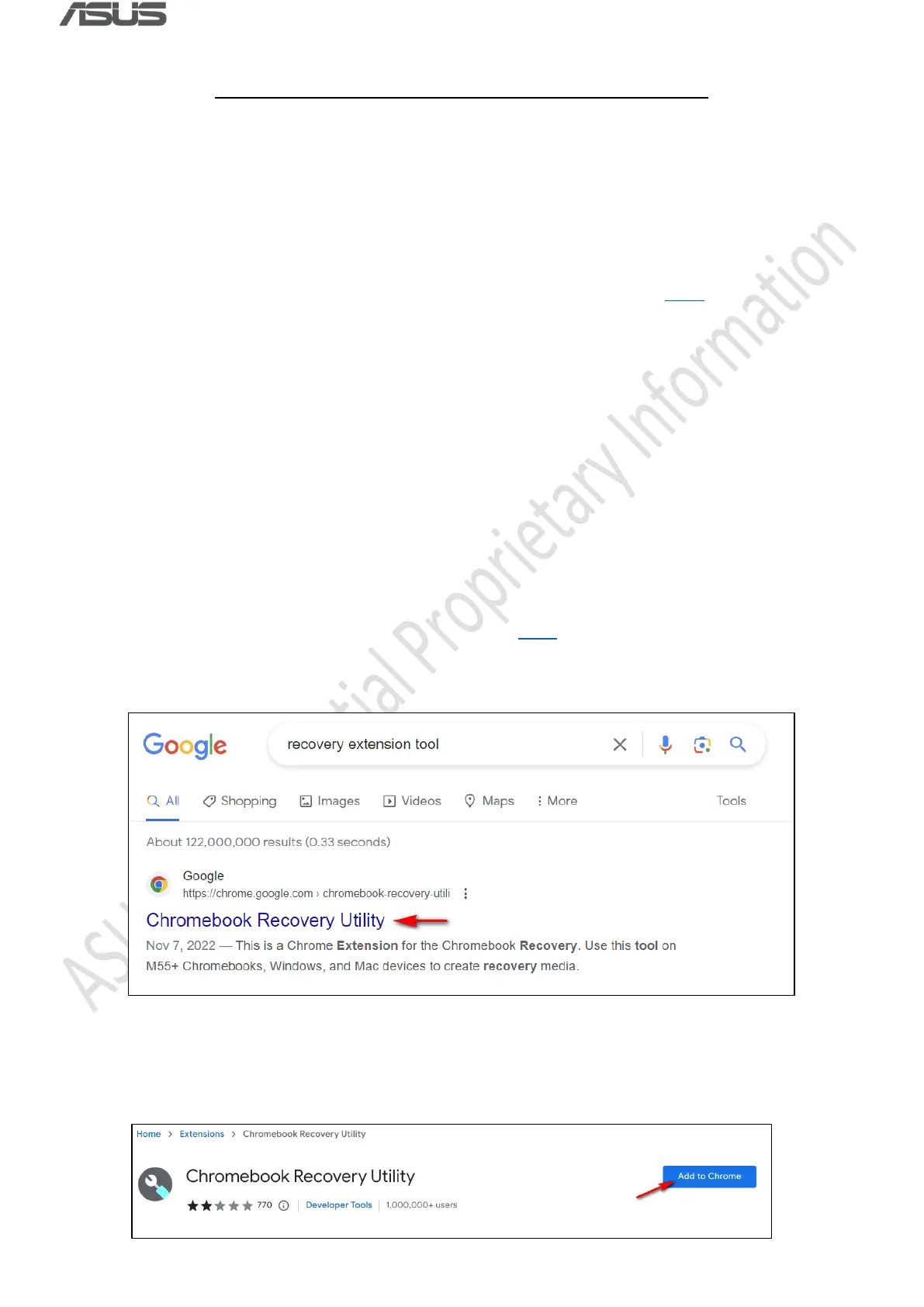
1) Please download Chromebook Recovery Utility here or open a web browser and search
for recovery extension tool.
2) Click Add to Chrome or Get if you’re using Edge.



 To Next Page