Ducker
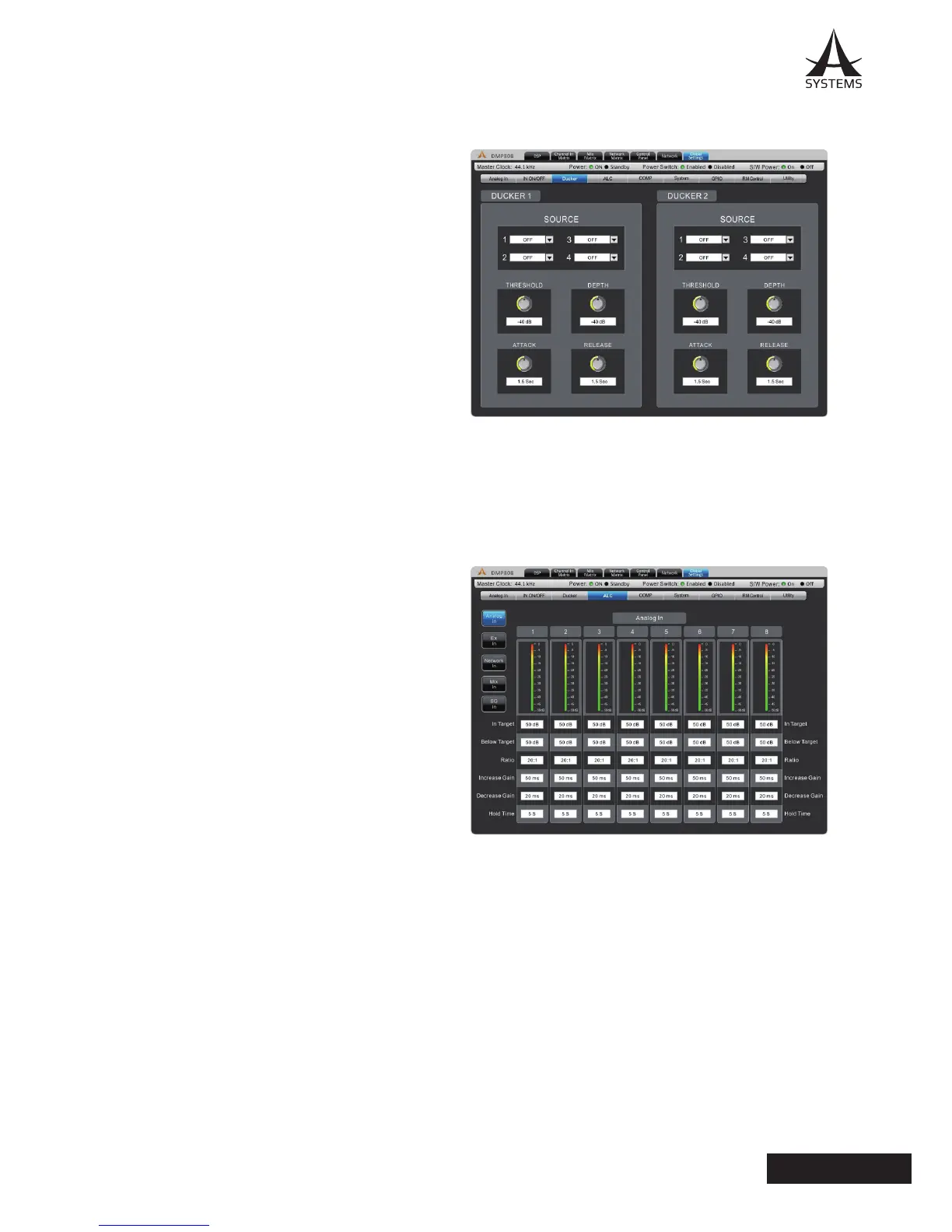
The ducker allows a signal to temporarily attenuate below another signal when said signal activates the ducking feature�
This is useful when making announcements and other
such times when a signal needs to be heard clearly� The
ducker can be activated on input and output channels by
pushing the ‘Duck’ buttons found in the individual Matrix
control pages� There are two of these ‘duckers’ total on
the DMP808�
Source: This is used to select the source of the duck
function; ie� the trigger signal� When the selected source’s
signal rises to a user-selected level, the currently selected
‘duck’ signals will attenuate at the selected level�
Threshold: This determines the level that the source
signal needs to be before the ducking function will be
activated�
Depth: This determines how much the selected ‘duck’
signals will be attenuated�
Attack: The attack time is the time it takes for the ducking
feature to kick in after the source signal passes the
selected threshold�
Release: The release time control will determine the time the ‘duck’ feature will remain active as the source signal drops
back below the set threshold�
ALC – Auto Level Control
An autoleveler will allow users to dynamically change the level of an input or output signal to match a predened level
set by the user� The autolevel function can be activated
for each individual mix in the matrix pages� The settings
for these autolevelers can be found within this ALC menu�
In Target: The target level setting allows users to select
the desired signal level for their autoleveler� All signals
that are processed by the autoleveler will essentially aim
for the target level�
Below Target: The below target threshold of the
autoleveler is the point at which the autoleveler will kick
in� Signals below the threshold will not be affected, but
signals above will be have their gain increased�
Ratio: The ratio is the input level change in decibels to
the output level change in decibels�
Increase Gain: The increase gain determines the amount
that the signal can be increased to meet the target level�
This helps prevent sudden, alarming changes in audio
level�
Decrease Gain: The decrease gain works the same as
the decrease gain, but in reverse� It determines the amount a signal can be cut�
Hold Time: This determines the time the ALC will remain engaged after the signal falls back below the determined
threshold�


 To Next Page
 Loading...