DMP808 CONTROL SOFTWAREE
CONNECTION
After a connection is established, you can use the control software to remotely control and change the settings of your
DMP808�
To begin, please visit the A Systems website to download the control software program� The program will be downloaded
to a zipped folder. Please unzip the folder then follow the instructions to proceed the installation.
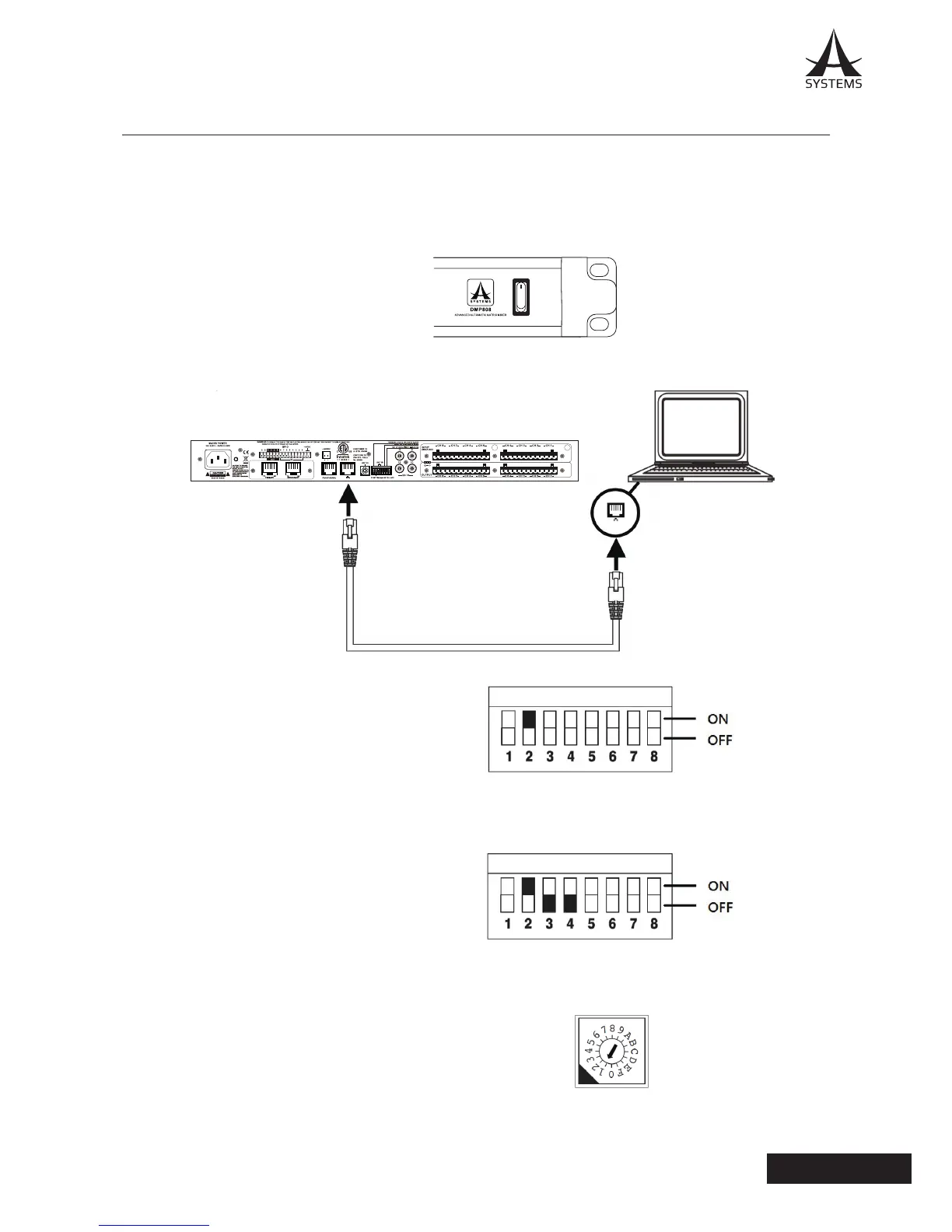
1� Turn on your DMP808�
2� Connect your computer to the DMP808 using a commercially available CAT5 RJ-45 Ethernet cable�
3� On the rear panel, set PIN 2 of the DIP switch to ON�
4� Set PIN 3 and 4 of the DIP switch to OFF�
5� Set the UNIT ID rotary to 1�



 To Next Page