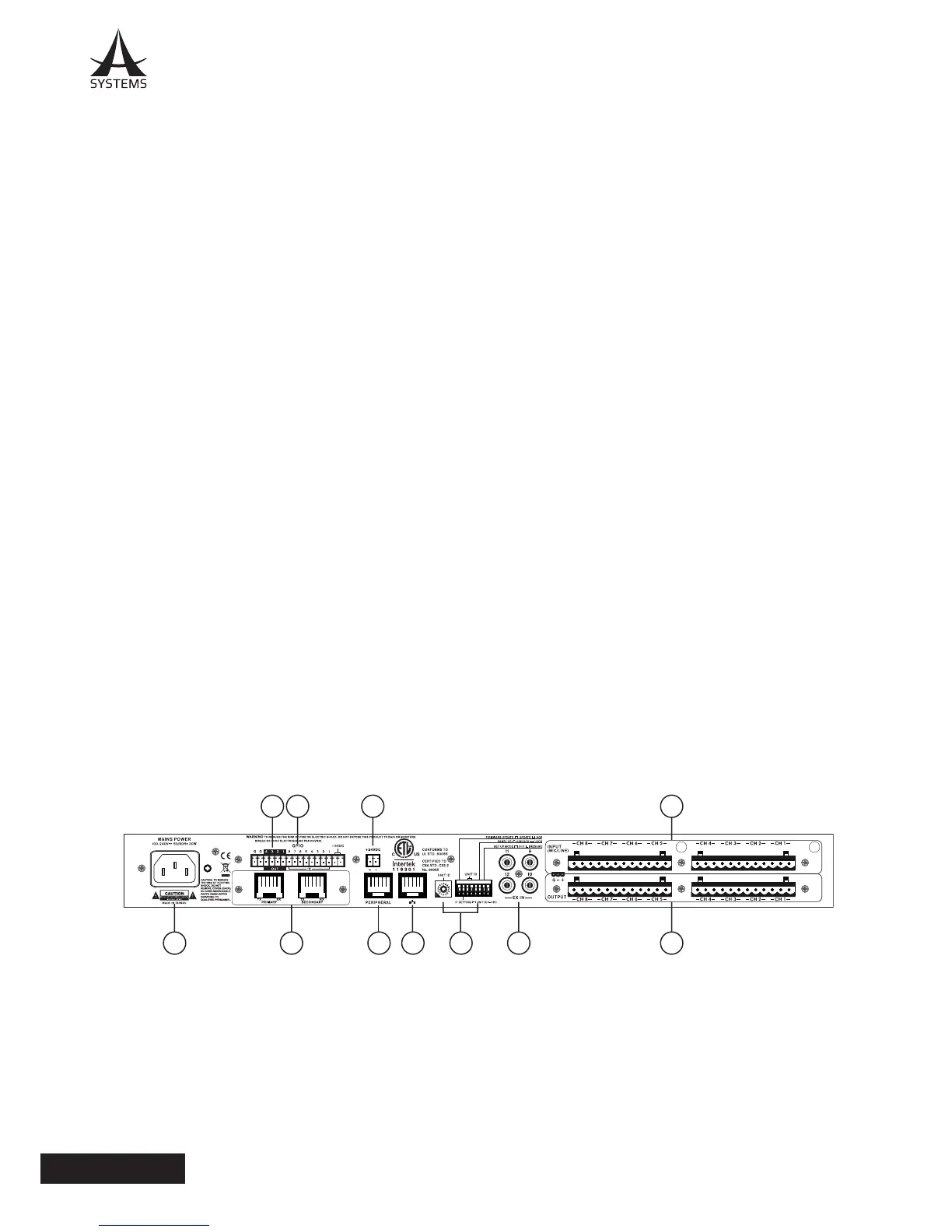
10141516
11121718 1389
REAR PANEL
8. Ethernet Connection
This connection is for standard RJ-45 cables, used
for 10/100 Ethernet control� Using a CAT5 twisted pair
copper cable, A Systems doesn’t recommend a distance
of more than 100 meters to the nearest computer or hub�
The Ethernet connection is used to control the software
via the PC control software�
9. Peripheral Ethernet Connection
The Ethernet connection marked Peripheral is for
connecting A Systems remote peripherals� This will allow
for remote control of various internal functions�
10. Euroblock Line Inputs
The DMP808 offers a total of eight line input channels
These inputs are active balanced with euroblock
connectors If an unbalanced signal is used, A Systems
advises that customers ground the unused conductor�
11. Euroblock Line Outputs
The DMP808 offers a total of eight euroblock line outputs�
These are servo-balanced euroblock connectors and can
be wired to either balanced or unbalanced connections�
12. RCA Inputs
These unbalanced RCA connectors are for the
connection of stereo RCA cables� These act as inputs 9
to 12, as found in the “Ex In” pages within the DMP808
software�
13. Unit ID Controls
The Unit ID controls consist of a single rotary switch as
well as 8-pin DIP switch� These essentially adjust various
controls and settings as well as things like rmware
updates� More information on Unit ID settings can be
found in the relevant area of this manual� These controls
extend to IP address settings and initialization.
14. 24VDC Input
This connector is used for emergency power to the
DMP808� This input connector can be used with a 24VDC
battery or power supply to ensure operation continues in
the event of power outage�
15. GPIO IN
These euroblock connectors can be wired to connect the
A Systems RM-4 for remote control�
16. GPIO OUT
When connected, it provides 0V or 5V of power for
external controller to turn the unit on or put it on standby�
17. Digital I/O Expansion Slot
This slot is for the addition of the I/O networking
expansion card for extending the channel count of the
DMP808� The DMP808 can act as a networking portal to
our other audio networking devices, including the DMA
digital matrix ampliers.
18. AC Power Connector
This is for a standard IEC power cable�



 To Next Page