EasyManua.ls Logo

ATAGO PAL-BX/SALT+5 - User Manual

ATAGO PAL-BX/SALT+5
5 pages
Print Icon
To Next Page IconTo Next Page
Loading...
Sample Stage/
Sensor
3.
Press the
ZERO button
2.
Press the
START button
L L L
20.4
Brix
0.0 0
Salt
0 0 0
Brix
0.0
Brix
0.0 0
Salt
20.4
20.4
0 0 0
Salt
20.4
5.3
1.2 7
Salt
20.4
- - -
- - -
- - -
Brix
Salt
Std
2. Apply the
sample.
3. Measurements
6.
Brix and Salt measurements
4. Low Sodium
index
Parts
Preparation
Zero-Setting
Preparation
How To Measure
Measurement : not 0.00%
Measurement : 0.00%
Flash Light up
Flash Light up
 Std
 USr1 (Ur1)
 USr2 (Ur2)
 USr3 (Ur3)
 USr4 (Ur4)
 USr5 (Ur5)
Soup
N Do not use alcohol.
N
・Brix:Sample not enough.
TemperatureBelow the range.
L L L
・Brix:Zero-setting with other than water.
・Salt:Calibration with other than reference
solution.
A A A
H H H
Creating user scales error.
E r r
・Brix and Salt(USr):Too Bright. Shade the
sample stage with your hand.
Above the measurement range.
n n n
・Low sodium index error.
o o o
・The battery is low.
Lo
Error Messages
Brix
0.0 6
20.4
Ratio
Press
the START
button
Press the Heart
button
Low Sodium index
Results
---Flash
25.3
0.8 7
Salt
20.4
- - -
Brix
Salt
Ur1
Brix
Ur display
Std display
- - -
- - -
Brix
Salt
Std
Std display
Std display
2.
Clean with a
mild soap, and rinse
well with water.
3.Dry the area with
tissues thoroughly.
1. Wipe off the
sample.
Cleaning
std Usr2
sEt
USr1
Measure Brix and Salt at the
same time!
Save time and space.
It’s even equipped with a data
communication function!
4922-E02
Digital Hand-held “Pocket” Brix-Salt Meter
PAL-
BX|SALT+5
Cat. No. 4922
Salt (Std scale): Default mode for measurement
and checking with reference solution.
Salt (USr scale): User scale of USr1 to USr5.
After creating the user scale, it is possible to
measure soy sauce and sauce with the undiluted solu-
tion.
Salt reduction index: Salt ÷ Brix. Brix to
Salt ratio.
About Scale
4. Apply tap
water.
5. Press
the START
button.
Brix: Zero-setting
Brix: Zero-setting
Salt: Zero-setting
-Zero-setting is required.-
Press the ZERO button.
The instrument is
zero-set correctly.
Press the START
button.
Measurement: not 0.0 Brix
Measurement: 0.0 Brix
Proceed to
measurement.
Rub strongly with
dry tissue paper
To turn off the display,
press and hold for
more than 2 seconds.
Wash under running water (<50℃).
Do not submerge
in water.
R
Instruction Manual
tape
MADE IN JAPAN
-
+
Remove the tape from the battery
compartment and close the cover.
mThe cover must be closed properly to
maintain water resistance. Keep the
batteries in during storage.
Closed
Open
O
P
E
N
C
L
O
S
E
O
P
E
N
C
L
O
S
E
The warranty period
extension method
1 year 2 years
The warranty period
will be extended
from 1 year to 2
years when you
QR code
register customer information.
ATAGO Logger NFC can also
be downloaded at the same
time.
Preparation② Select A Scale Number.
Scale Number List
2. Select a Scale Number.
3. Press the Heart
button to confirm
the selection.
1. Press and hold
the Heart button
for 5 seconds
(while the unit
is powered on).
Use the ZERO
button to move the
number upward.
Use the START
button to move the
number downward.
Scale Number displayScale Number display
SET display
1. Clean the
sensor.
1. Clean the sensor
(with nothing on
the sensor).
At least 0.6mL
At least 0.6mL
The instrument is
zero-set correctly.
※Recommended on a daily basis.
Mild
soap
LCD
START Button
Heart Button
Battery Compartment
ZERO Button
Lanyard Hole
www.GlobalTestSupply.com
Find Quality Products Online at: sales@GlobalTestSupply.com

Question and Answer IconNeed help?

Do you have a question about the ATAGO PAL-BX/SALT+5 and is the answer not in the manual?

Overview

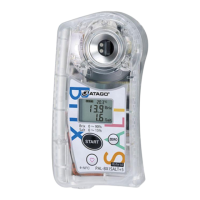
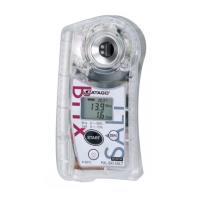
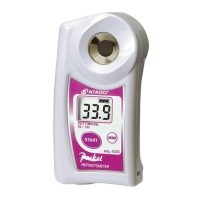
The ATAGO PAL-BX|SALT+5 is a digital handheld "Pocket" Brix-Salt Meter designed for simultaneous measurement of Brix and Salt, aiming to save time and space. It also features a data communication function.

Function Description:

The device measures both Brix (sugar content) and Salt (salinity) simultaneously. It operates on a default "Std scale" for Salt measurement, which is suitable for general use and checking with reference solutions. Additionally, it offers a "USr scale" (User scale) with five customizable slots (USr1 to USr5). This user scale allows for measuring soy sauce and other sauces with undiluted solutions after calibration. The device can also calculate a "Salt reduction index," which is the ratio of Salt to Brix.

Important Technical Specifications:

  • Measurement Range:
    • Brix: 0.0 to 90.0%
    • Salt (Std): 0.00 to 15.00% (g/100g)
    • Temperature: 10.0 to 100°C
  • Resolution:
    • Brix: 0.1%
    • Salt: 0.01%
    • Temperature: 0.1°C
  • Measurement Accuracy:
    • Brix: ±0.2%
    • Temperature: ±1°C
    • Salt (Std): Displayed value ±0.05% (for salt concentration of 0.00 to 0.99%)
    • Relative precision ±5% (for salt concentration of 1.00 to 9.99%)
    • Relative precision ±10% (for salt concentration of 10.00 to 15.00%)
  • Measurement Time: Approximately 3 seconds.
  • Backlight: Stays on for 30 seconds after any button is pressed.
  • Output: NFC Forum Type 4 Tag (ISO/IEC 14443 Type A).
  • Output Category: Date Time, Brix[%], Salt [g/100g], Low Sodium Index, Temp [degC]. Example format: 2021/01/17 09:30:45, 76.1.3.71,0.05.21.3.
  • Maximum Number of Data History: 100 records.
  • Automatic Temperature Compensation Range:
    • Brix: 10 to 100°C
    • Acid: 10 to 40°C
  • Ambient Temperature Range: 10 to 40°C
  • International Protection Class: IP65
  • Power Supply: Two (2) AAA alkaline batteries.
  • Dimensions and Weight: 55(W) × 31(D) × 109(H)mm, 100g (main unit only).

Usage Features:

  • Zero-Setting: The device requires zero-setting before measurement. For Brix, apply at least 0.6mL of tap water to the sensor and press the START button, then the ZERO button. For Salt, ensure nothing is on the sensor and press the START button, then the ZERO button. A "0.00%" display confirms correct zero-setting.
  • Scale Selection: Users can select between "Std" (standard) and "USr" (user) scales. To select a scale, press and hold the Heart button for 5 seconds while the unit is powered on. Use the ZERO button to move the number upward and the START button to move it downward. Press the Heart button to confirm the selection.
  • Measurement Process: After cleaning the sensor and applying at least 0.6mL of sample, press the START button to initiate measurement. The display will show Brix, Salt, and potentially a low sodium index.
  • User Scale Creation: The device allows for creating up to five user scales (USr1-USr5) for specific applications. This involves inputting a true value (if known), measuring an undiluted solution (A), a first dilution (B), and a second dilution (C) if necessary. The device automatically calculates the true value if unknown. Dilutions are recommended for foods with Brix 6% or higher, typically a 10-fold dilution by weight (10g sample + 90g water) or volume.
  • Calibration (Salt): If there are doubts about measurement accuracy, the Salt scale can be calibrated using ATAGO reference solutions (2.50%, 9.00%, 15.00% NaCl solutions). After zero-setting, apply the reference solution and press the START button. The device automatically recognizes the solution concentration. If the instrument is calibrated correctly, it will display "Calibration is complete."
  • Data History and Transmission: The PAL-BX|SALT+5 stores up to 100 measurement data points with time stamps. This data can be accessed via NFC (Near Field Communication) technology. Users can bring the device into contact with Android devices, iPhones (using an NFC Reader app), or PC-linked USB NFC Reader/Writers (using ATAGO Logger NFC software) to read out the data history. The data can be exported to Microsoft® Excel®.
  • Date and Time Setting: The date and time (year, month, date, hour, minute) can be set on the device. This is important for accurate data history records.
  • Error Messages: The device displays various error messages:
    • "LLL": Sample not enough, or temperature below range.
    • "AAA": Zero-setting with other than water (Brix) or calibration with other than reference solution (Salt).
    • "HHH": Above the measurement range.
    • "0000": Too Bright (Brix and Salt USr), shade the sample stage.
    • "000": Low sodium index error.
    • "Err": Creating user scales error.
    • "Lo": The battery is low.
  • Warranty Extension: The standard 1-year warranty can be extended to 2 years by registering customer information via a QR code.

Maintenance Features:

  • Cleaning: The sensor area should be cleaned and dried thoroughly after each use, ensuring no sample residues or water remain. For oily samples, use mild soap and rinse well. The device can be washed with water not exceeding 50°C.
  • Battery Replacement: To replace batteries, insert a coin into the groove of the battery compartment cover, turn it counterclockwise to remove. Insert two AAA alkaline batteries, observing correct polarity. Align the cover, push it down, and turn clockwise with a coin until it stops. Ensure the O-ring is clean and undamaged to maintain water resistance.
  • Storage: Store the instrument in a dry place, away from direct sunlight, and at a stable temperature with minimal fluctuations. Avoid extremely cool areas, strong vibrations, excessive dust, or submerging the device in water.
  • Warranty and Repair: The instrument is warranted for one year from the date of purchase. The warranty is void if the instrument shows evidence of disassembly by unauthorized personnel, damage to the sensor section, water damage, dropping, misuse, operation outside environmental specifications, or leakage from batteries other than those included. Repair services are available for a fee after the warranty expires.
  • Data Deletion: Data history can be deleted from the instrument by a specific button sequence: while pressing the START button, quickly press the ZERO button twice, then quickly release the START button. This action will delete all data history, which cannot be restored.

ATAGO PAL-BX/SALT+5 Specifications

General IconGeneral
BrandATAGO
ModelPAL-BX/SALT+5
CategoryMeasuring Instruments
LanguageEnglish

Related product manuals