AF-M Page 2 of 4
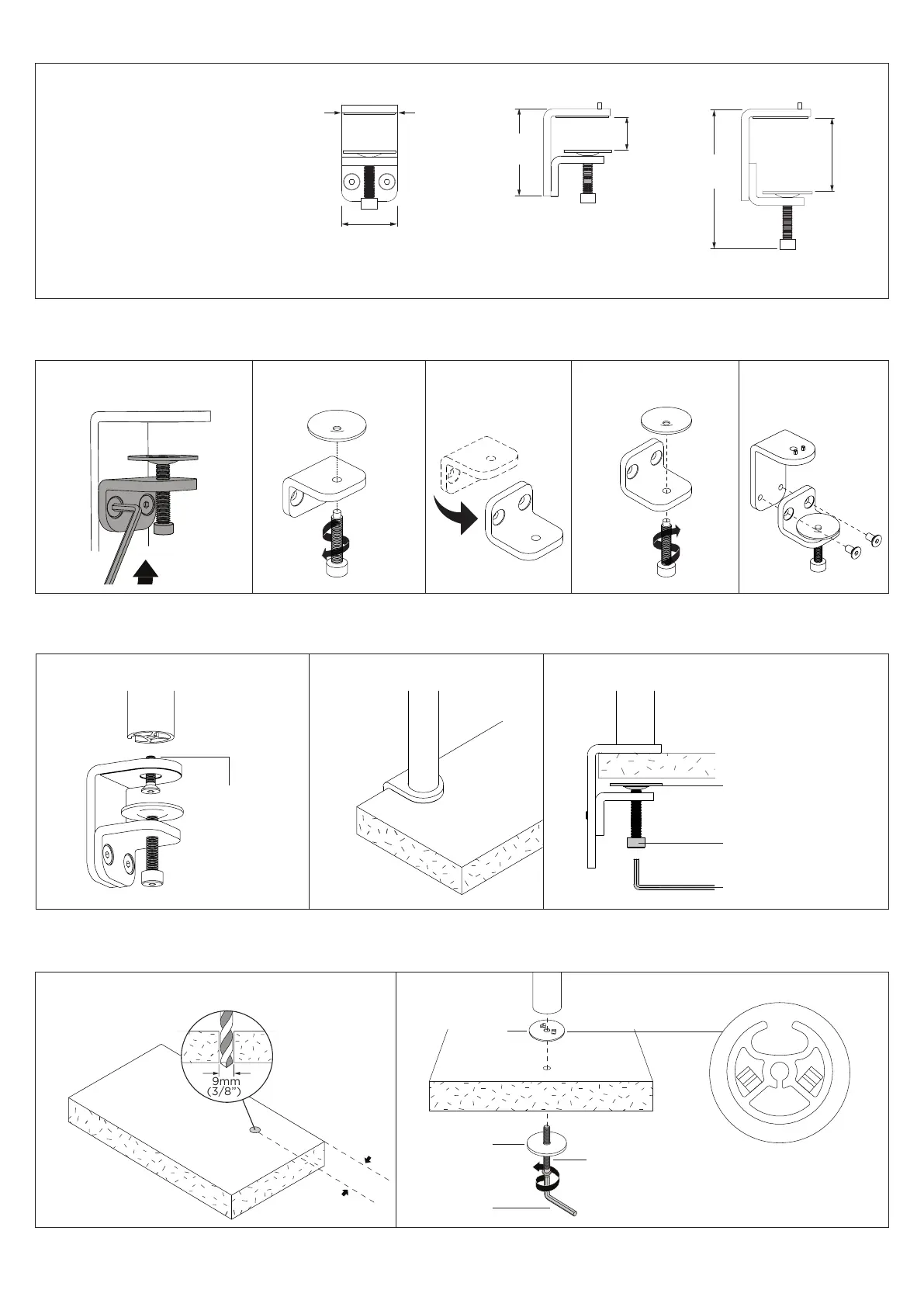
1. Desk overview
The desk clamp bracket
can be repositioned to
suit different mounting
surface thicknesses.
2. How to reconfigure desk clamp
2.1 Remove screws
(M8 x 16mm Countersunk screw)
2.2 Remove clamp plate 2.3 Invert bracket 2.4 Replace clamp plate 2.5 Reattach bracket
Pressure Plate
M10 Desk Clamp Screw
5mm Allen Key
M8 x 30mm
Countersunk
screw Tighten
firmly
3.2 Place in desired location 3.3 Screw pressure plates in and tighten firmly.3.1 Attach clamp to post
3. Post mount configuration
Default Inverted
MIN THICKNESS - 0mm (0”)
MAX THICKNESS - 39mm (1.5”)
MIN THICKNESS - 35mm (1.4”)
MAX THICKNESS - 76mm (3”)
52mm
(2.1”)
55mm
(2.2”)
88mm
(3.5”)
140mm
(5.5”)
Desk Clamp
4. Bolt through - Drill Hole
25mm
offset
5. Bolt Pole to work surface
Note orientation of
plate with pole
5mm
Allen Key
M8x60mm
Screw
Bolt
Through
Plate
Steel
Washer
4.1 Drill 9mm hole in
desired post position
on work surface.


 To Next Page