VFS-DH Page 2 of 4
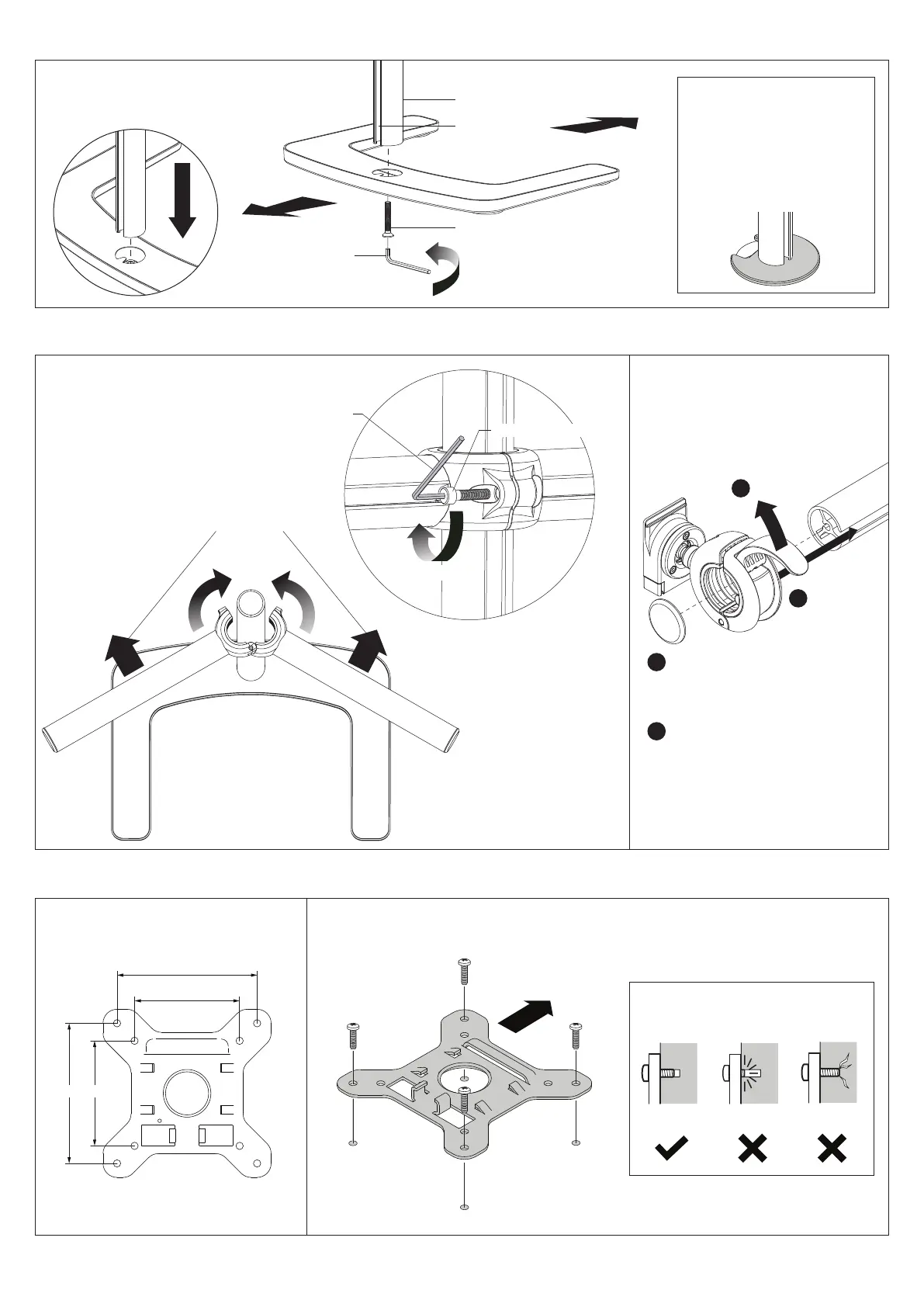
1. Attach Upright Pole to Base
1.1 Attach the upright pole
to the base as shown below.
Ensure the cable slot faces
towards the rear.
Cable Slot
USER
BACK
TIGHTEN
FIRMLY
Upright Pole
M8x50mm Screw
5mm Allen Key
3. Attach the VESA plate to your monitor (Repeat steps 3 to 6 for each monitor)
NOTE: Be sure to select a screw
length that suits the monitor.
3.1 Check VESA mounting compatibility 3.2 Screw VESA plate to back of
monitor using provided screws.
100mm
75mm
100mm
75mm
Top of
monitor
Too short
Too long
OK
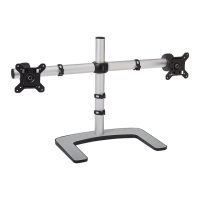
2. Attach crossbar and display heads
2.1 Attach crossbar to pole. 2.2 Slide display heads onto crossbar.
OPEN
1
SLIDE
DISPLAY
HEAD
ONTO
CROSSBAR
2
REPLACE
END CAP
3
CLOSE DISPLAY HEAD LEVER ONCE
IN PLACE ON CROSSBAR.
4
HOLD SUPPORT IN PLACE
TIGHTEN
M6x25mm Cap Screw
5mm
Allen Key
CLAMP
Cable slot to
face back
OPTIONAL
BOLT THROUGH &
GROMMET MOUNT
Mount can also be bolted
to work surface or via
grommet hole with the
Atdec Grommet Clamp
(AC-GC),soldseparately.


 To Next Page