ATEL V810 Series Voice-Only User Manual
V5.6, June 8, 2022
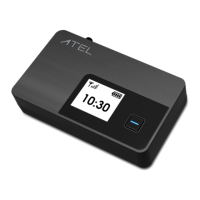
1. LCD Display
Displays different menus of V810 information, such as Home and IMEI screens.
2. Power Button
Power the V810 on/off by pressing and holding this button (note that a long press is
required to boot up the device). You can also short press this button to wake up the screen
and check device information.
3. Battery Port
This battery port is used to connect to the battery holder (3x AA batteries) or a Ni-MH
rechargeable battery pack (sold separately).
4. Reset Button
Use a pin to press and hold this button for factory reset.
5. SIM Card Slot
Insert your 4FF SIM card into this spring-loaded sim card slot. To rem ove a s im, p ress the
edge of the sim inward and the sim would pop outward from the sim slot.
6. Type C Port
Insert your USB cable to this USB-C port and plug the other end into a wall adapter for
external power. For Voice-only models, you can connect this port directly to a
computer/laptop using a USB-C cable to access the Online Portal.
7. Phone Port (RJ11)
Yo u r V 8 1 0 h a s 2 p h o n e p o r t s . Insert a telephone cord into one of these ports and plug the
other end into your telephone base for voice usage.
8. Antenna Connector
Install an optional antenna (sold separately) to increase signal strength.
Power Management
Yo u r V 8 1 0 c o m e s w i t h b o t h a n A C w a l l a d ap t e r a n d t h r e e A A b a t t e r i e s . An optional Ni-MH
rechargeable battery pack can be purchased separately through ATEL USA. For more
information, visit www.ATEL-USA.com.
During a power outage or if the wall charger is unplugged, the V810 continues to run off of
the batteries to support Voice functions.
During a power outage, only corded phones that do not require electric power can be
used to make or receive calls (including calls to 911).


 To Next Page