ATEL V810 Series Voice-Only User Manual
V5.6, June 8, 2022
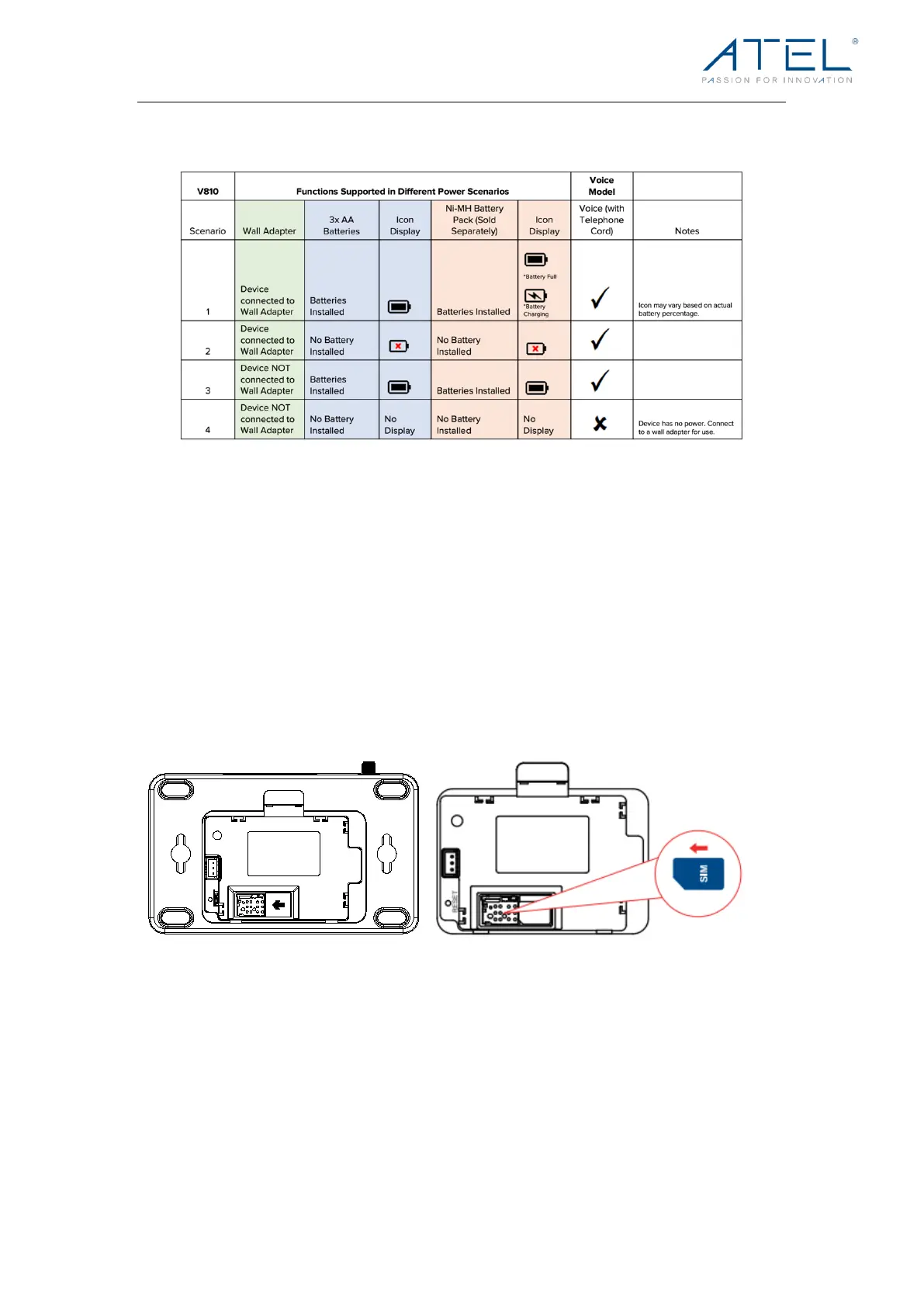
Refer to the table below for the V810 functions supported in different power modes.
2.
Getting Started
Install SIM Card
1. Remove the V810 back cover.
2. Carefully lift up the battery holder from the side.
3. Install the SIM card into the spring-loaded SIM slot as the image shows. To remove
a sim, press the edge of the sim inward and the sim would pop outward from the
sim slot.
Install the Batteries
1. Remove the battery cover.
2. Properly align and install 3 AA batteries into the battery holder.
3. Insert the battery connection cable into the battery port then align the battery holder to
the correct position.
4. Put the battery cover back in place as shown in the image.


 To Next Page