Qualcomm Atheros, Inc. • xliii
COMPANY CONFIDENTIAL January 2012
5. Right mouse click on the desired bluetooth device and select
the Pair option.
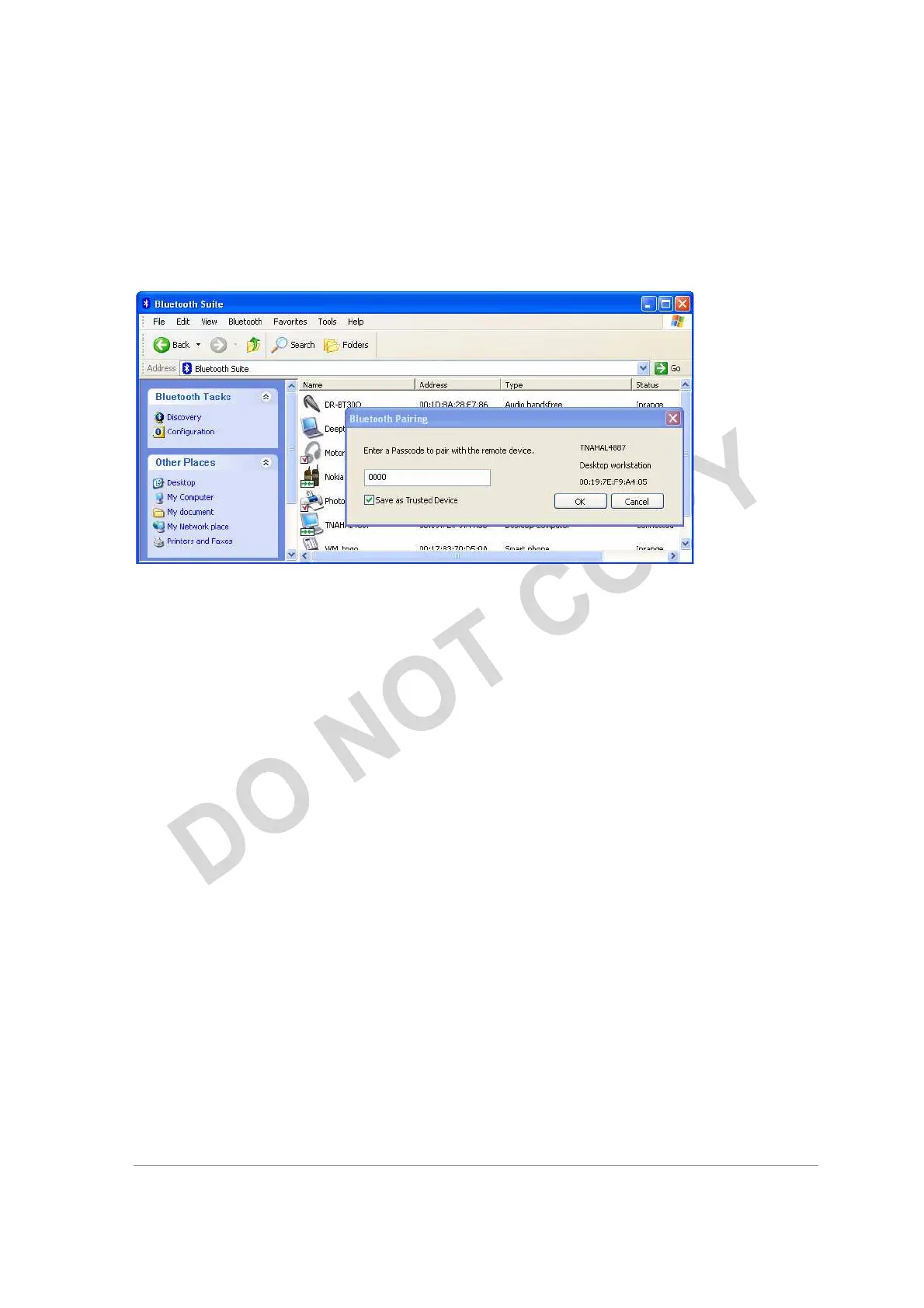
6. Enter the pairing code (0000) to pair it and click OK. See
Figure 10-3.
Figure 10-3. Bluetooth Devices Pairing
7. You will see the passcode prompt. Enter the passcode (default
is 0000) for the selected device and click OK.
NOTE:
The default code shown is 0000. Refer to the documentation of your device to find out
the passcode of your device and how to change it.
8. Right click the SYNC icon on My Bluetooth Place under the
specified device screen and choose Synchronization option. See
Figure 10-4.



 To Next Page