Overview
3-1
Chapter 3
Overview
Starting ATI VIDEO PLAYER
In Windows 95
1. Start Windows 95.
2. Click Start.
3. Select Programs.
4. Select ATI Multimedia.
5. Click the ATI VIDEO PLAYER.
In Windows 3.1x
1. Start Windows.
2. Double-click the ATI DeskTop Program Group.
3. Double-click the ATI VIDEO PLAYER icon.
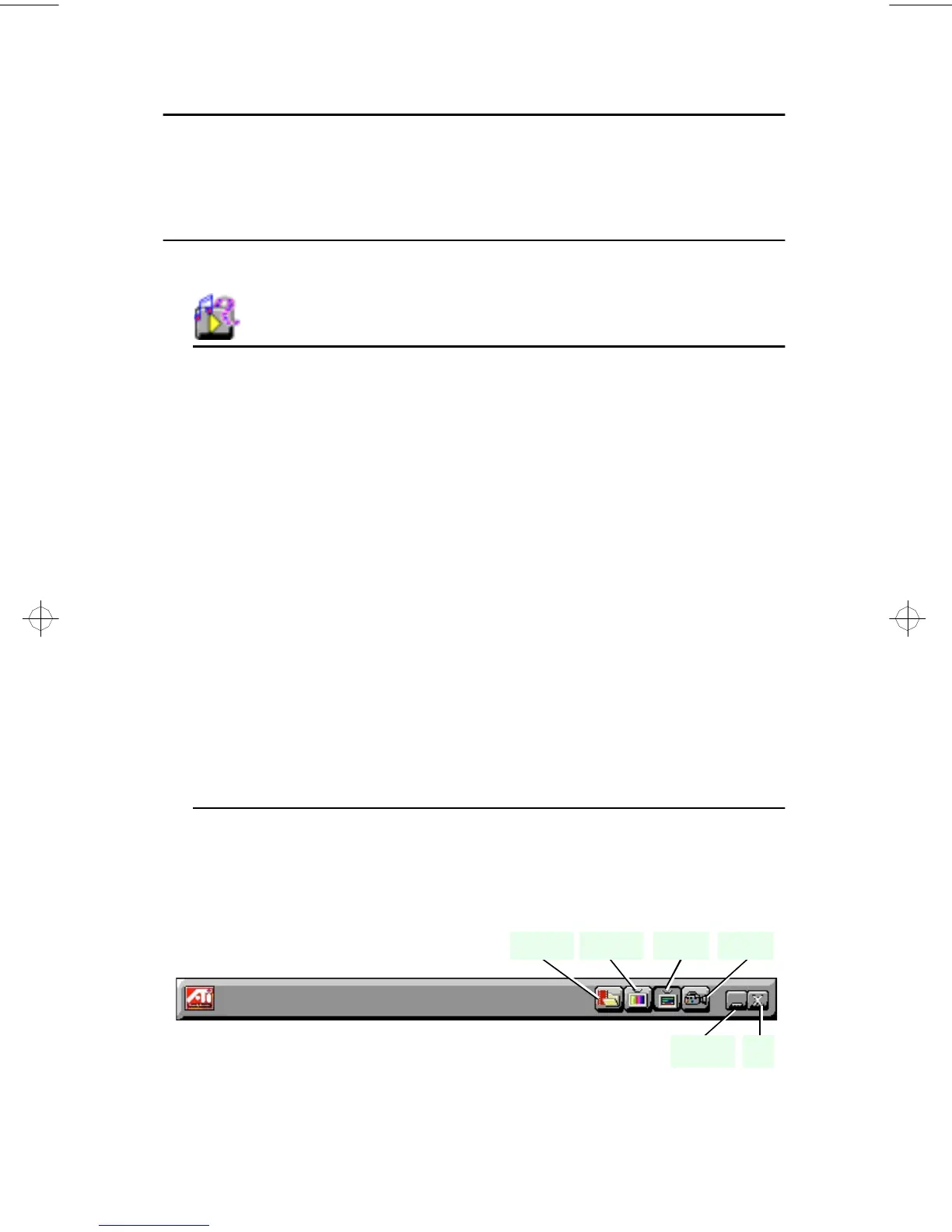
The Task Control Panel
The Task control panel indicates what mode the player is in and what it’s
doing. (Your Task control panel may not look exactly like the
illustration—only installed or available features will have controls.)
Instantly select the function you want – the Task control panel
shows you what’s happening.
CaptureTeletextTV Tuner
ExitMinimize
Media
Playback
generic.bk : 03_oview.fm Page 1 Thursday, June 20, 1996 4:10 PM



 To Next Page