RADEON™ 9700 Series User Manual
2-2
When you use multiple monitors with your card, one
monitor will always be Primary. Any additional
monitor(s) will be designated as Secondary.
Display Configurations
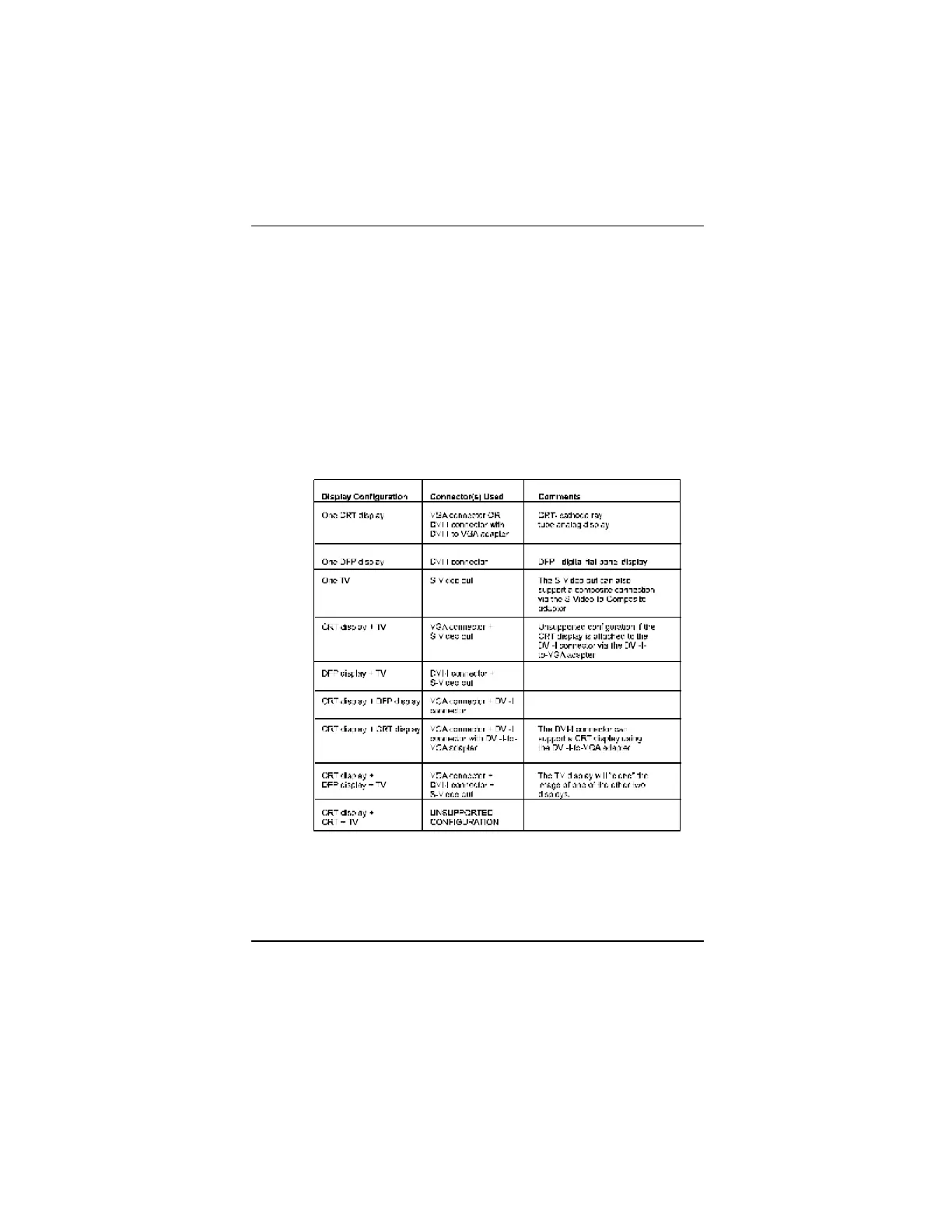
Your RADEON 9700 Series graphics accelerator card
provides dual display functionality and TV Out. The
following table lists the different ways you can connect
displays to your card.



 To Next Page
 Loading...









