24
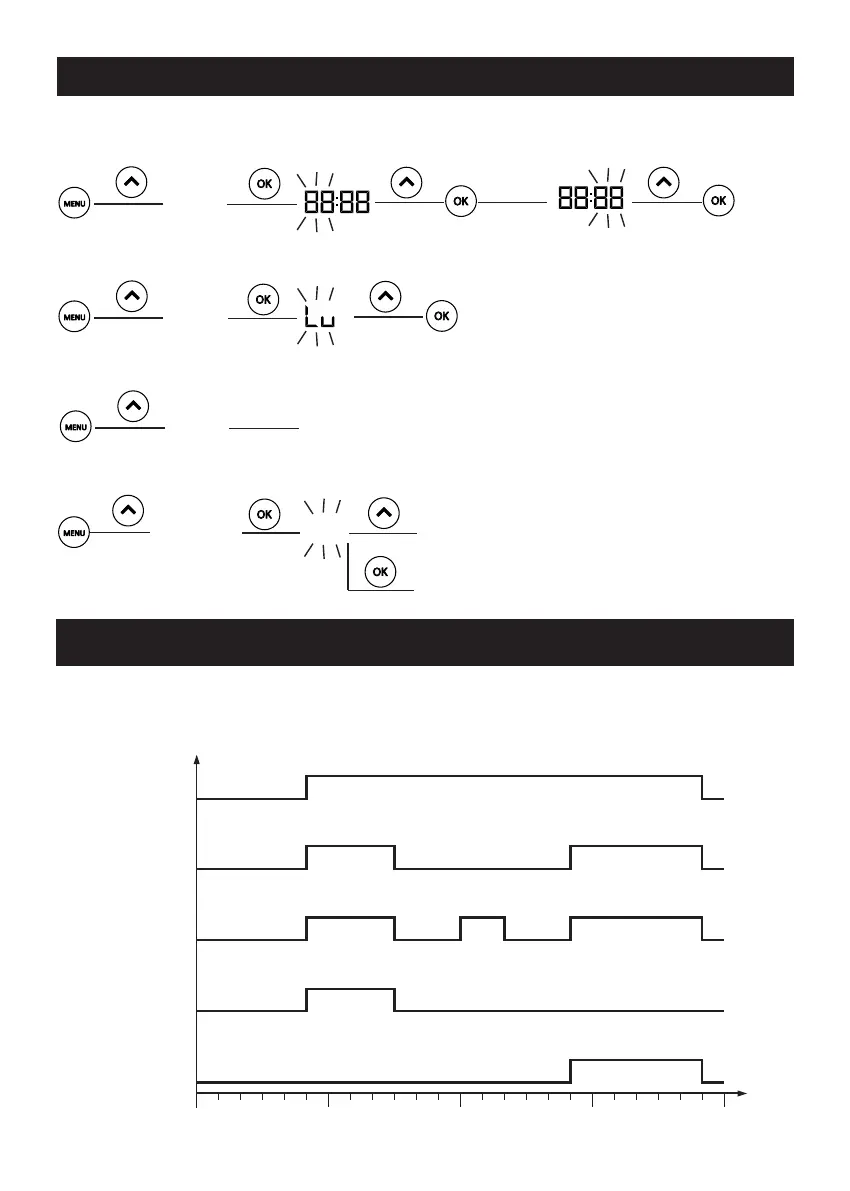
You can use the MENU button to set the time, day, programme and window open detection
function:
DESCRIPTION OF THE MENU
HEURE
FENETRE
NON
NON
OUI
JOUR
PROG
Reportez vous au Chapitre «utilisation de la programmation interne»
You can select your programme from 5 pre-set- programmes.
In the MENU, select PROG and assign P1, P2, P3, P4 or P5 to the day you have chosen.
USING THE INTERNAL PROGRAMME
0h 6h 12h 18h 24h
P2
Confort
ECO
P3
Confort
ECO
P4
Confort
ECO
P5
Confort
ECO
P1
Confort
ECO
TIME
DAY
WINDOW
See the “Using the internal programme” chapter
NO
NO
YES


 To Next Page