EasyManua.ls Logo

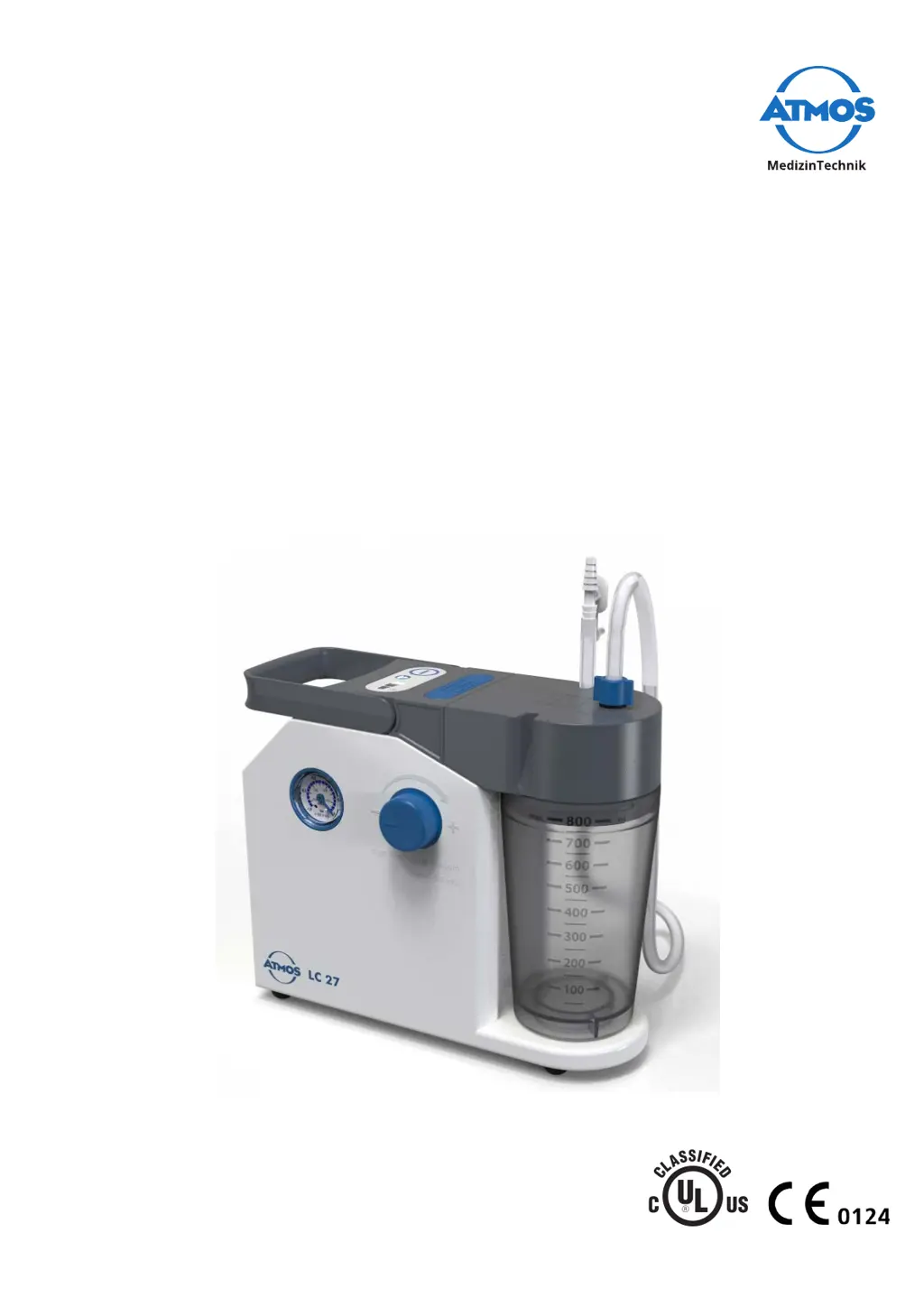
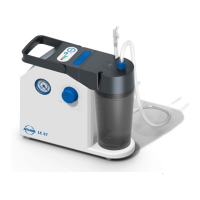
Atmos LC 27 - User Manual

Atmos LC 27
52 pages
Print Icon
To Next Page IconTo Next Page
Loading...
Operating Instructions
ATMOS LC 27
ATMOS LC 27 Battery
English
2022-03 Index 10
GA1GB.310301.0
E349855

Table of Contents

Questions and Answers

  • C
    Courtney SinghAug 1, 2025
    How to fix Atmos LC 27 Medical Equipment that won't recharge?
    • K
      Kelly AveryAug 1, 2025
      If your Atmos Medical Equipment isn't recharging, there are several potential causes. First, ensure the mains power unit is properly plugged into the mains supply. If the connection is secure, the mains power unit itself may be defective and need replacement. Other possible causes include a battery that is not connected properly, battery temperature being too high or too low (let the device cool down or move it to a more suitable environment), a defective battery (exchange the battery), or a defective fuse or electronics. For issues beyond checking the power connection and temperature, it's recommended to send the device in for repair.
  • L
    Lauren StevensonAug 5, 2025
    What to do if my Atmos LC 27 won't turn on or off?
    • M
      melissajonesAug 5, 2025
      If your Atmos Medical Equipment is not switching on or off, the first thing to check is the battery charge. Recharge the battery if it's discharged. If charging doesn't resolve the issue, the battery may not be connected properly, the plug from the charging accessories may be poorly fitted, or there could be a defective fuse or electronics. For these latter issues, it is recommended to send the device in for repair.
  • G
    gene82Aug 10, 2025
    Why is vacuum not building up in my Atmos LC 27 Medical Equipment?
    • J
      Jonathan RoachAug 10, 2025
      If the vacuum is not building up or cannot be reached in your Atmos Medical Equipment, several factors could be responsible. The battery might be discharged or defective, so charge it, or send the device in for repair. Check the single-patient secretion canister lid and hoses to ensure they are tightly fitted. Also, make sure the DDS bacterial and viral filter cartridge is screwed in tightly and that the white seal on the DDS bacterial and viral filter cartridge is correctly positioned. Ensure the disposable suction liner is firmly seated in the outer canister and check all connection points on the secretion canister system. If liquid has penetrated the device, or the pump is defective, send the device in for repair.
  • L
    Levi SantosAug 13, 2025
    Why my Atmos Medical Equipment battery doesn't charge to 100%?
    • D
      drojasAug 13, 2025
      If your Atmos Medical Equipment battery isn't reaching 100% charge, the battery service life may be exhausted, or the battery could be defective, requiring the device to be sent in for repair. Also, ensure you are using the correct mains power unit—only use the one originally included with the device or an original spare part.
  • L
    Larry JordanAug 18, 2025
    How to improve low suction capacity in Atmos LC 27 Medical Equipment?
    • S
      stephaniediazAug 18, 2025
      If you're experiencing low suction capacity in your Atmos Medical Equipment despite reaching the vacuum, the hydrophobic DDS bacterial and viral filter might be blocked, so replace the hydrophobic DDS bacterial and viral filter cartridge. Inspect the hoses for any kinks and check the bacterial filter in the disposable suction liner; if it's blocked, exchange the secretion suction liner.
  • M
    mitchellwilliamAug 22, 2025
    What does it mean if the red LED is on when my Atmos LC 27 Medical Equipment is fully charged?
    • K
      kevinnguyenAug 22, 2025
      If the red LED of the battery status indicator is lit up on your Atmos Medical Equipment even when the battery is fully charged, it indicates a defective battery, and you should send the device in for repair.
  • C
    Cynthia WallAug 27, 2025
    Why doesn't the pump start up in my Atmos LC 27 Medical Equipment?
    • S
      Shelley GoodwinAug 27, 2025
      The pump in your Atmos Medical Equipment might not start up if the vacuum is already built up. Avoid switching on the device when the vacuum is already present.

Summary

Safety Notices and Precautions

General safety instructions

General guidelines for safe operation and reporting of serious incidents.

Danger for users, patients, and third parties

Critical warnings about potential hazards, misuse, and risks of injury or infection.

Setting Up and Starting Up the ATMOS LC 27

Prepare device (single-patient canister)

Steps to prepare the ATMOS LC 27 for use with a single-patient secretion canister.

Prepare device (disposable system)

Steps to prepare the ATMOS LC 27 for use with Serres or Medi-Vac disposable systems.

Charging the battery

Procedure for charging the battery of the ATMOS LC 27 Battery model.

Charging using mains power unit

How to charge the device using the provided mains power adapter.

Connecting and removing canister system and hoses

Detailed steps for attaching and detaching suction system components.

Operation and After Use Procedures

Switching on the device

Instructions for powering on the ATMOS LC 27 and LC 27 Battery.

Switch off the device

Steps for safely shutting down the ATMOS LC 27 and LC 27 Battery.

Vacuum adjustment

Procedure for setting the desired vacuum level on the suction device.

Suction

Guidance on performing suction procedures with the device.

Cleaning and Disinfection Procedures

Safety instructions for reprocessing

Essential safety precautions for cleaning and disinfecting the device and accessories.

General safety instructions

General guidelines for safe reprocessing procedures.

Danger for users, patients and third parties

Warnings regarding infection risks during reprocessing.

Avoiding damage to the device

Precautions to prevent damage during improper cleaning.

Preparing;completing reprocessing

Steps for disassembling and preparing the device before and after cleaning.

Maintenance, Service, and Troubleshooting

Function check

Procedures for performing regular functional checks on the device.

Troubleshooting common issues

Solutions for common problems with recharging, switching, and vacuum capacity.

Atmos LC 27 Specifications

General IconGeneral
CategoryMedical Equipment
TypeLaryngoscope
Light SourceLED
Handle TypeStandard
MaterialStainless Steel
Max. SuctionNot Applicable
VacuumNot Applicable
Blade Size3
SterilizationAutoclavable

Related product manuals