EasyManua.ls Logo

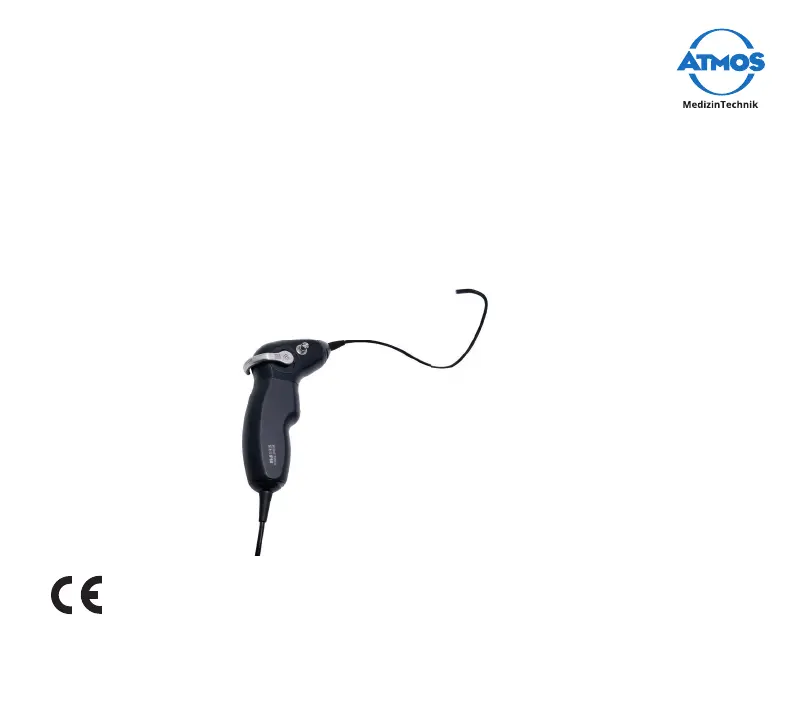
Atmos Scope - User Manual

Atmos Scope
52 pages
Print Icon
To Next Page IconTo Next Page
Loading...
1
Operating Instructions
ATMOS Scope
English
GA1GB.150259.0
2022-03 Index 03

Questions and Answers

  • L
    Lindsey LongSep 8, 2025
    What to do if my Atmos Medical Equipment has corrosion, staining, or discoloration?
    • Z
      zpayneSep 9, 2025
      If you notice corrosion, staining, or discoloration, it could be due to inadequate cleaning, such as protein residue. Try cleaning again, rubbing thoroughly. It may also be caused by inadequate rinsing of the endoscope between re-sterilization steps, especially before actual sterilization, so ensure adequate rinsing between processing phases. Disinfecting and cleaning solutions that are contaminated or used too frequently can also cause these issues, so replace them at regular intervals. Finally, extraneous rust from rusty steam or processing with damaged or non-stainless instruments could be the cause. Check supply systems, ensure material compatibility during common processing, pay attention to existing damage, and avoid mutual contact.
  • M
    Monica WeberAug 23, 2025
    How to fix leakage in Atmos Medical Equipment?
    • B
      Betty MezaAug 23, 2025
      If you notice leakage, first verify that the leakage tester is correctly connected, paying attention to the connections between the attachment for pressure compensation, the tube of the leakage tester, and the leakage tester itself. Also, ensure the protection cap is firmly pushed onto the connector. If the leakage continues, the insertion tube may be defective, requiring the ATMOS Scope to be sent in for repair.
  • J
    Jared BrownAug 25, 2025
    What to do if Atmos Scope is not recognized by the PC?
    • S
      Sergio Johnson Jr.Aug 26, 2025
      If the ATMOS Scope isn't being recognized by your PC, first ensure that the USB port is permanently activated via the power settings in Windows. If the problem persists, the ATMOS Scope may be defective, requiring it to be sent in for repair.
  • Q
    qbondAug 26, 2025
    How to fix no image on the PC with Atmos Medical Equipment?
    • D
      David WardAug 27, 2025
      If there is no image on the PC, first install the camera USB driver. If that doesn't work, the ATMOS Scope may not be recognized by the USB interface, so ensure the USB port is permanently activated via the power settings in Windows.
  • M
    Matthew KochAug 28, 2025
    How to fix a cloudy image on Atmos Medical Equipment?
    • N
      Nicholas CampbellAug 28, 2025
      A cloudy image can be caused by dirty glass surfaces. Clean the glass surfaces. If the issue continues, the lens system may be defective, requiring the ATMOS Scope to be sent in for repair.
  • L
    lopezcarolSep 22, 2025
    What to do if distortion is tight and defective in my Atmos Medical Equipment?
    • M
      Mr. William LittleSep 22, 2025
      If the distortion is tight and defective, the peak mechanism is likely defective. Send the ATMOS® Scope in for repair.
  • J
    jonathantaylorSep 16, 2025
    What to do if my Atmos Scope is not identified by the PC?
    • B
      Brent KnoxSep 16, 2025
      If the ATMOS® Scope is not identified by the PC, the USB port may have switched off. The USB port via the energy options in Windows must be permanently activated.
  • C
    Christina CowanSep 18, 2025
    What to do if the stroboscope of my Atmos Medical Equipment does not react?
    • M
      mcdowelllisaSep 18, 2025
      If the stroboscope does not react, ensure the microphone is correctly connected. If it is, the microphone might be defective, and you should replace it. Also, the stroboscope cable may be connected incorrectly, or the stroboscope cable may be defective, requiring replacement or repair.
  • D
    David MaloneSep 7, 2025
    What to do if my Atmos Medical Equipment image is cloudy?
    • D
      Debra BrownSep 7, 2025
      If you're experiencing a cloudy image, it might be due to dirty glass surfaces. Clean the glass surfaces. Alternatively, the lens system might be leaky or defective, in which case you should send the ATMOS® Scope in for repair.
  • L
    Lisa OrtizSep 4, 2025
    What to do if there is no image on the monitor of my Atmos Medical Equipment?
    • V
      Victoria JonesSep 4, 2025
      If there is no image on the monitor, several factors could be the reason. First, ensure the controller is properly connected and switched on. Check for a blown fuse and replace it if necessary. Verify the connection between the controller and the monitor, and ensure the ATMOS® Scope handle is correctly connected to the controller, ensuring the plug is dry. Also, check that the monitor is set to the correct input channel. Finally, make sure the ATMOS® Scope is properly attached to the controller and that there is light at the tip of the flexible endoscope part.

Summary

Introduction

Notes on operating instructions

Contains important instructions on how to operate the product safely, correctly, and effectively.

Explanation of pictures and symbols

Explains the meaning of various symbols and icons used in the operating instructions.

Intended purpose

Describes the product's intended use, main functions, and target users for endoscopic examination in humans.

Function

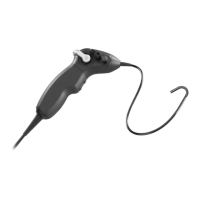
Details the integrated components within the handle of the flexible ATMOS Scope.

Scope of delivery

Lists the contents included in the ATMOS Scope package upon dispatch.

Transport and storage

Provides guidelines for safe transport and storage, including environmental conditions.

Notes for your safety

General safety instructions

General guidelines for safe operation, use of accessories, and reporting incidents.

Danger for users, patients, and third parties

Highlights risks such as electric shock and minor injuries due to improper handling or damage.

Avoiding damage to the device

Details how to prevent damage from unsuitable mechanical stress and unsuitable environments.

Setting up and starting up

Device overview

Provides a detailed visual overview of the ATMOS Scope components and their labels.

Leakage tester and tube

Describes the set for the leakage tester and its adapter for connection to the tube.

Combination with other devices

Specifies requirements for qualified personnel when installing electrical systems with the ATMOS Scope.

Preparing the device

Instructions for initial preparation, including reprocessing and leak tightness checks before first use.

Assembly and initial installation

Covers requirements for additional devices and the installation of ATMOS Capture Suite software.

Checks and tests

Outlines test sequences, including checking glass surfaces and performing a leakage test.

Testing the deflection mechanism

Details how to check the functionality of the deflection lever for smooth operation.

Operation

Use;operation

Guidance on handling the system with care and avoiding impacts or stress on its components.

Switching on and adjusting the system

Instructions on how to take the ATMOS Scope in hand to turn the system on.

Functions of the buttons with the ATMOS Capture Suite

Explains the default functions of the upper and lower buttons when using ATMOS Capture Suite software.

Reprocessing

Safety instructions for reprocessing

Provides essential safety guidelines and recommendations for users performing reprocessing.

Avoiding damage to the device

Details how to prevent damage from cleaning fixatives, unsuitable aids, or incorrect procedures.

Preparing and completing reprocessing

Outlines the steps for preparing the device before and checking it after reprocessing.

Preparing surfaces

Provides an overview and details on preparing surfaces for various reprocessing steps.

Selecting process chemicals

Lists compatible cleaning agents and disinfectants, along with their active ingredients.

Manual cleaning and disinfection

Detailed instructions for manual cleaning and disinfection, including temperature, agents, and steps.

Mechanical cleaning and disinfection

Guidelines for mechanical cleaning and disinfection using washer-disinfectors.

Sterilization

Instructions and material compatibility approvals for sterilization methods, excluding autoclaving.

Maintenance and service

Periodic tests

Specifies the required frequency for electrical safety repeat tests according to IEC 62353.

Sending in the device

Instructions on how to properly clean, pack, and send the device for service or return.

Warranty

Details the 24-month warranty terms, coverage, and exclusions for product function.

Troubleshooting

Accessories

Disposal

Technical data

Notes on EMC

Atmos Scope Specifications

General IconGeneral
BrandAtmos
ModelScope
CategoryMedical Equipment
LanguageEnglish

Related product manuals