3-6
3.2.2.2. SECOND MENU SET
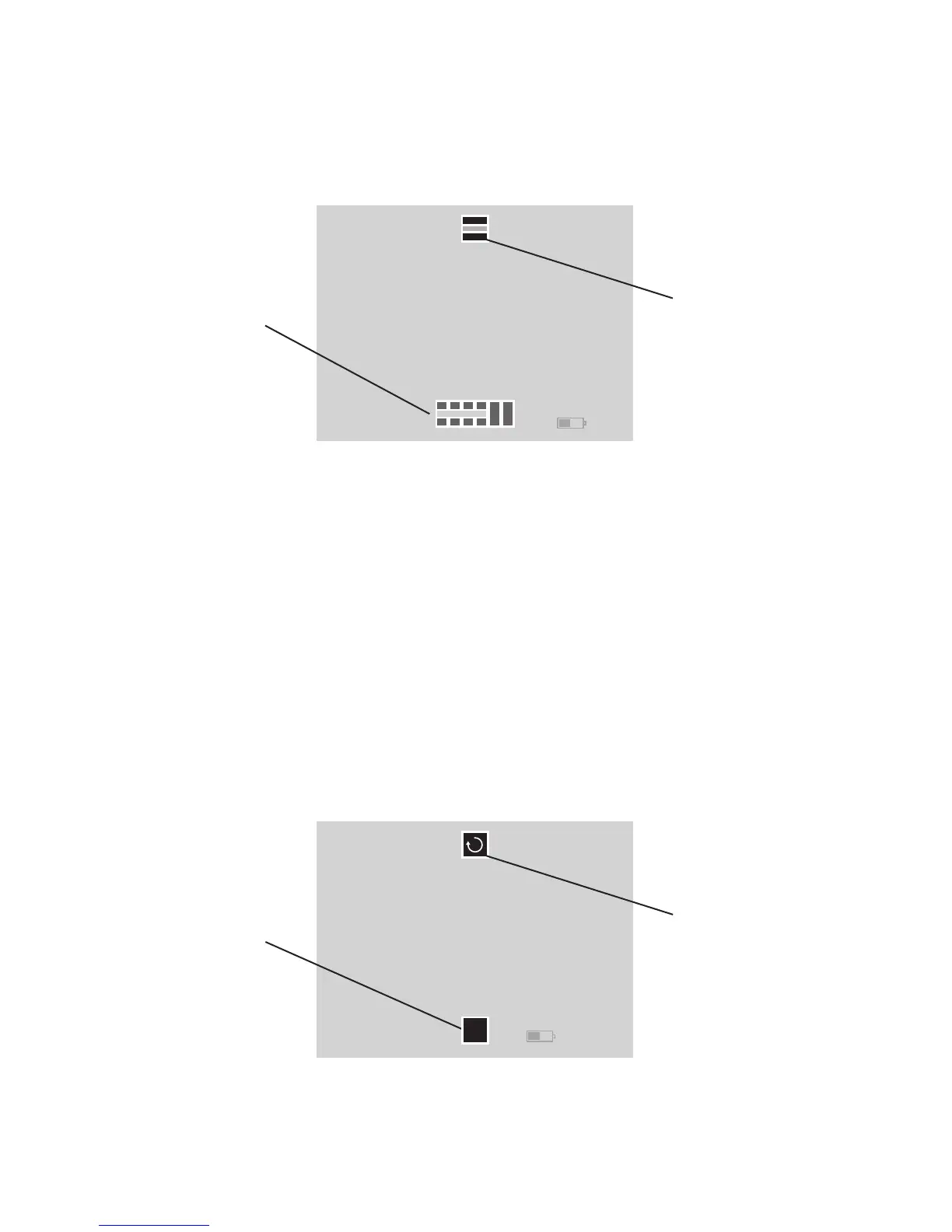
The two icons on the screen are Color Mode (on top) accessed
by UP button and Screen Brightness(on the bottom) accessed
by DOWN button.
Color Mode – UP button will let the user cycle through various
color modes. We recommend that you experiment in various
environments/situations to determine which mode works best
for you.
Screen Brightness – DOWN button will let the user cycle
through display brightness levels. The icon will change to indi-
cate the level of brightness that was chosen.
3.2.2.3. THIRD MENU SET
The two icons on the screen are Rotate (on top) accessed by
UP button and Calibrate/NUC (on the bottom) accessed by
DOWN button.
Color Mode Icon
Screen Brightness Icon
FIGURE 3.4. SCREEN OF SECOND MENU SET
Rotate Icon
Calibration/NUC
Icon
CAL
FIGURE 3.5. SCREEN OF THIRD MENU SET



 To Next Page