3-8
3.2.2.4. FORTH MENU SET
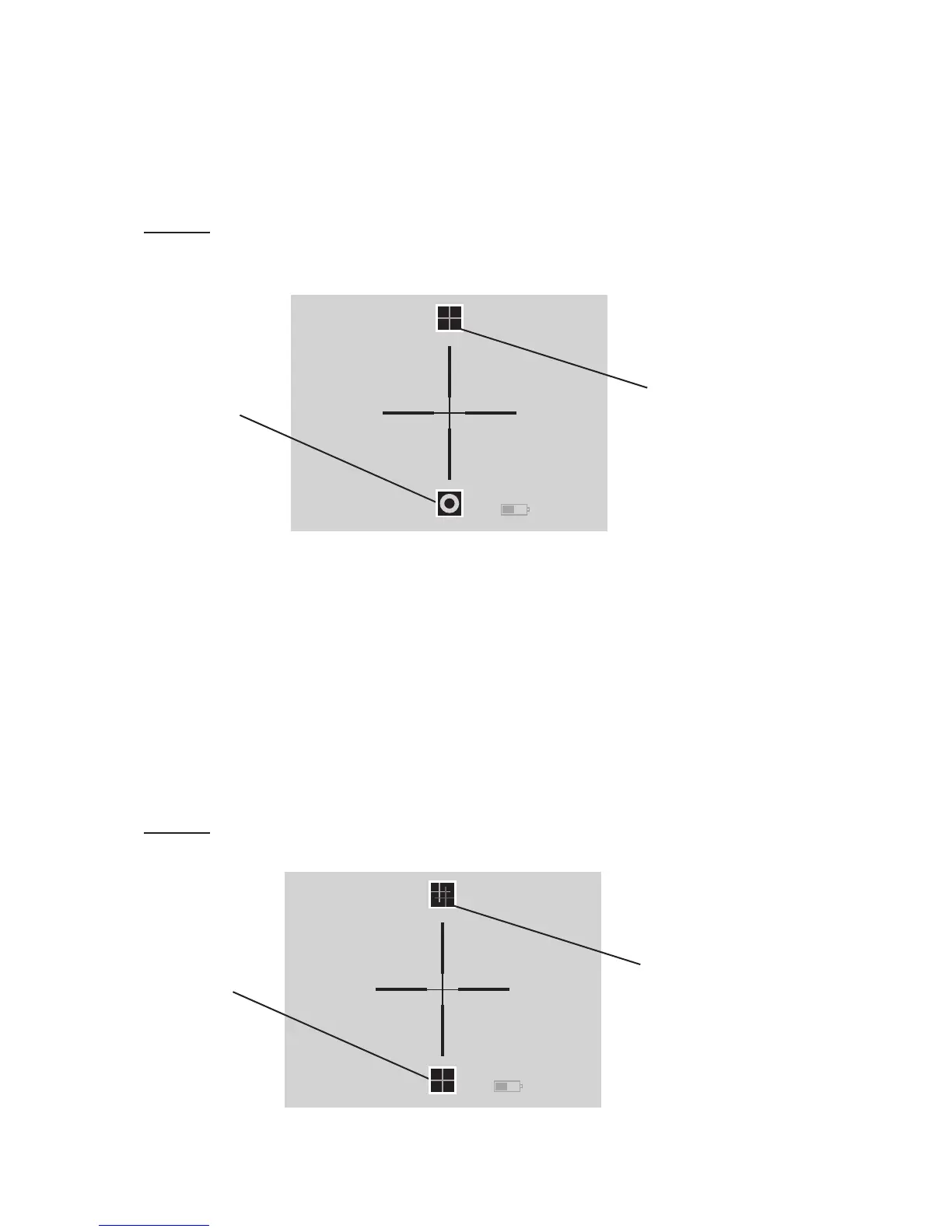
The two icons on the screen are Reticle Mode (on top) ac-
cessed by UP button and Video Out ON/OFF (on the bottom)
accessed by DOWN button.
NOTE
For reticle controls please make sure your Odin model comes
with the reticle option.
Reticle Mode – UP button will take you to Reticle Adjust-
ment Mode that is made up of three screens – designated
as Reticle “A” Screen, Reticle “B” Screen, and Reticle “C”
Screen. See “A” through “C” Screens below.
Video Out ON/OFF - DOWN button will activate the video
out mode enabling you to transmit video via the video cable
(optional). Note: Video Out ON will drain your battery power
faster than Video Out OFF.
NOTE
To move between “A” to “C” Screen please use the ENTER Key.
Color Reticle Icon
Reticle Pattern
FIGURE 3.7. "A" SCREEN
Reticle Mode Icon
ON/OFF
VIDEO-OUT Icon
FIGURE 3.6. SCREEN OF FORTH MENU SET



 To Next Page