3-9
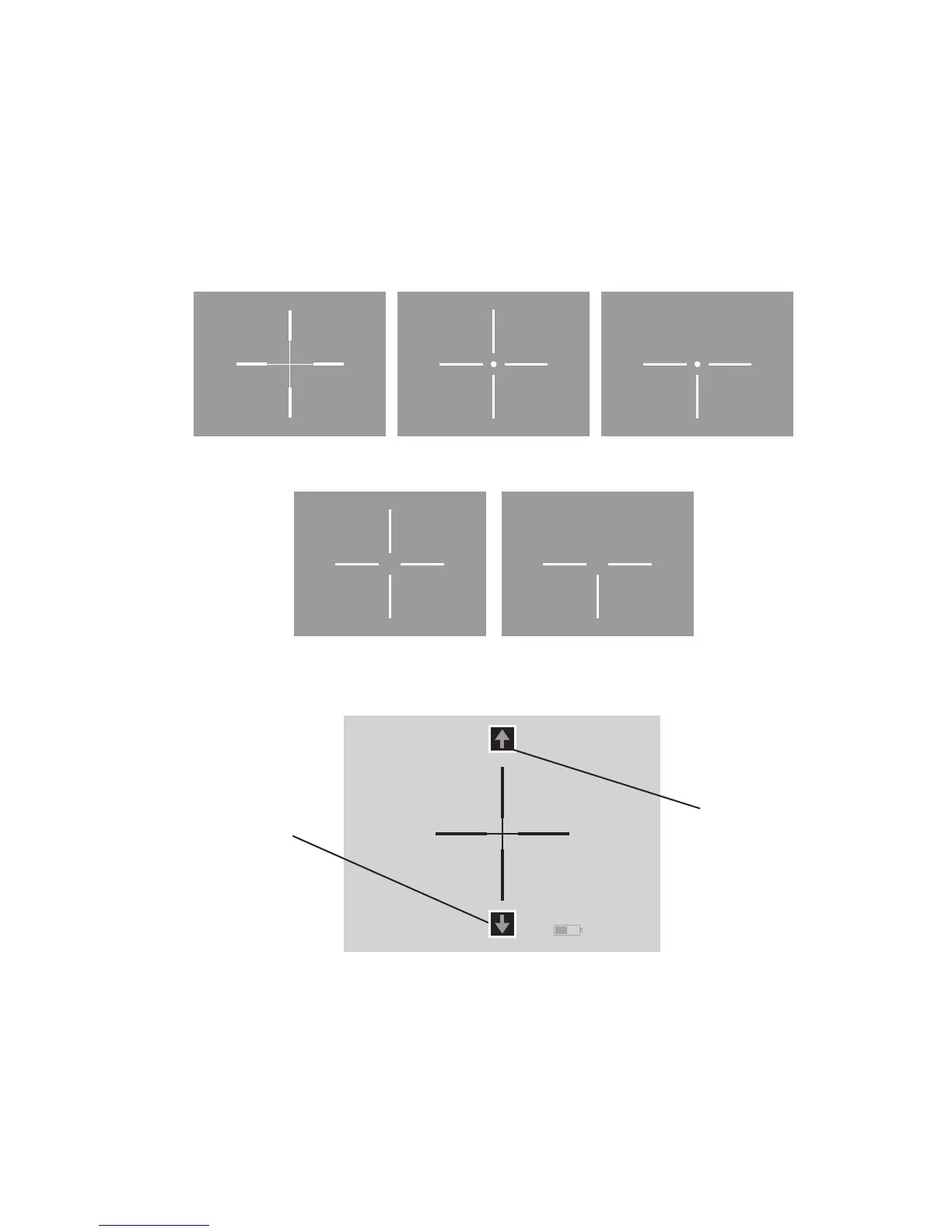
a. “A” Screen - The two icons on the screen are Color Reticle
(on top) accessed by UP button and Reticle Pattern (on the
bottom) accessed by DOWN button.
Color Reticle – UP button will cycle through the various color
reticles available in your system.
Reticle Pattern – DOWN button will cycle through the various
reticle patterns available in your system.
b. “B” Screen - The two icons on the screen are UP Elevation
(on top) accessed by UP button and Down Elevation (on the
bottom) accessed by DOWN button.
UP Elevation – UP button will move the reticle Up.
Down Elevation – DOWN button will move the reticle Down.
Duplex Crosshair Open Crosshair
with Dot
Open Crosshair Post
Post with Dot
FIGURE 3.8. RETICLE PATTERN
Up Elevation
Adjustment Icon
Down Elevation
Adjustment Icon
FIGURE 3.9 "B" SCREEN



 To Next Page