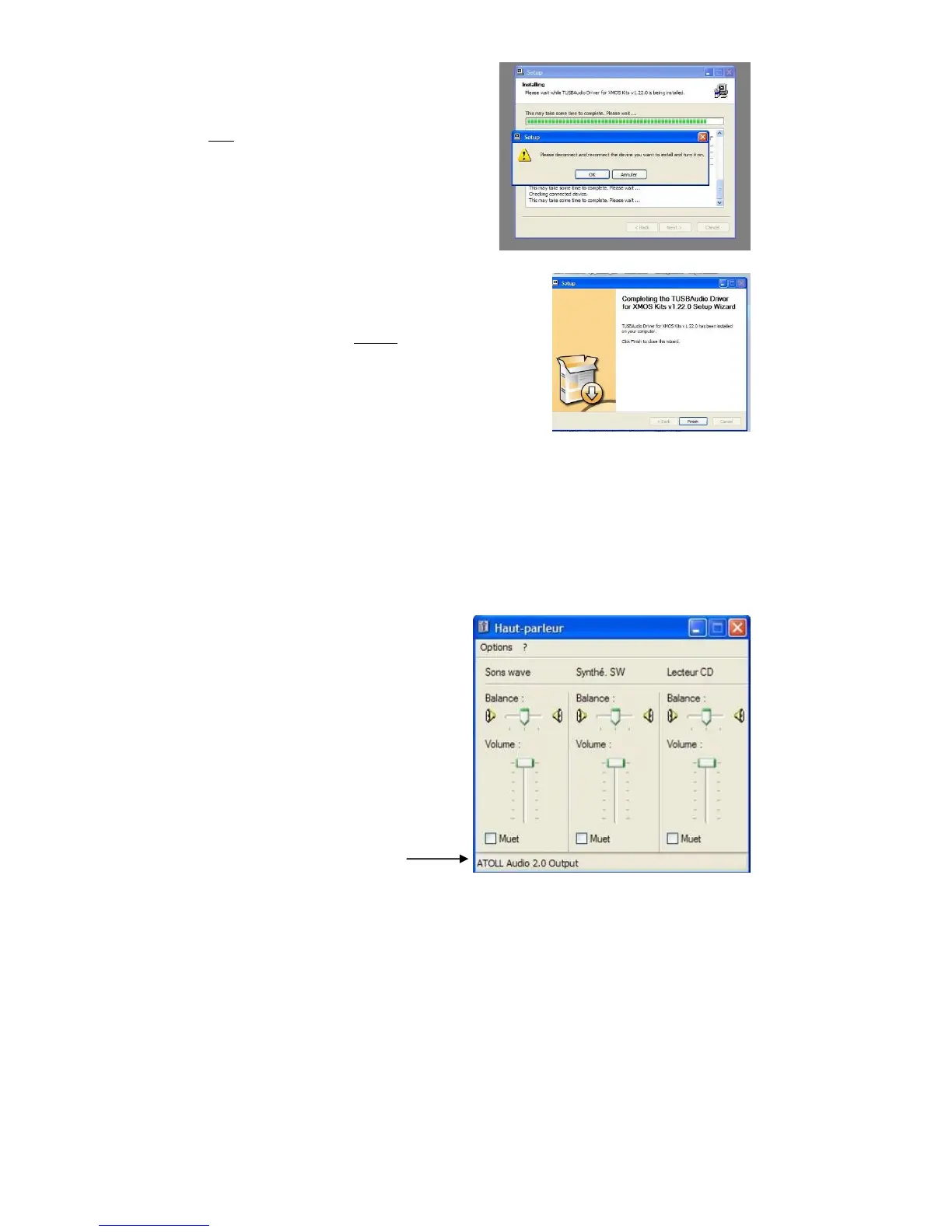
During install, you’ll get this message :
Click on OK
At the end of Install, click on Finish.
The Driver is installed.
It is recommended to re-start the computer to complete the install.
You can now connect the SDA to a USB output of your computer.
After re-start, check that the Driver is
correctly installed by looking at the
configuration of the Volume control panel.
Speakers Menu :
Shows the name of the Driver



 To Next Page