3
Controls & Connections (Top)
X
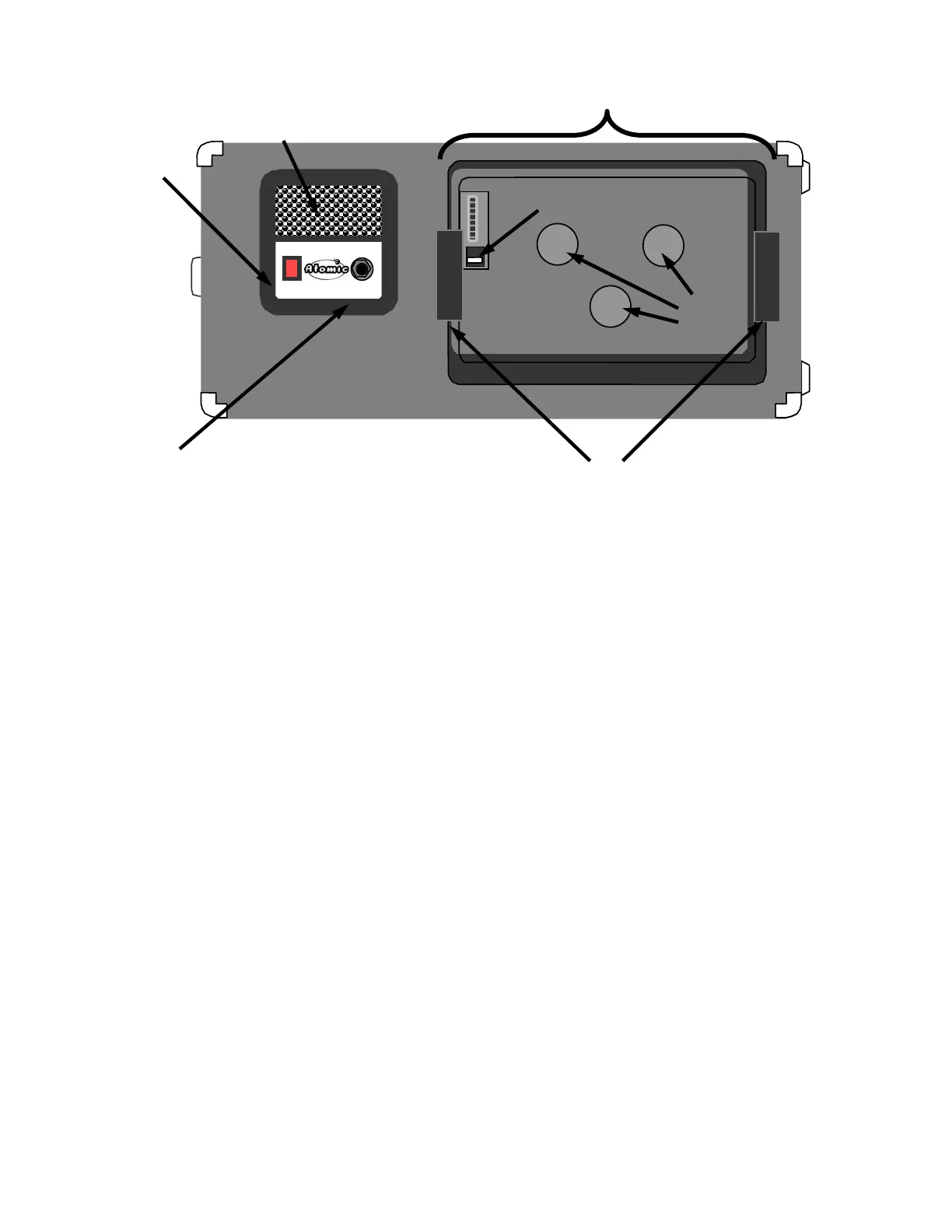
POWER:
The power switch turns the power OFF & ON to the Reactor 112. It also acts as the master power
switch for the modeler when connected and housed in the DS-1 (see page 6).
Y
INPUT:
This is where you plug in your instrument cable when docking a modeler inside the DS-1. NOTE!
When using a modeler outside of the DS-1, such as a Rack-mount or floor based modeler, the
instrument should be connected to the modeler per the modeler’s instruction manual.
Z
COOLING VENT:
The cooling vent is located directly above the tubes and in conjunction with the studio quiet fan
(page 4 – item “6”) does an excellent job of keeping the Reactor cool. No matter how hot the
playing.
KEEP THE COOLING VENT OPEN AND FREE OF OBSTACLES!
[
DOCKING BAY:
This is the mechanism in the Reactor 112 designed to house the DS-1 Docking Unit.
\
MULTI-PIN CONNECTOR & KILL SWITCH:
The MULTI-PIN connector provides the audio & power to and from the dock and the Reactors
electronics. The KILL SWITCH helps eliminate “POPS” and allows the DS-1 to be removed and
reinserted without the user having to turn off and on the power switch on the Reactor 112.
]
DOCK LOCKS:
This is where the dock “locks” into place. To release the DS-1 from the Reactor, just push the
handles located on the sides of the DS-1 towards the center and pull up on the dock.
^
INDENTATIONS:
Three circular indentations accommodate the thumbscrews on the DS-1 docking unit (page 6).
\
^
[
X
Y
]
Z



 To Next Page