Need help?
Do you have a question about the Atos Unify OpenScape CP210 and is the answer not in the manual?
Details on CE marking, WEEE directive, and product conformity.
Guidelines for safe power supply, handling, and use of accessories.
Procedures for cleaning the phone, accessing online resources, and placement guidelines.
Details on ENERGY STAR certification and how to access license information.
Explanation of the manual's purpose, structure, and common icons used.
How operations are depicted and procedures for selecting and setting options.
Information on phone service, its intended use, and identifying the telephone type.
Steps for configuring the phone from factory defaults to operational status.
Connecting the phone, entering the PIN, and procedures for cancelling the configuration.
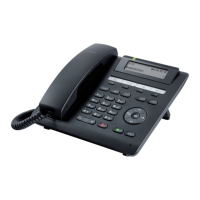
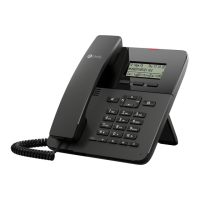
Overview of the phone's physical controls, display, and key components.
Explanation of navigation keys, programmable functions, and dialpad usage.
Details on display contrast, idle mode, context menus, and icons.
Accessing voicemail and understanding call logging features and lists.
Instructions for managing personal and corporate contact lists.
Overview of user-configurable settings and remote control/monitoring functions.
Procedure for activating a diagnostic call for troubleshooting network issues.
Diagram and description of all physical ports on the phone's underside.
Guidance on routing cables and utilizing the phone's USB port for accessories.
How to adjust display contrast and set various audio volumes.
Configuration options for key click sounds, key selection, and energy-saving settings.
Procedures for handling incoming calls, including rejection and deflection.
Instructions for various dialing methods and managing calls during a conversation.
Steps for establishing conferences, placing calls on hold, and retrieving them.
Managing second calls, transferring calls, and configuring call forwarding.
Managing contacts and reviewing call history logs.
List of assignable functions and steps to program keys via phone or WBM.
Examples of using programmed keys and procedures for resetting them to default.
Methods for handling group calls and using Direct Station Selection keys.
Specific functionalities for multiline phones in team environments, including line/trunk keys.
Participating in calls and providing assistance via call bridging features.
Instructions for using your phone number and settings on a different phone.
Procedure for logging out of the mobility function.
Configuring the Do Not Disturb feature to silence incoming calls.
Setting, changing, and deactivating user passwords for phone security.
Methods for securing the phone against unauthorized access and unlocking it.
Optimizing audio, configuring ringers, melodies, and patterns.
Adjusting display language, time, date, and country-specific settings.
Viewing network details and resetting user-specific configurations.
Configuring basic call forwarding, saving, and editing destination numbers.
Managing forwarding activation, deactivation, and different call forwarding types.
Configuring CTI calls, hold reminders, music on hold, and call joining permissions.
Managing call deflection, waiting, transfer, and call logging features.
Overview of recording modes, manual, auto start, and all calls.
Procedures for starting, pausing, ending, and handling call recordings.
Accessing and interpreting phone configuration and network status details.
Optimizing energy use and managing contacts via the WBM interface.
Information on compatible USB devices and limitations for phone connectivity.
Navigating the WBM, configuring general settings, and understanding button functions.
Accessing administrator configurations and user page functionalities.
In-depth configuration options for connected calls, keysets, phone settings, locality, security, and directories.
Steps to open and use the phone's local user menu for settings.
Overview of programmable function keys and their available assignments.
Details on functions available to passive users and those not supported by OpenScape Voice.
Instructions for cleaning the phone and resolving simple issues like stuck keys.
Troubleshooting problems related to not being able to dial or the phone not ringing.
Guidance on resolving persistent faults and contacting support.
Information on WEEE directive, German ElektroG, and Blue Angel criteria.
Details on how used equipment is processed for reuse and recycling.
Information on Unify's repair services and extending phone capability via software.


 To Next Page


 General