EasyManua.ls Logo

ATrack AK7 - 5. Configuration; 5.1. Set up a Device Using the ATConfigure Tool

ATrack AK7
26 pages
Print Icon
To Next Page IconTo Next Page
To Previous Page IconTo Previous Page
Loading...
Confidential Document
Page 12 of 26
5
5
.
.
C
C
o
o
n
n
f
f
i
i
g
g
u
u
r
r
a
a
t
t
i
i
o
o
n
n
You may explore great features on the AK1 either through AT commands or the AK Series Configure Tool. The
commands can be sent to a device via RS232, SMS or Mobile network (e.g. GSM/GPRS).
5
5
.
.
1
1
.
.
S
S
e
e
t
t
u
u
p
p
a
a
D
D
e
e
v
v
i
i
c
c
e
e
U
U
s
s
i
i
n
n
g
g
t
t
h
h
e
e
A
A
T
T
C
C
o
o
n
n
f
f
i
i
g
g
u
u
r
r
e
e
T
T
o
o
o
o
l
l
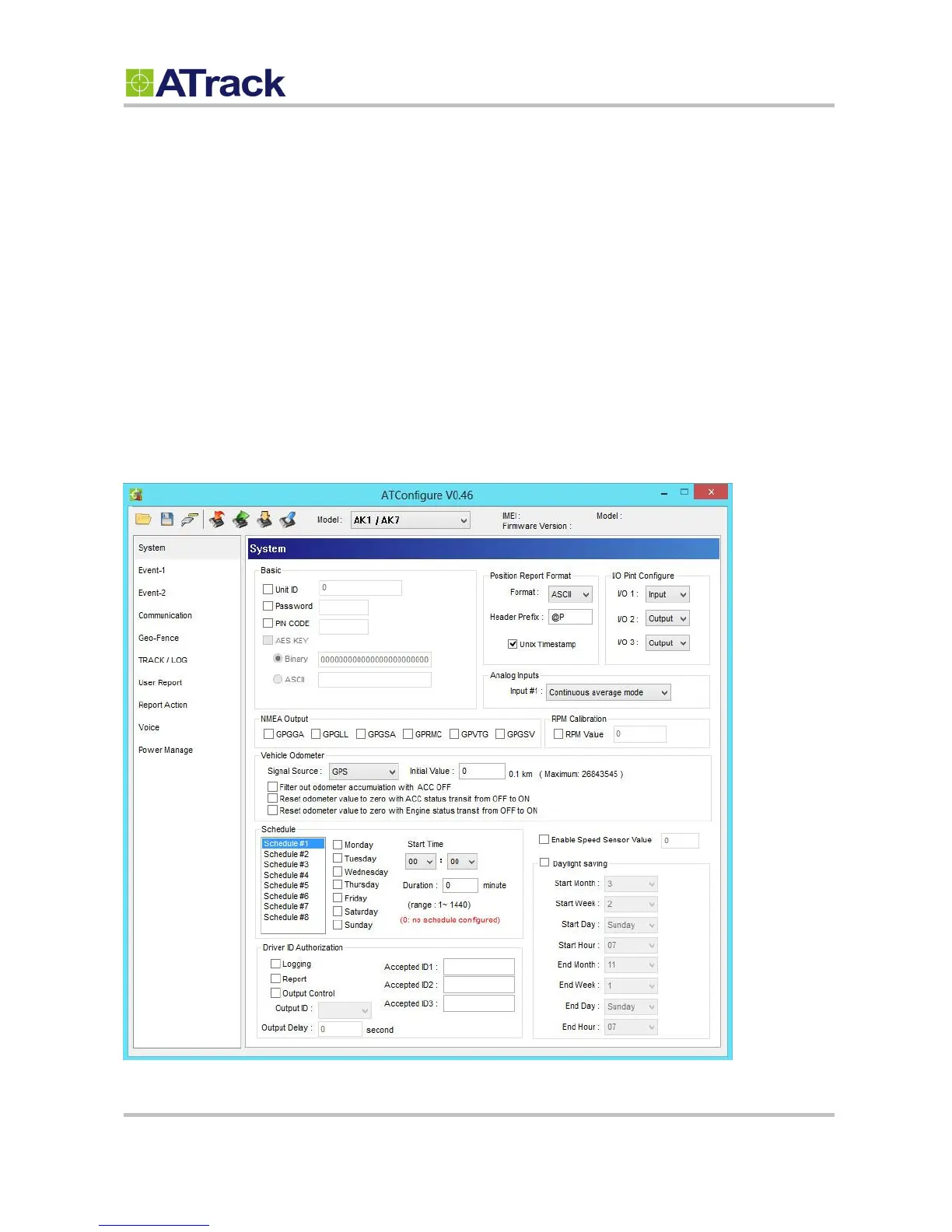
Before running the ATConfigure Tool, make sure your device is connected to a PC/laptop via RS232. The
ATConfigure Tool provides a user-friendly intuitive interface that enables you to quickly and easily set up
those basic parameters. Please refer to our ATConfigure Tool user manual for details.

Related product manuals