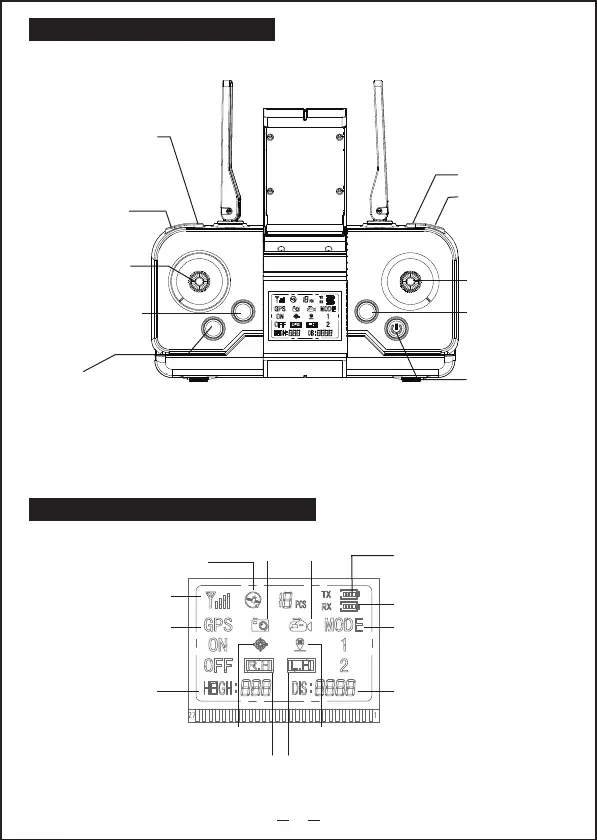
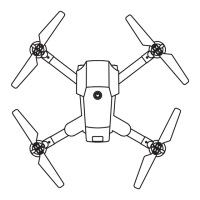
Remote Contrl Function Description
Note:The remote control automatically adjusts the frequency. Please calibrate the gyroscope and geomagnetism
before starting the flight to ensure the flight stability.Boot default GPS mode. Please turn to Indoor mode manually
when flying indoors, otherwise you can't take off.
2
Short press:Speed switch
Long press:Obstacle
avoidance
Long press:Indoor /
GPS mode switch
Short press: calibrating gyroscope.
Long press: calibrate geomagnetism
Short button: one key return
(effective in GPS mode).
Long press: headless mode
Camera steering angle“+”
Camera angle“-”
One key takeoff / landing
Long press:emergency
stop
Steering rod
Long press:ON
Throttle lever
Remote control power
Drone power
Distance display
Height display
Unlock the Drone motor icon.
(1 for locking, 2 for unlocking)
GPS mode switch
Signal
Number of satellites
Photo
Headless mode
High speed Low speed
One key return
Video
Remote control display screen function description


 To Next Page