69
TV (1Seg)
Initial Setup of TV (1Seg)
To watch TV (1Seg), you need to configure initial settings.
When the standby screen is displayed, press c.
➡ Use a t
o select TV and then press
c (Select).
➡ Use j t
o select TV (1Seg) and then press
c (Select).
Disclaimer notes are displayed.
➡ Use j to check the disclaimer notes, use j
to select OK, and then press c (選択 [Select]).
The initial setting screen for using TV (1Seg) is
displayed.
•The screen for setting TV (1Seg) channels appears.
➡ Use j to select
放送波スキャン
(Broadcast
signal scan) and then press c (選択 [Select]).
Automatic channel scanning begins. When receivable
channels are found, the channel setup is completed.
•Select
マニュアル設定
(Manual) to set the channel
manually.
Watching TV (1Seg)
When the standby screen is displayed,
press
c.
➡ Use a t
o select TV and then press
c (Select).
➡ Use j t
o select TV (1Seg) and then press
c (Select).
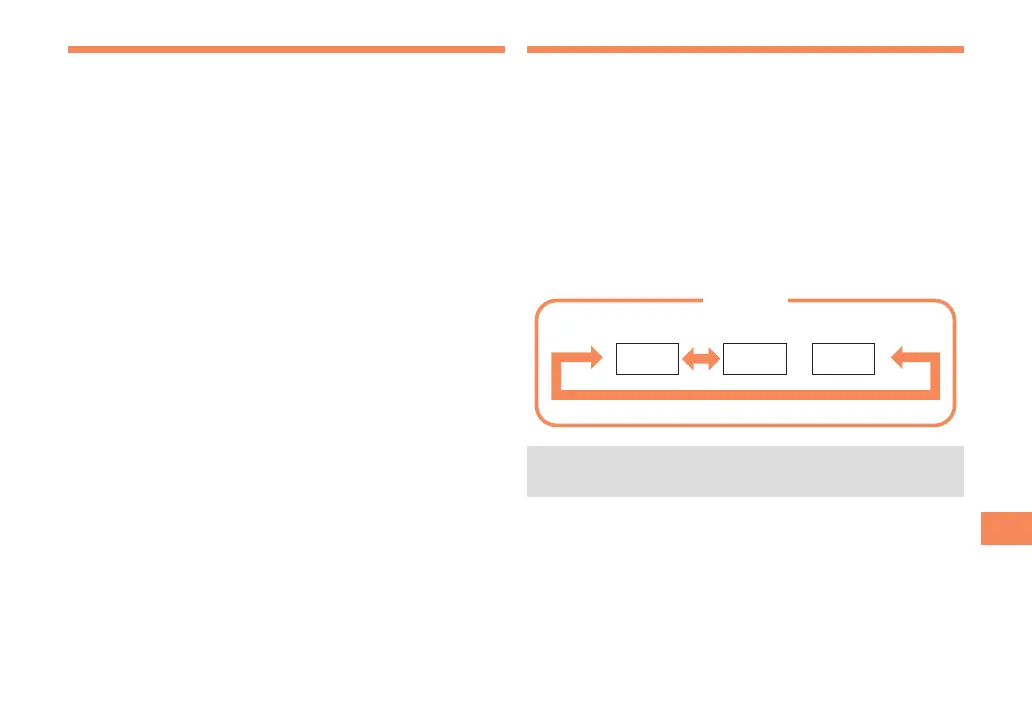
■ To Change Channels
Use s to change channels.
•Before using this feature, you must configure TV
(1Seg) initial settings (see the procedure on the left).
1ch 2ch
…
12ch
TV (1Seg)
Change channels one by one.



 To Next Page