23
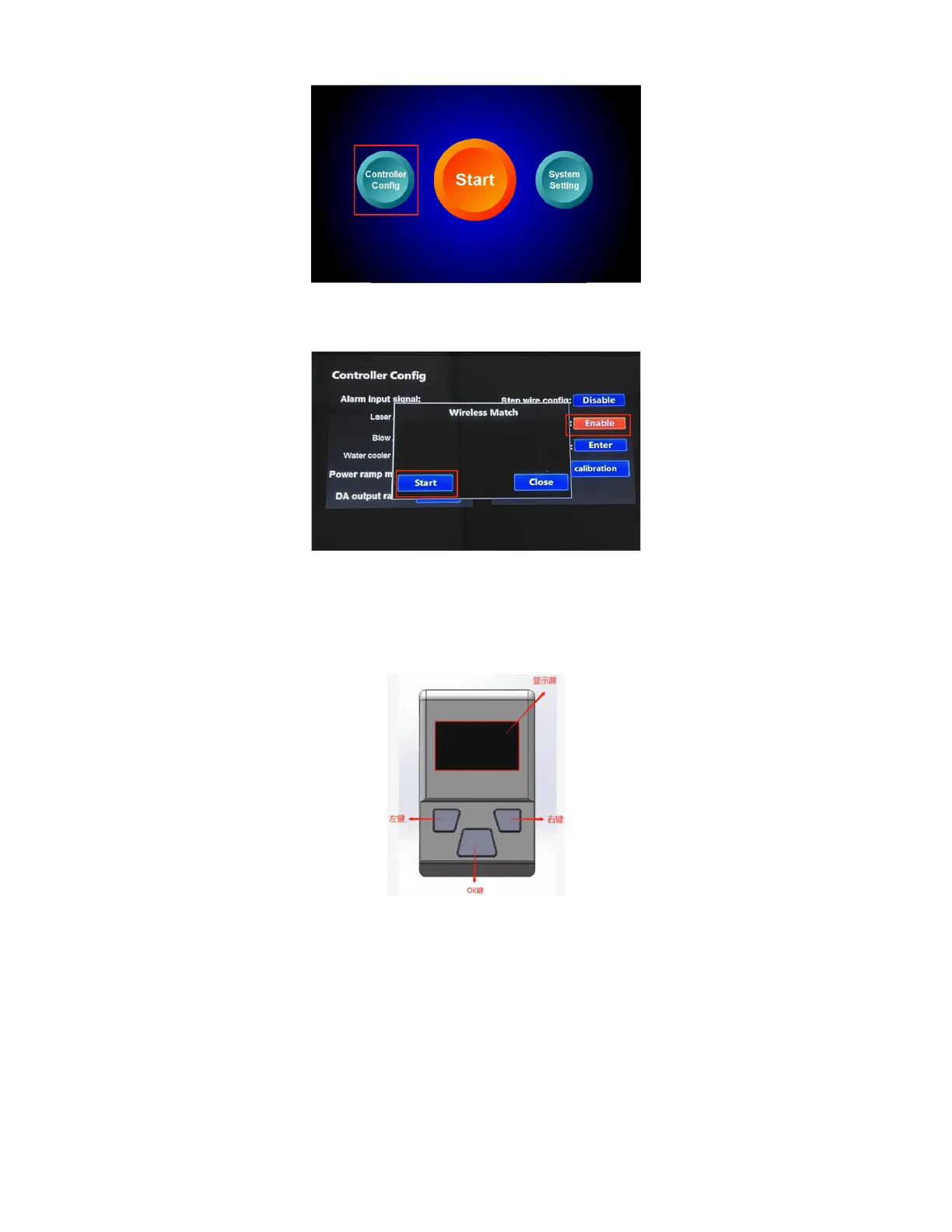
3. Check "enable" to turn on the wireless control function of the welding head. The
wireless communication address needs to be consistent with the communication
address of the wireless controller on the welding head.
Instructions for Handheld Welding Wireless Control unit
Operating Instructions for Wireless Communication Module
1. Display screen: displays the man-machine interaction interface such as parameter
functions.
2. OK key: Short press to enter the parameter editing state, each time you press, the
next parameter item is selected, the selected parameter flashes, and the parameter
is set by the left or right button; if no key is pressed within 5 seconds or the
parameter is not set, return to non-editing Status, the parameter stops flashing; long



 To Next Page