25
Set the running speed of the wire feeder corresponding to the "Wire feeding speed"
parameter on the touch screen.
8. Wireless pairing: (Status: On\Off)
Cooperate with "Enter Pairing" in the "Controller Configuration" interface of the touch
screen to achieve wireless pairing.
9. Language switching: (Status: Chinese\English\Traditional,etc)
Switch interface language display, support: Simplified Chinese, English, Traditional
Chinese, etc.
Attention tips
⚫ The wireless controller needs to avoid shielding or interference.
⚫ The wireless control receiver cannot be plugged in or out with power.
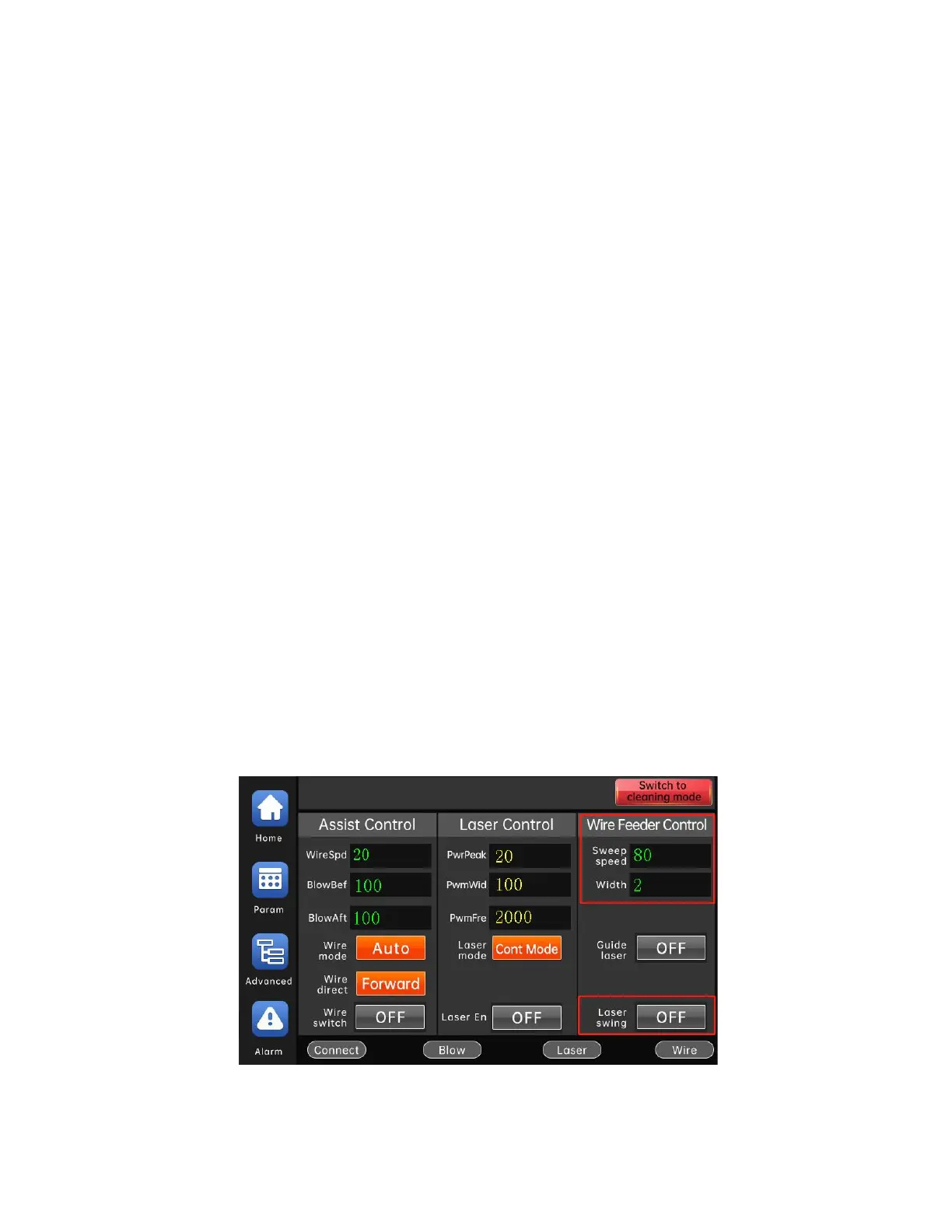
Adjusting the light spot size of the handheld laser welding head
1) Set "WobbleFreq". The larger the parameter setting, the faster the spot swing
frequency.
2) Set "WobbleWidth". The larger the parameter setting, the greater the swing
amplitude of the spot.
3) Turn on the "LightSpot Wobbling". the light spot swings according to the "
WobbleFreq" and "WobbleWidth". Turn off the "LightSpot Wobbling" and the
spot stops swinging.



 To Next Page